65
Electrical System
Starting and stopping procedure
Make sure the engines are shutdown with the shift
levers in the neutral position and your hand is on
the control levers. Touch the panel with the elec-
tronic key to unlock and activate the panel. The
panel will beep twice to indicate it is unlocked and
the buttons are active. Once the panel is activated,
press the IGNITION button, then the START/STOP
button for the port engine. It is not necessary to
hold the button, just press it once and release it.
The computer will automatically check all engine
systems and start the engine. Once the engine
stabilizes, repeat the starting procedure for the
other engines. Stop the engines by pressing the
START/STOP buttons again. Touch the panel
with the electronic key to deactivate and lock the
panel. The panel will beep once to indicate that
it is locked and the engines and START/STOP but-
tons are deactivated.
6.5 12 Volt Helm
Accessory Switch Panels
Helm Switch Panels
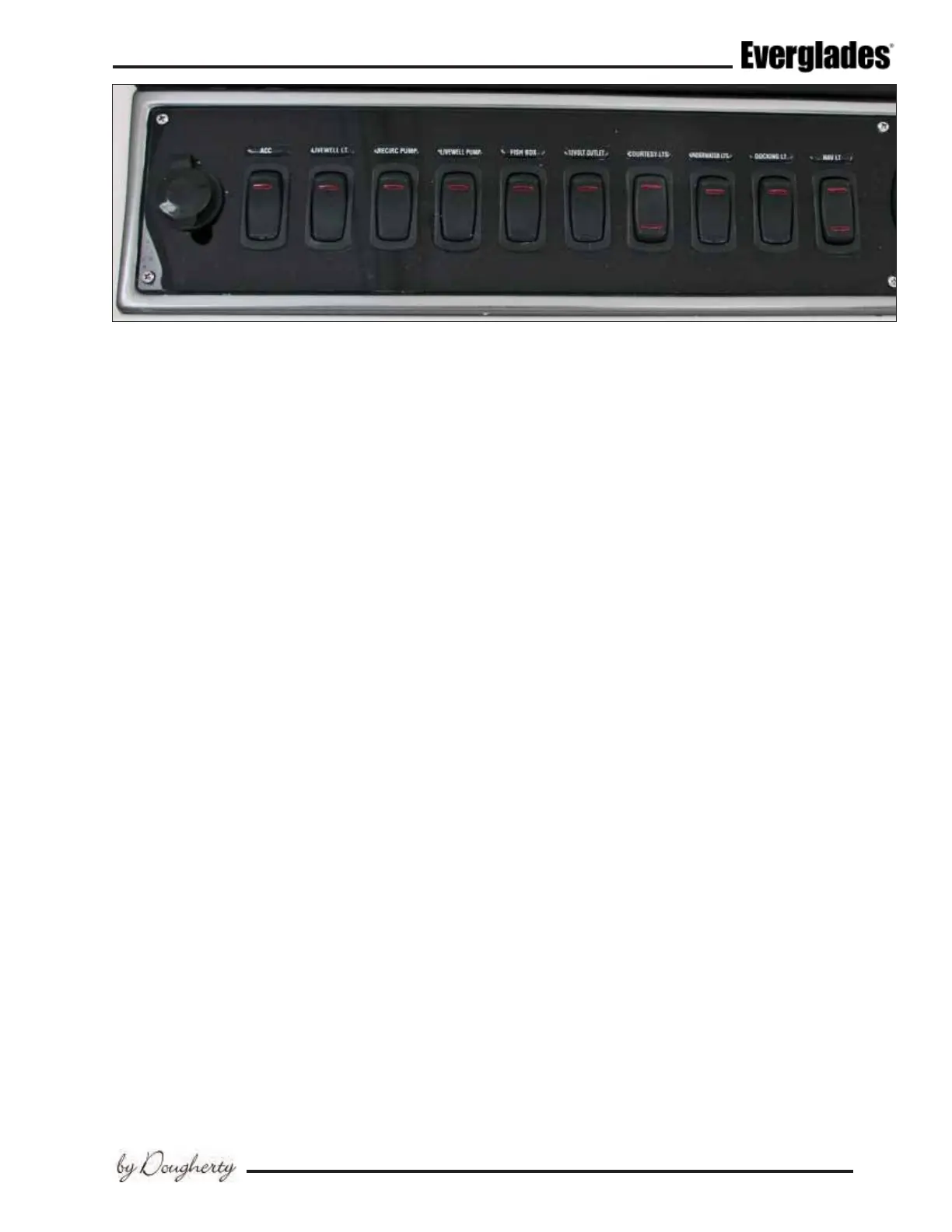
These accessory switch panels are located at the
helm on each side of the steering wheel. The
circuit breakers that protect the accessories are
located in the DC breaker panel in the cabin. LED
lights built into the switches indicate the circuit
is activated.
The following is a description of the accesso-
ries controlled by the main accessory switch
panels:
AUX
Reserved for additional 12 volt accessories.
Port Helm Accessory Switch Panel
Livewell LT
Activates the light in the port livewell.
Recirc Pump
Activates the pump that recirculates the water in
the port livewell.
Livewell Pump
Activates the pump that supplies seawater to the
port livewell.
Forward Fish Box
Activates the diaphragm pump that drains the
cockpit sh box. To avoid damage to the pump,
always monitor the water level as the pump drains
the sh box and turn it off immediately when
draining is complete.
Courtesy LTS
A three-position switch that activates the cockpit
lighting. The middle position is OFF. Move the
switch in one direction to activate white lights.
Move the switch in the opposite direction to acti-
vate blue lights.
Blue lights have less effect on night vision
and should be selected if you need to il-
luminate the helm area and cockpit while
navigating at night.
Underwater LTS
Activates the LED underwater lights in stern be-
low the water line. Press the switch once for blue
lights, press the switch again for white lights.
Docking LTS
Activates the lights in the hull on each side of the
bow that illuminate the area in front of the boat
for better visibility when docking at night.



 To Next Page