ThermalRite Blast Chiller Easy Touch Screen Manual
➢
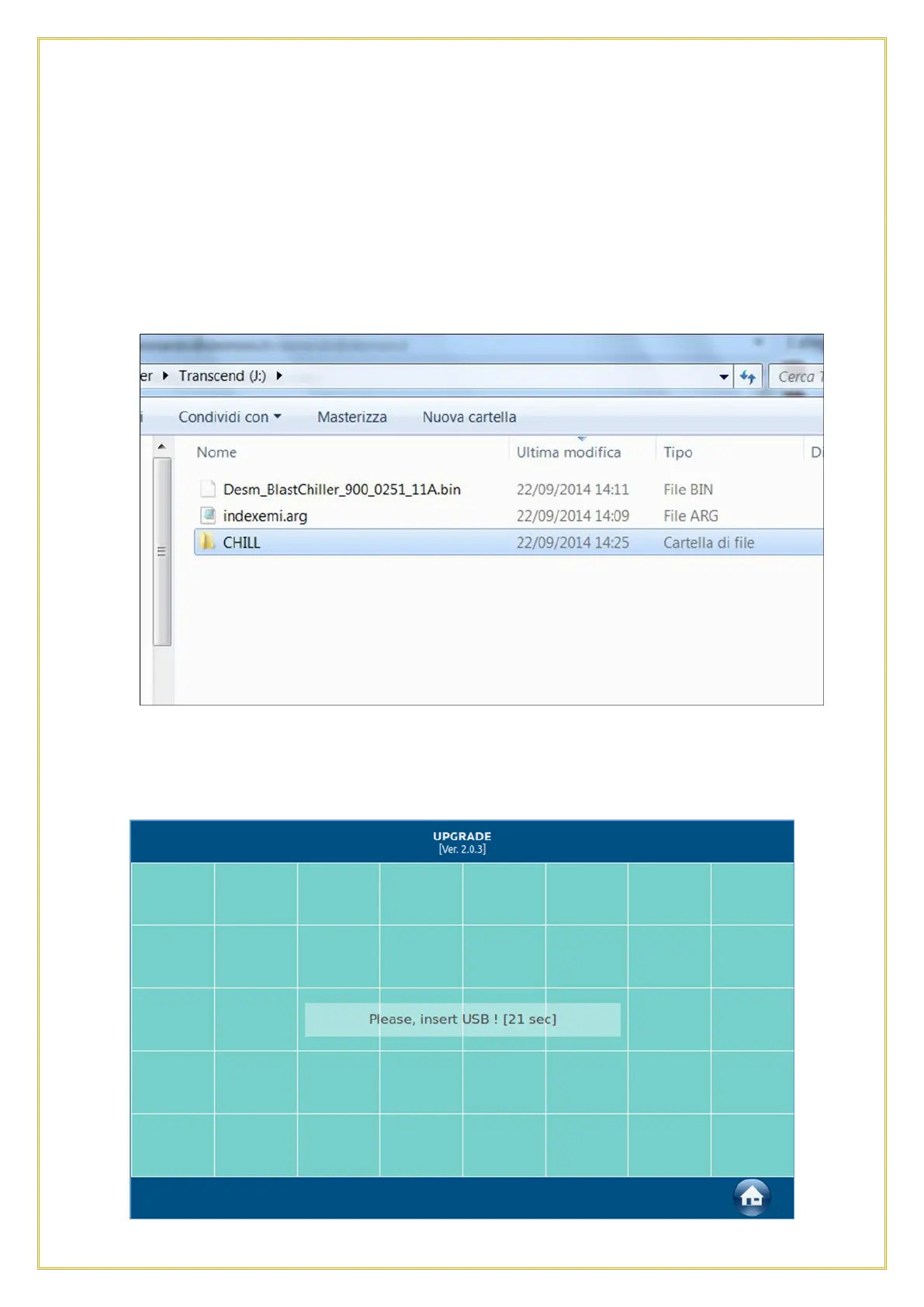
Desm_BlastChiller_900_0251_11A.bin
A. Download the files onto a pc.
B. Connect an empty, formatted USB drive to it.
C. On the USB drive, create a folder and name it “CHILL.”
D. Copy the file named CHILL.emi in the “CHILL” folder.
E. Close the folder and on the same USB drive, copy the files indexemi.arg and
Desm_Blastchiller_900_0251_11A.bin.
F. The USB drive will show the following;
A. Remove the USB from the PC, slide the right side of the Touch Screen bezel open
and connect the USB drive to the port.
B. Go to the USB function and select SOFTWARE UPDATE. A screen will pop up
asking to insert the USB key until the key is detected.
19



 To Next Page