ThermalRite Blast Chiller Easy Touch Screen Manual
5.6. I/O Menu
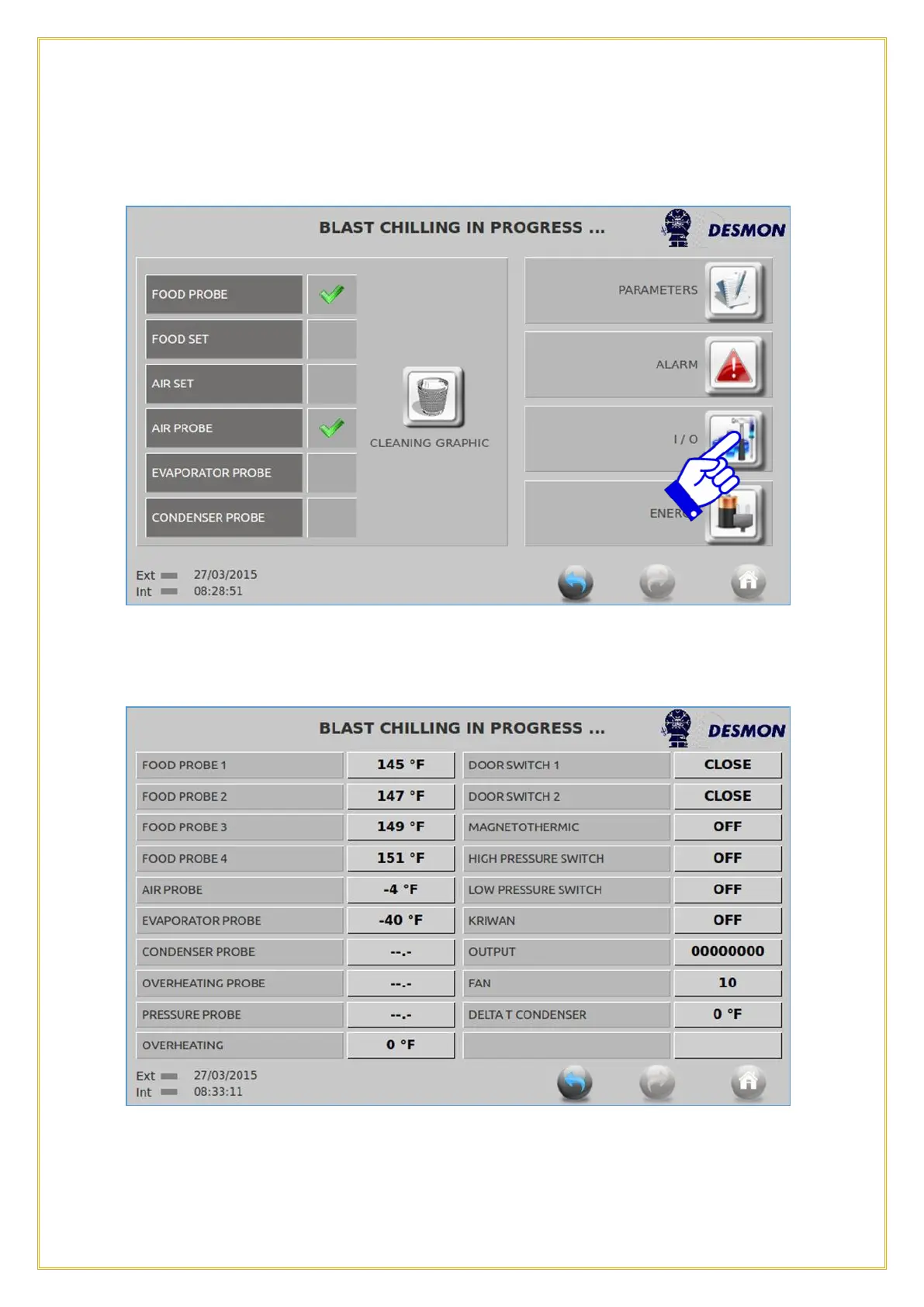
By pressing on the I/O icon, it will bring up the next screen.
This function allows the user or service technician to monitor in real time the input values
of each of the following; multi-point Product Probe, Evaporator probe, cavity Air
Temperature probe, Condenser probe and the Door(s) status. Additionally, the I/O



 To Next Page