7. Service
This menu is to be used by service technicians to help in diagnosing issues. Access to
service functions is password protected, to avoid changes to the parameter settings and
to prevent damage to the Blast Chiller. Even when provided the password, do not
access the Service Menu and make any changes, unless you are directed to do so by a
member of the manufacturer’s service team.
7.0. Access to the Service Menu
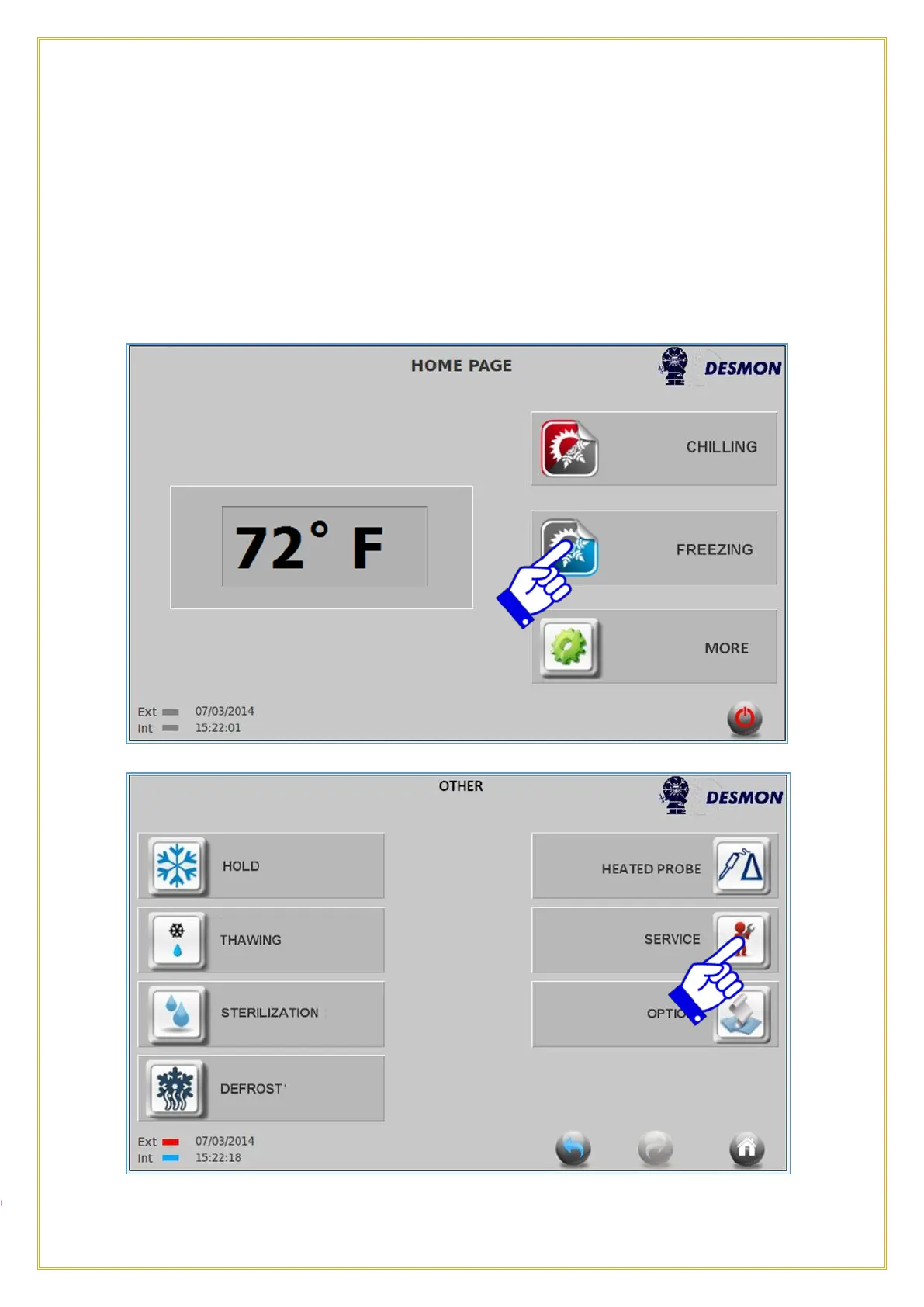
From the HOME screen, press the MORE icon, then press SERVICE icon.
Press the Service icon.



 To Next Page