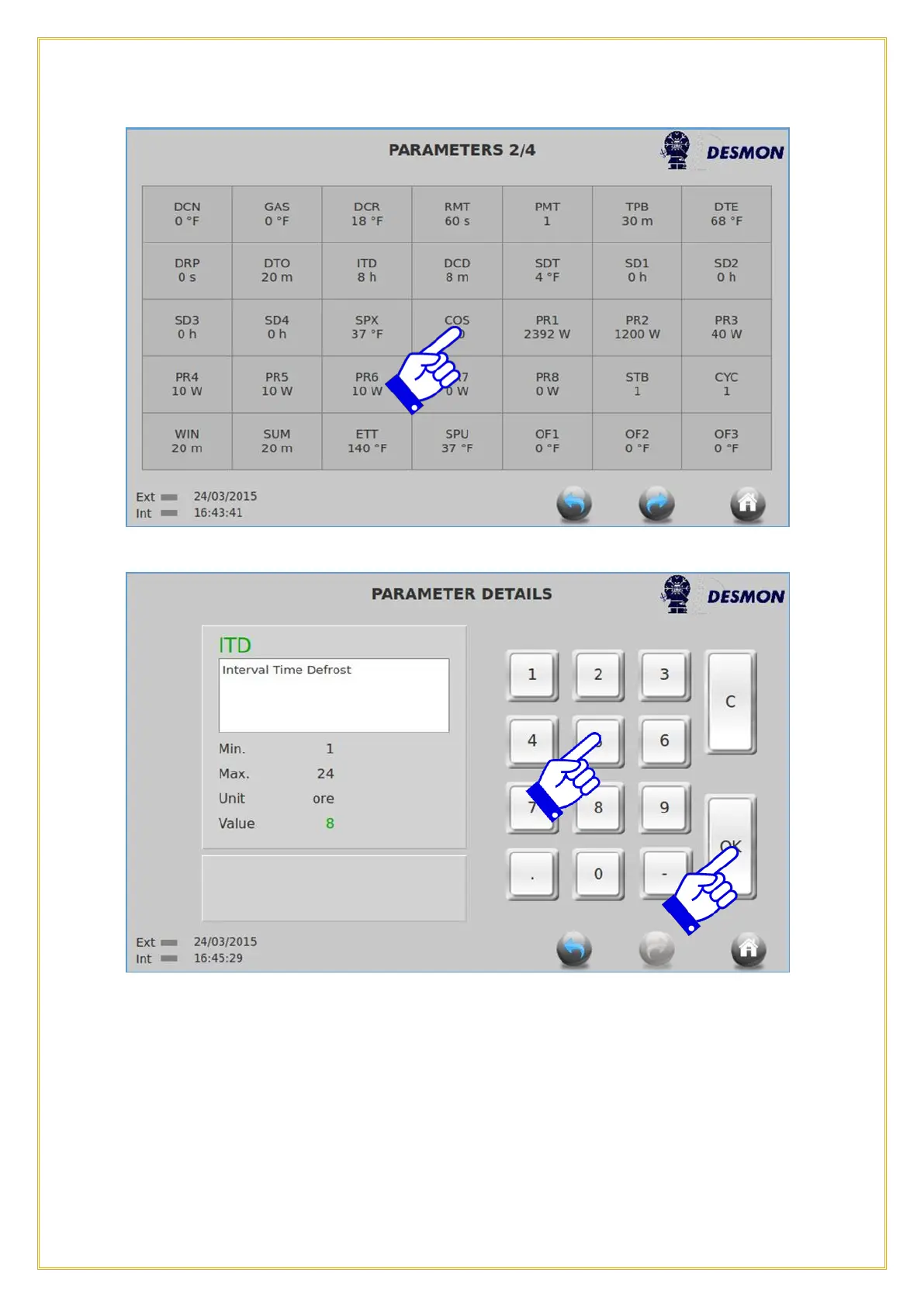
To change a Parameter, press on the parameter that needs to be changed.
Use the keyboard to change the parameter value and press OK to confirm the change.
Press the Return icon to return to the previous screen or press the Home icon to return
to the Home screen.
7.2. Parameter List
The following table of Parameter settings is for reference only. Parameter values may
change in the future without additional release of revised manuals. Please contact the
manufacturer’s service team member for an updated list of current parameters.



 To Next Page