4.6.2. Using a Proprietary Software to Track HACCP Data
The above .csv files can be easily loaded and tracked via a proprietary software called
Blast Chiller Tracer. Ask for the software files from the manufacturer service team. The
necessary files are:
• db (folder)
➢
lib (folder)
• BlastChillerTracer (Java executeble file)
Create a folder on your PC Desktop and name it BlastChiller Tracer, place all 3 files
into the same folder. NOTE: Do not open db and lib folders but only run
BlastChillerTracer. The Tracer software is a Java executable file. Java Virtual
Machine (JVM) is a very common software and is normally preinstalled into Windows
based OS, in order to run games or other graphical interactive application. If the PC that
is being used does not have JVM installed on it, contact your Administrator or install JVM
from the following link; www.java.com
The software is safe and free of charge. Once it is installed you can run the executable file
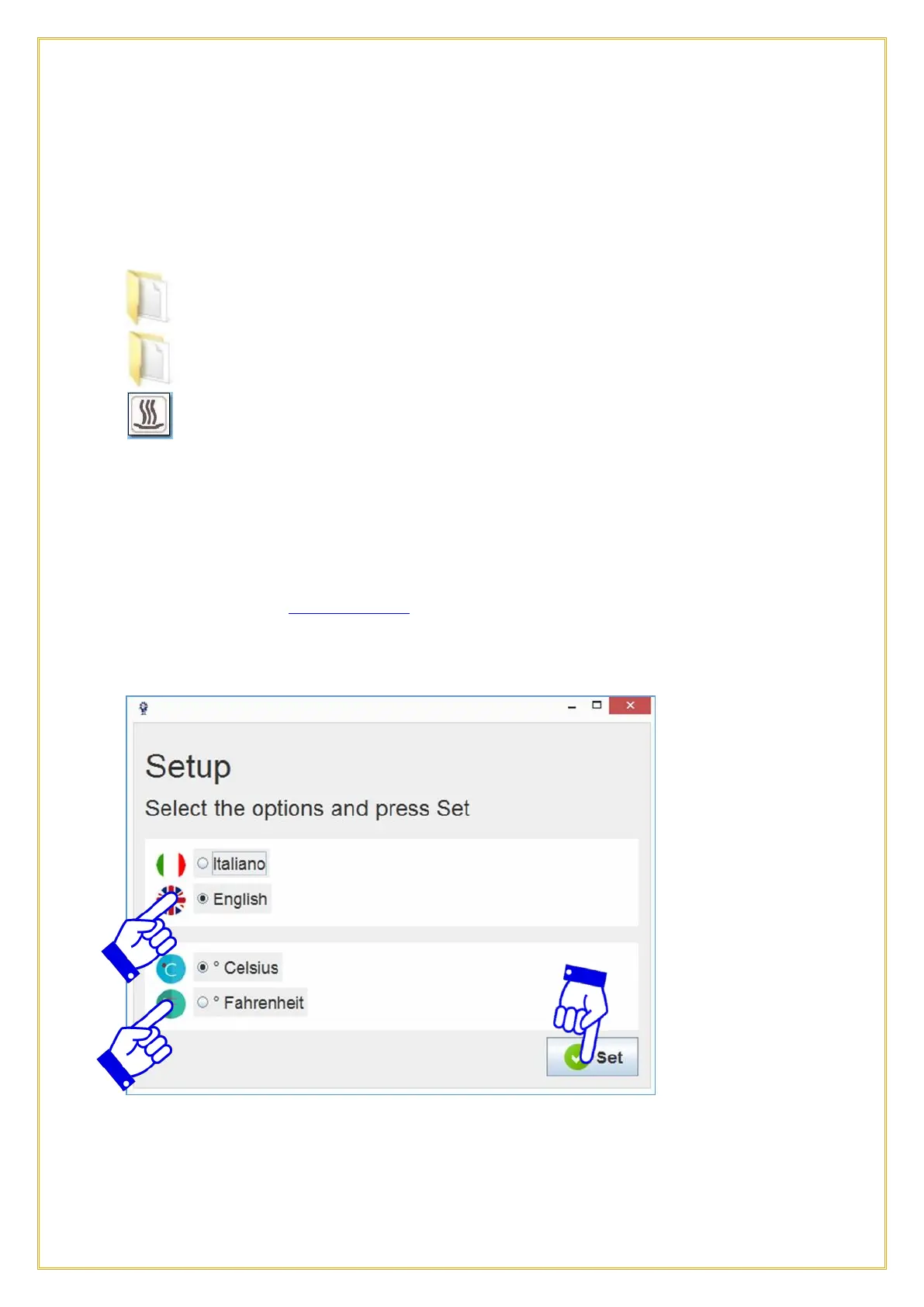
BlastChillerTracer that has a .jar extension. The main window will show as below.
Select the Language and then the Temperature scale and then press the Set icon.



 To Next Page