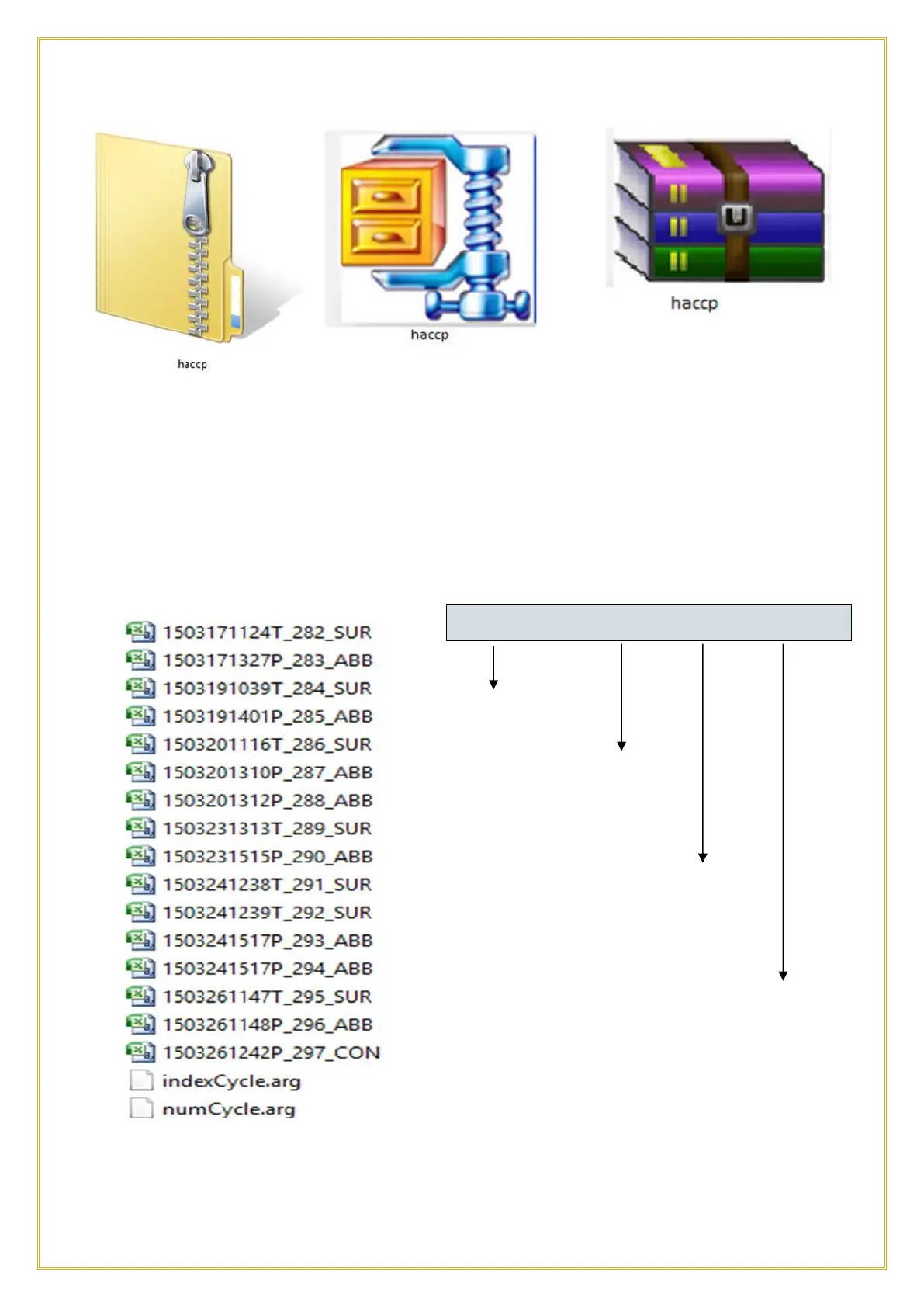
The icon depends on the zip software installed on the PC. Use any zip software (such as
WINZIP, UNZIP, WINRAR, G7 or similar zip applications) to extract he file to a folder.
The folder will be named “haccp” as well. The cycle data will be stored at the following
path haccp\home\root\haccp and will be contained in the .csv files format (Comma
Separated Values). They will be normally be loaded into an Excel file, like shown in the
below example:
Every file represents a single cycle and is encoded as per the below examples:;
YEAR/MONTH/DAY
STARTING TIME
(HH:MM)
CYCLE ID#
CYCLE TYPE:
SUR: FREEZING
ABB: CHILLING
CON: HOLDING
Note: indexCycle.arg and numCycle.arg are encrypted files, do not open them unless
instructed to do so.



 To Next Page