3.0. The Hold Mode
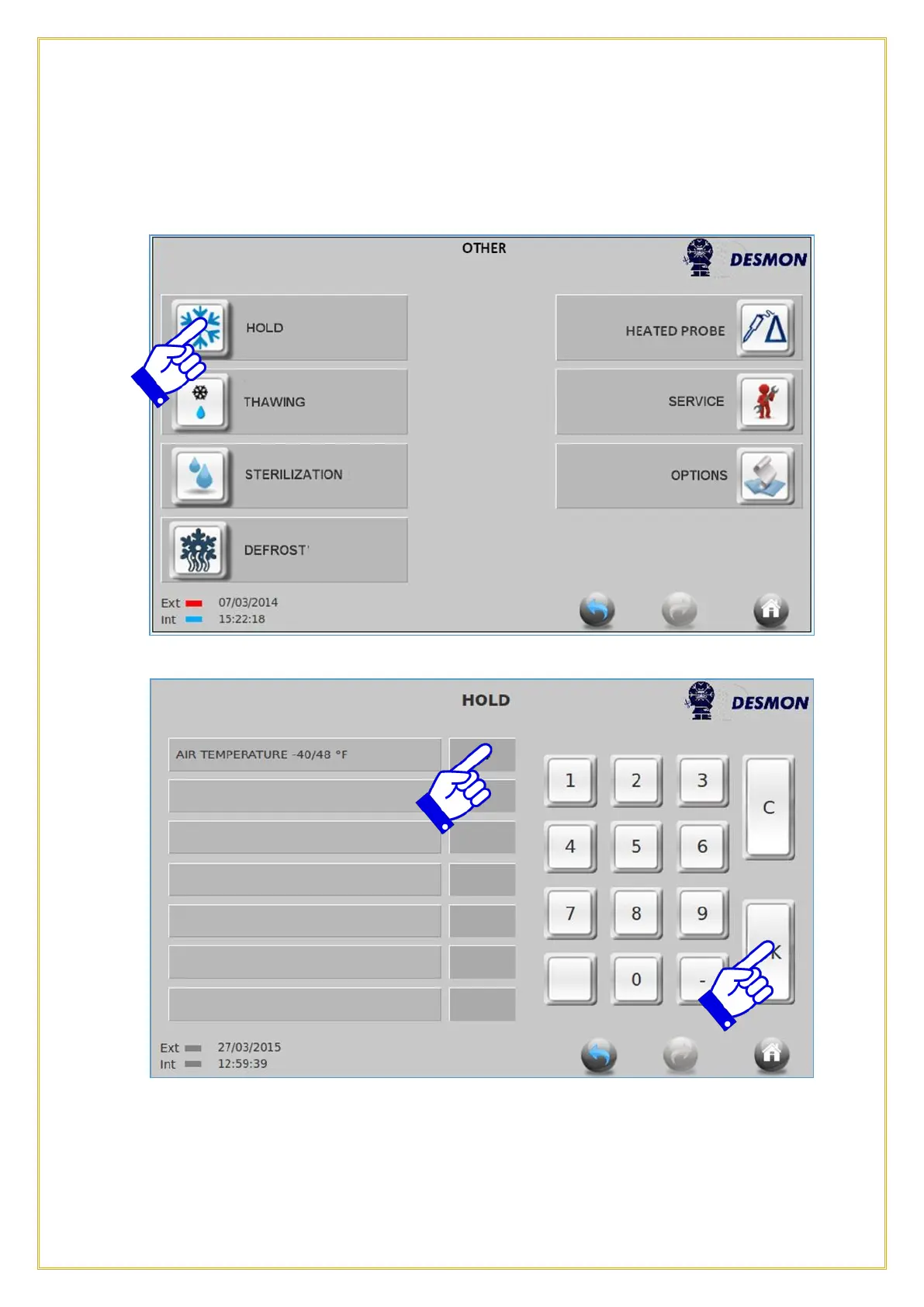
To select the Hold option, press the Hold icon.
To change the Hold temperature, press the Air Temperature tab, the tab will turn Blue
and you can select a temperature from -40°F(-40°C) to 48°F(8°C). Once you have
selected a temperature, press OK and the cycle will begin. If no temperature is selected
or a temperature is selected outside of the range and start is pushed, the tab will turn
Red and not allow you to continue until a correct temperature is selected.



 To Next Page