ThermalRite Blast Chiller Easy Touch Screen Manual
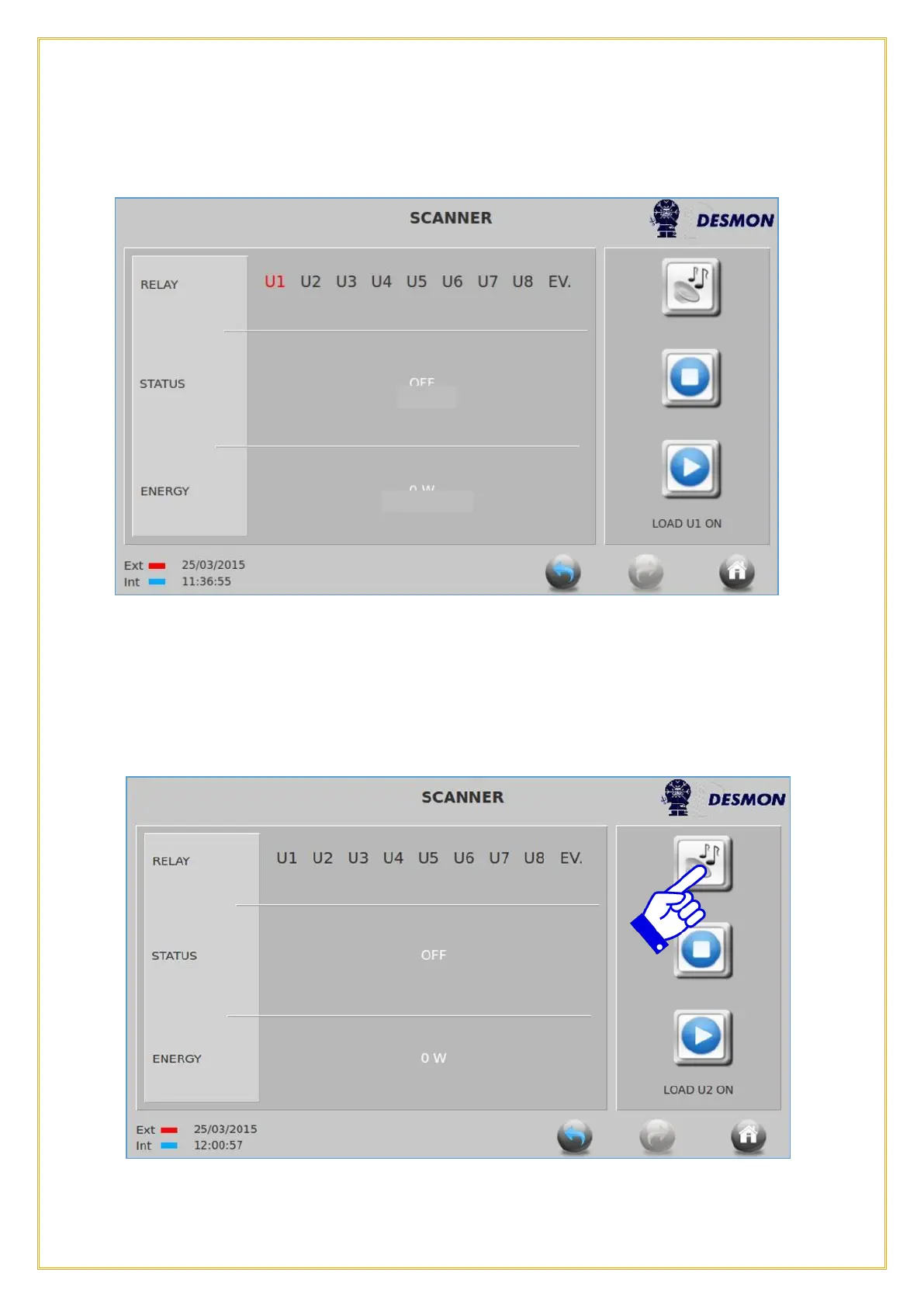
The relay 1 (output N-U1 on the relay board) will be activated. Wait 5 seconds until the
power board sends a signal back to the display to prove that the relay is actually closed
(U1 will become Red and STATUS will change to ON).
Meanwhile the watt load on that relay output will appear in the field ENERGY, to monitor
if there is any load by the component supplied by relay 1 and how much the wattage used
is. Press the Return icon to return to the Service menu or the Home icon to return to
the Home screen
NOTE: When the relay is powering a contactor or power relay, the power consumption
will not show the actual power pulled by the electrical load connected to that contactor or
power relay.
Press again the PLAY button to activate relay 2, or STOP to de-activate the relay. Press
on the Music icon to test the buzzer



 To Next Page