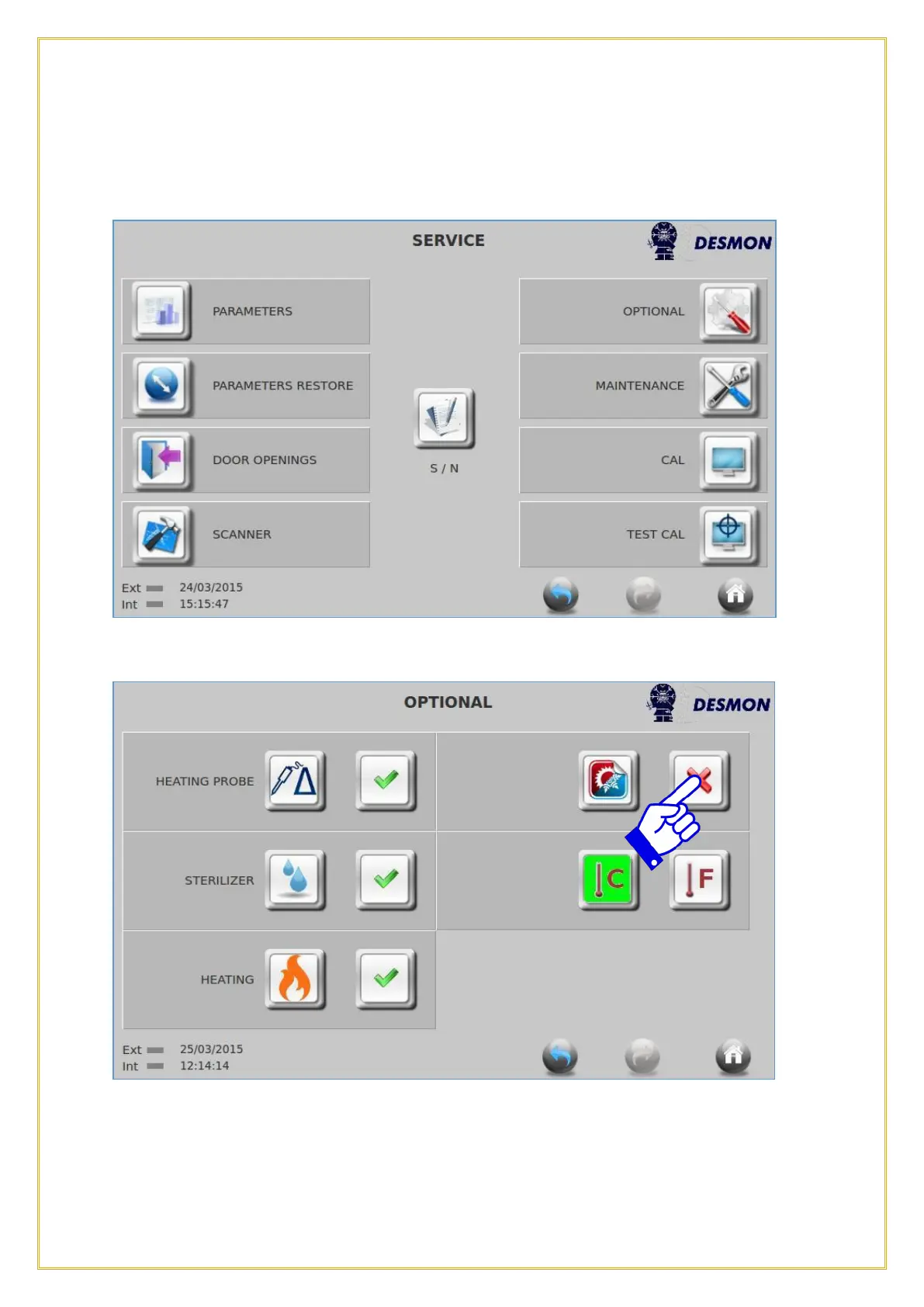
This menu will allow the user to enable or disable some features such as; Product Probe
heating option, Sterilizer option, Thawing function, Blast Freezing cycle or Celsius
[°C] or Fahrenheit [°F]. To access this screen, press the Optional icon.
This screen will appear.
Press
the icon next to the function you wish to activate or deactivate. A Green Checkmark
indicates it is active and a Red X indicates it is deactivated.
NOTE: Disabling the Blast Freezing cycle will only allow the user to select a Blast
Chilling cycle from the Main selection screen.



 To Next Page