CHANGING MODES
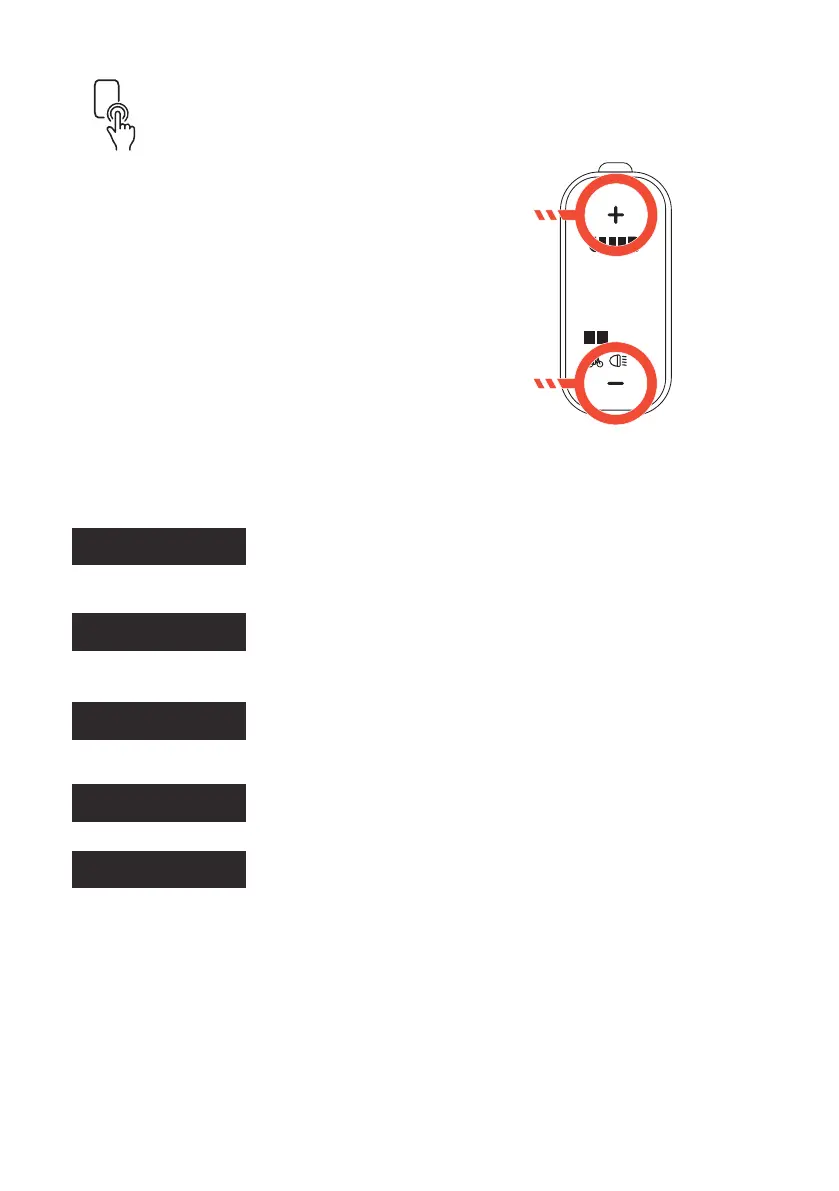
When the display is
turned on, press the
Plus (+) or Minus
(-) buttons to switch
modes.
The lowest level is 1,
the highest level is
5. When the system
is switched on, the
support level starts in
level 1.
A gentle power assist mode that allows a natural
feeling pedal control. Great for long rides that gives a
natural bike experience.
Your bike is equipped with 5 speed modes to ensure you get the most out of
your riding experience.
Your Project BMX has xed earing. Use the Speed Modes as you would
gears on a bike. Cycle back down from Mode 4 or 5 according to the riding
situation. For example, select Mode 4 or 5 for an approaching hill, then cycle
back down to Mode 4 or 3 once you have reached the top of the hill.
A gentle power assist mode that ramps up power
slightly more than mode 1 that still allows for a natural
ride feeling. This mode can handle small hills and
longer rides without ever breaking a sweat.
A medium power assist mode that is smooth yet
discreetly powerful allowing medium hill climbing
capabilities of up to 10% gradient.
A high power assist mode that ramps up power pretty
quickly allowing fast take off and larger hill climbing
capabilities of up to 15% gradient.
An aggressive power assist mode that boost to full
power quickly, allowing the rider to conquer steep hills
of up to 20% gradient.
1 2
0 0
SCROLL UP
THROUGH
MODES
SCROLL DOWN
THROUGH
MODES
MODE 1
MODE 2
MODE 3
MODE 4
MODE 5
/35



 To Next Page