BATTERY
/36
1
2
3
4
6
5
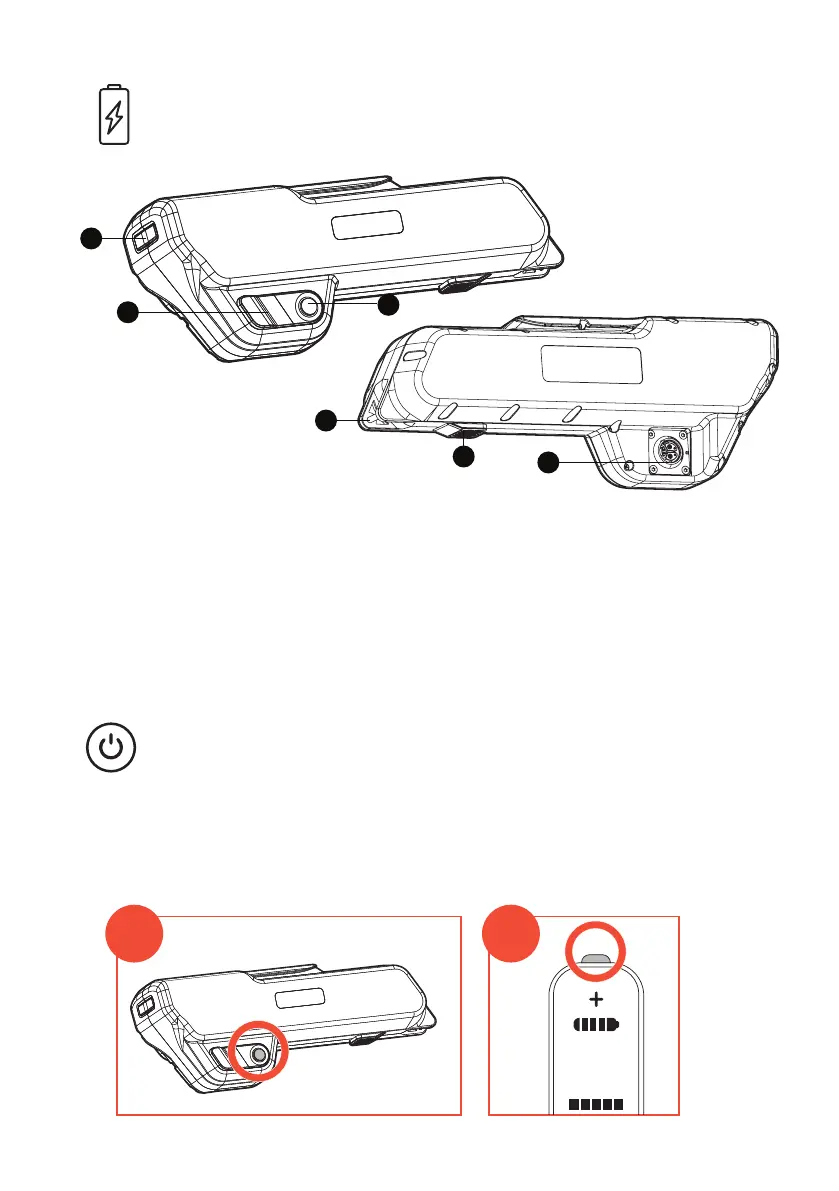
1. Rear Tail Light
2. Charge Port
3. Power button
4. Lock Bar
5. Push Button Lock
6. Connection to drive system.
TURNING THE BIKE ON/OFF
1 2 3 4 5
0 0
1
2
To turn the bike ON, press the ON/OFF button on the side of the battery pack
(1). Then turn the display ON (2), hold down for 3 seconds.
To turn the bike OFF. Turn off display by holding button (2) for 3 seconds,
then press ON/OFF button the side of the battery pack (1).



 To Next Page