GREEN LIGHT = FULLY CHARGED/NOT CONNECTED TO
BATTERY
RED LIGHT = CHARGING
ALWAYS charge your battery before use to maintain the best
battery health.
1
2
/38
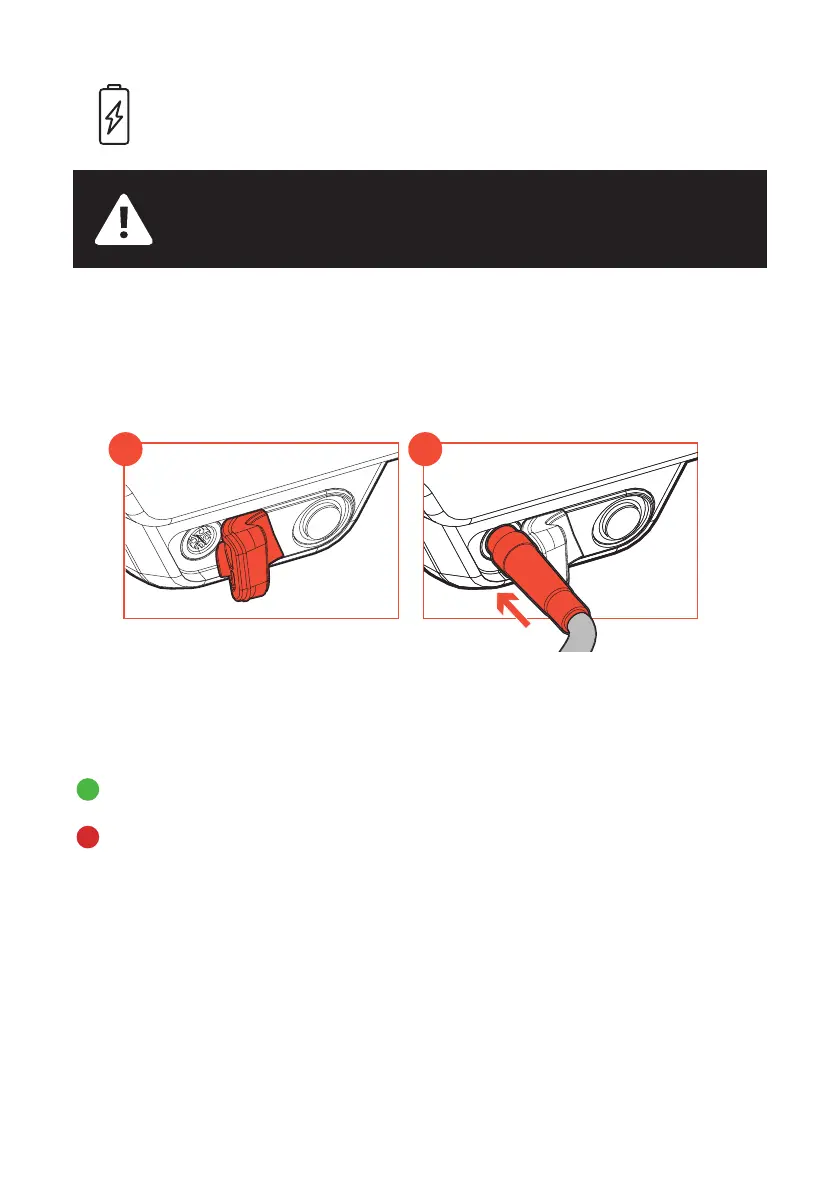
There is a charging port on the battery. To access, ex the cover to the side
(1) and Insert the Charger Cable (2). You can remove the battery from the
saddle and charge in another location or charge it when assembled to the
saddle.
Make sure you charge battery in a well ventilated location.
Connect power to the charger by inserting the charger plug into an outlet.
The charger will show:
Once the battery is fully charged the light on the charger will turn green.
Remove the charger plug from the battery, replace the cover into its home
location remove the plug from the outlet.
BATTERY CHARGING



 To Next Page