Functional characteristics
Machine control – Operating elements
Item No.: 099-004934-EWM01 35
5.1.2.1 Setting the operating point (welding output)
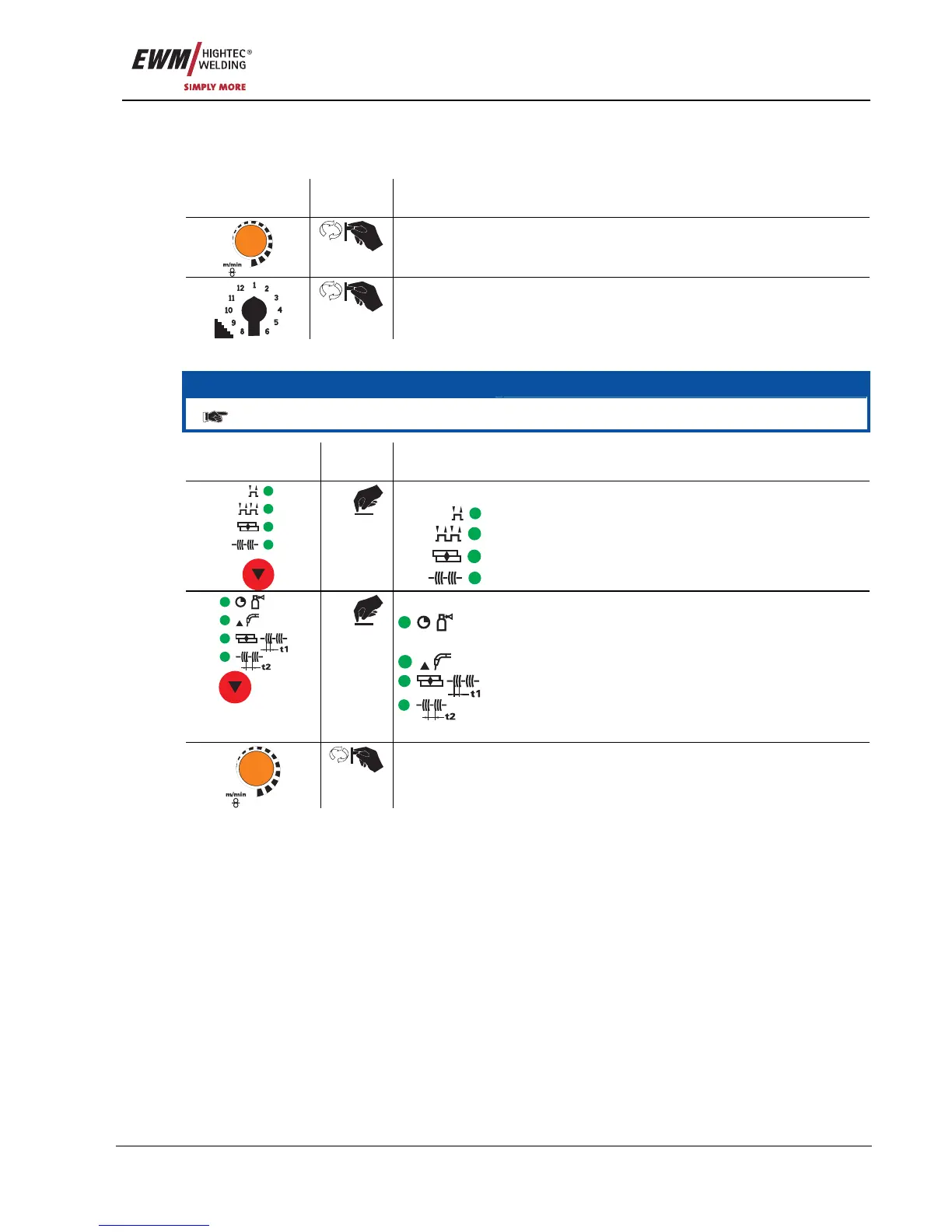
This control works according to the twin-knob operation principle. To set the operating point, only the wire
speed and the welding voltage need to be set according to the material and the electrode diameter.
Operating
element
Action Result
Wire speed setting
Welding voltage setting
5.1.2.2 Setting the operating mode and runtime parameters
NOTE
The parameter values set are preset in the JOB and can be modified if necessary.
Operating
element
Action Result
Select operating mode:
Non-latched
Latched
Spots
n x
Interval
Select welding parameter:
Set gas post-flow time "GnS"
(0.0 s to 10.0 s)
Set wire burn-back time "drb" (-50% to 50%)
Spot/interval time "t1" (0.1 s to 5.0 s)
Interval/pause "t2" (0.1 s to 2.0 s)
n x
The selected parameter is shown on the display
Set the parameter chosen









 To Next Page