FPM-600/FLS-600 12
Getting Started
Activating Automatic Shutdown (Auto-Off)
Activating Automatic Shutdown (Auto-Off)
When auto-off is activated, the unit will turn off after 10 minutes of
idle time.
Auto-off is activated by default when you turn on the unit.
To deactivate/reactivate auto-off:
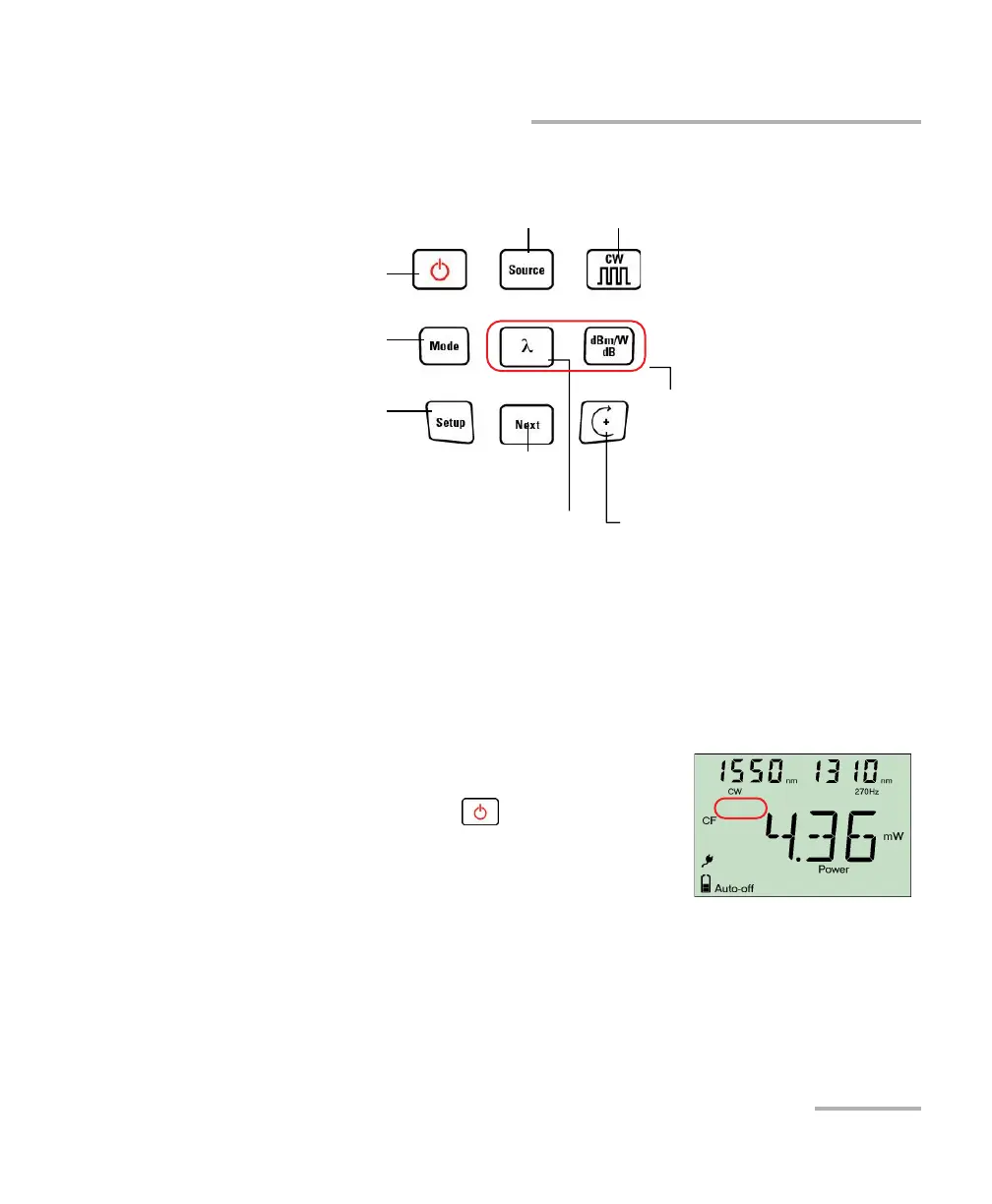
When unit is on, press .
PRESS:Next value
HOLD: Stores or
edits current value
PRESS: Toggles between
modulation values
Not present
in FLS-600
PRESS: Enters setup
menu
HOLD: Erases data
PRESS: Switches between
measurement units
HOLD:Sets input power as
reference power (not
available on FLS-600)
PRESS: Modifies selection
HOLD: Enters data recall mode
(not available on FLS-600)
PRESS:Switches between wavelengths
HOLD: Performs offset nulling
Keypad
PRESS: Toggles between all available
wavelength plus VFL(optional)
Turns unit on/off
Controls auto-off
Exits special modes
PRESS: Switches between
Power, Hold Min, Hold Max
HOLD: Backlight on/off



 To Next Page