Multimeter Tests
112 MAX-610
Isolation
3. Press on a value to open a list box of options or the alphanumeric
editor screen and use the navigation keys to scroll through.
4. Press to confirm the value.
Continuous
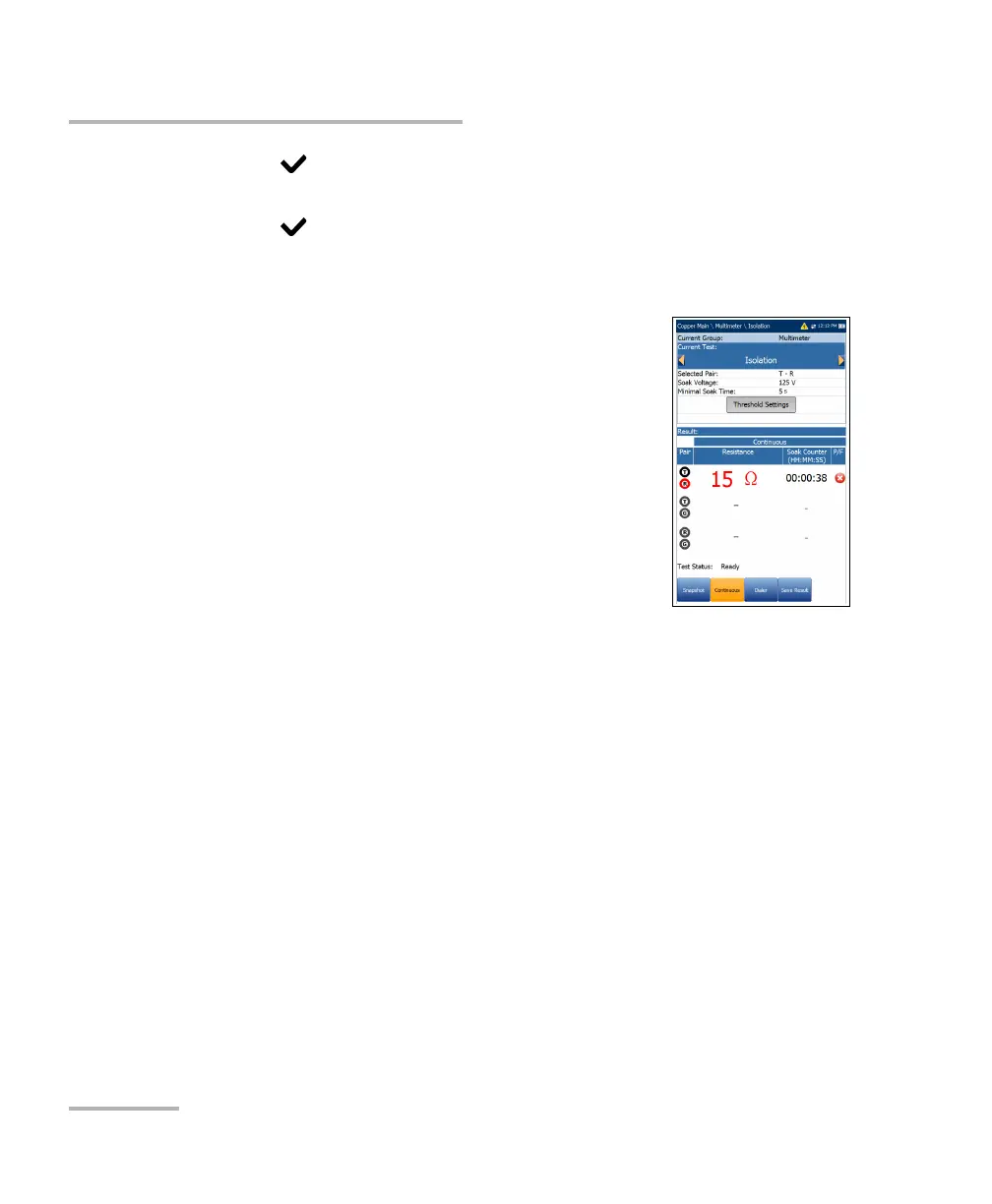
The Continuous function measures each pair,
displaying and updating results in real time, until you
stop the test. The last valid results then remain
displayed.
Current Group is the current test group name, for
example Multimeter.
Current Test displays the test being measured.
Here you can switch to another test from the given
list. However, this action will terminate the
ongoing measurement test.
Selected Pair allows you to select a single wire
pair for measurement.
Soak Voltage allows you to apply a voltage value to the pair(s)
currently under test. If your unit has the HIVOLT (high voltage) software
option configured, the Soak Voltage parameter values are extended up
to 500 V maximum.
Note: Since Soak Voltage is inherited in other tests that use the Isolation test, the
HIVOLT option also applies to the following tests: Pair Detective, User Auto
Tes t.
Minimal Soak Time sets a soak period of time from 1 to 60 seconds.
When the test duration reaches the Minimal Soak Time, the pass/fail
status is displayed and then periodically refreshed, until you stop the
test.
Threshold Settings button opens a new page that allows you to set
isolation thresholds for each pair.














 To Next Page