AvediaStream e2635/e3635 and e2655/e3655 Encoders V1.1
Administrator’s Guide 45
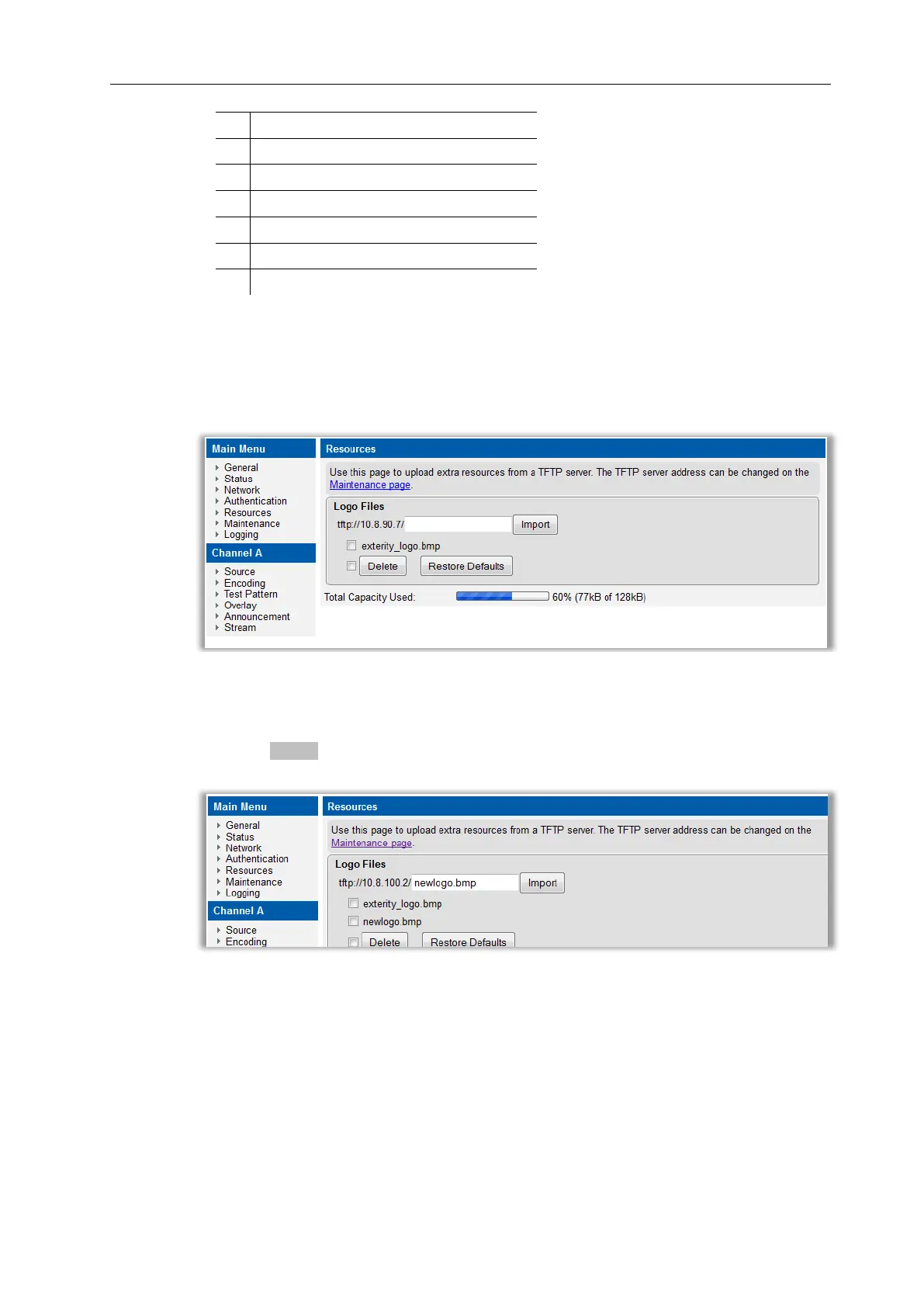
Logo files are uploaded to the encoder using TFTP and are listed on the Resources page.
To upload logo files:
1. Click Resources.
2. Ensure the files you want to use are located in the root folder of the TFTP server path and
that the TFTP server address is correctly specified.
3. Enter the filename you want to upload in the entry field.
4. Click the Import button.
5. Confirm the new logo file is listed
If required you can upload more than one logo file
To enable on-screen logo display:
1. Click Overlay.
2. Select Always On from the Overlay Mode drop down list.
3. Select the required logo file from the On-screen Logo drop down list.



 To Next Page