FX16 Master Controller Technical Bulletin 85
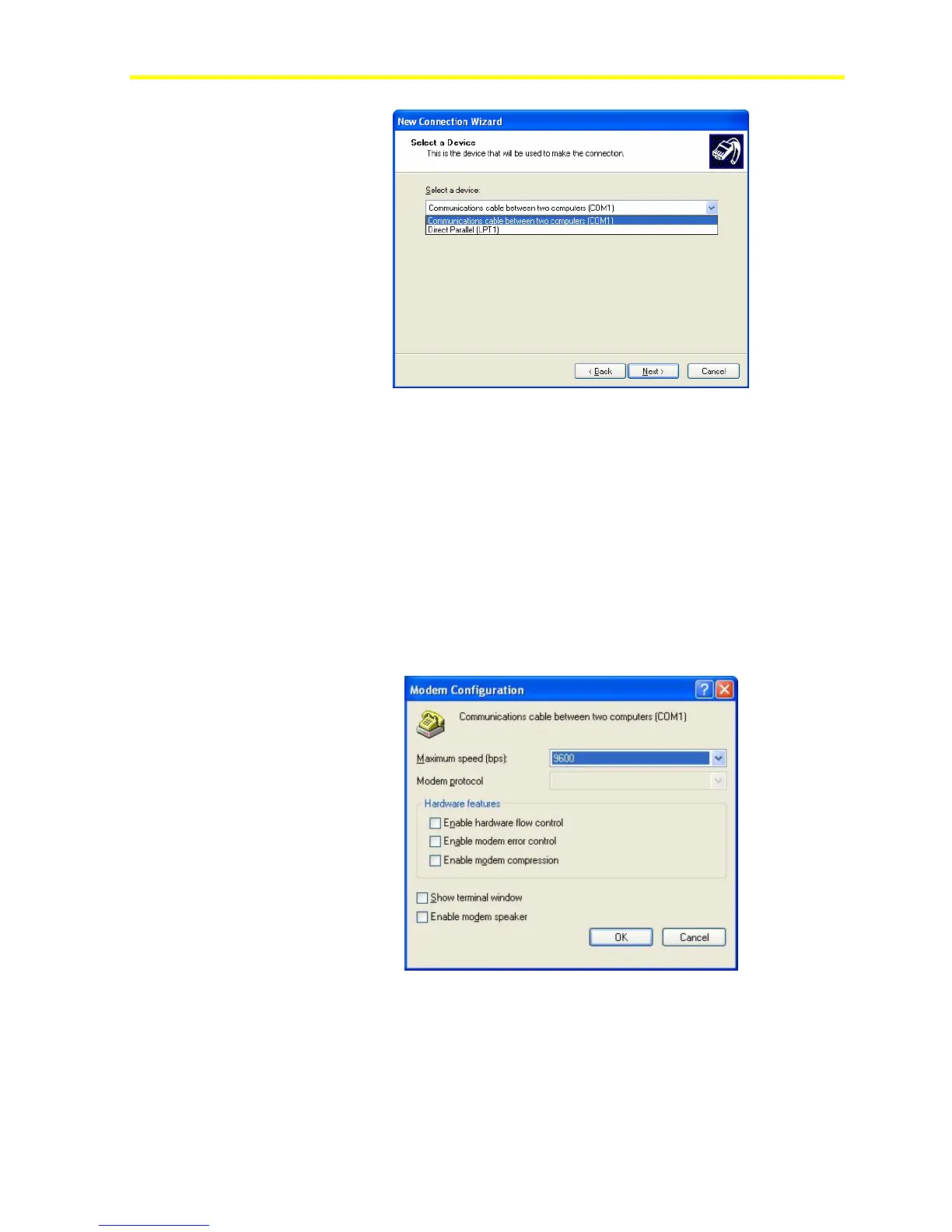
Figure 72: Select a Device
11. Set the connection availability to Anyone’s use and define the name
for the new connection.
The network connection configuration is now complete. A
Connection window appears.
12. Click Properties to configure the communication device selected
during the Network Connection creation.
Note: If you selected COM Port as communication device, then
you can access the COM configuration page. Configure the
Maximum Speed at 9600 bits per second (bps). You must clear all
the other Hardware Features.
Figure 73: COM Port Configuration
You can now use the connection.
13. Enter the account data into the connection form and click Connect.
Make sure the User Name and Password matches the ones
configured in the FX16 Master Controller.



 To Next Page