FX16 Master Controller Technical Bulletin
86
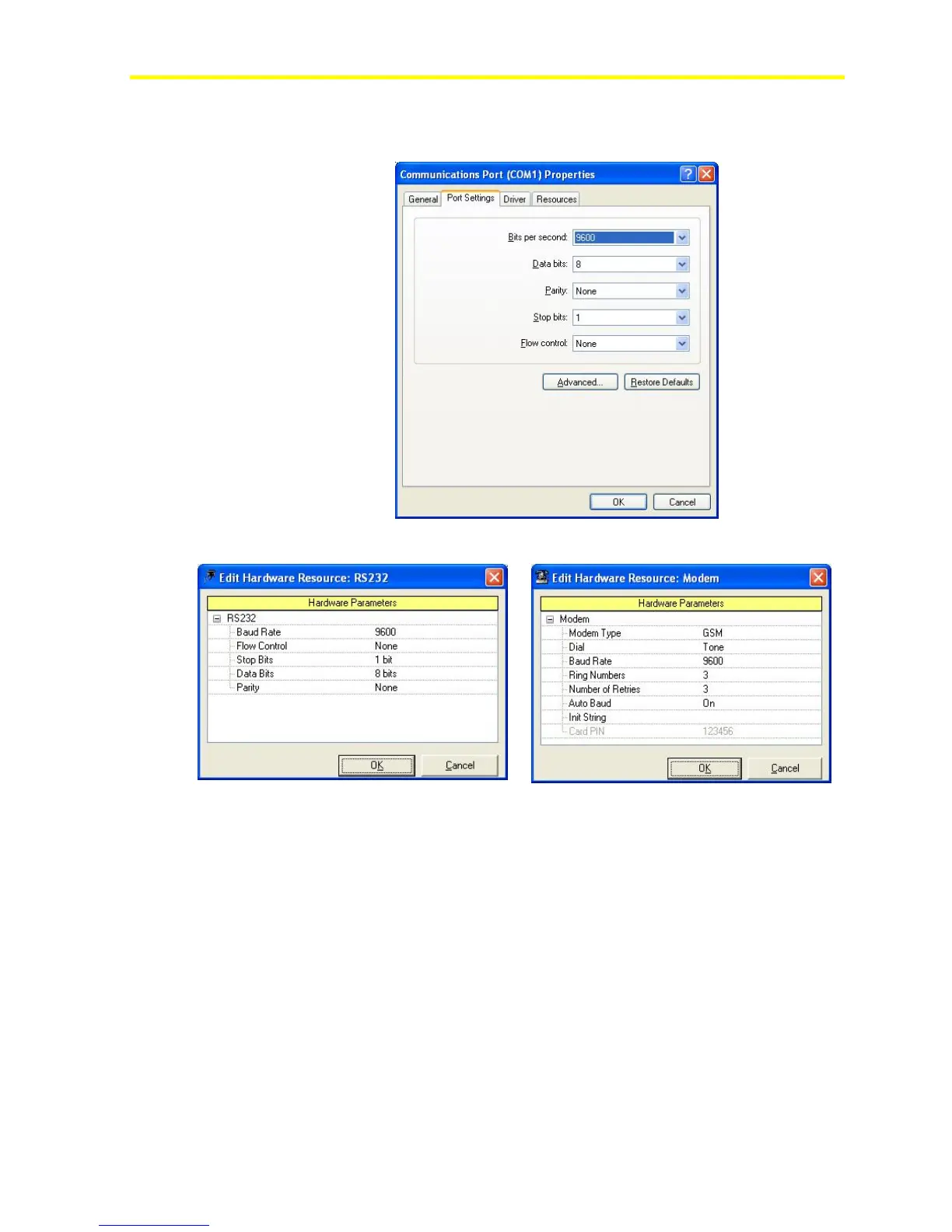
Note: The COM port configuration of the computer must match
the configuration defined in the application.
Figure 74: COM Port Configuration (Computer Side)
Figure 75: COM Port Configuration
(FX Builder Side)
Figure 76: Modem Type Configuration
(FX Builder Side)
Setting Up a Dial-in Internet Connection
After you choose Connect to Internet, the system asks you for an
Internet account or if you want to create a new one.
Because the Internet account is the same as the one from the FX16
Master Controller, you need to manually set up the connection.
To set up a dial-in Internet connection:
1. Select Set up my connection manually.



 To Next Page