2. Main menu
The main menu gives you access to the different functions on your device which are
explained one after the other in the following chapters. To switch from the map view to the
main menu, tap on
. To then return to the map view, tap on Map.
3. Destination entry
On the destination entry screen, you have the option of entering any destination you want in
order to be navigated to it. Various possibilities for doing this are available to you and they
are explained one after the other below.
3.1 Address
Here you can navigate to a destination by entering an
address. You can enter a full address with the street and
street number.
Note: With the basemap it is not always possible to enter a
street number.
To enter an address, carry out the following steps:
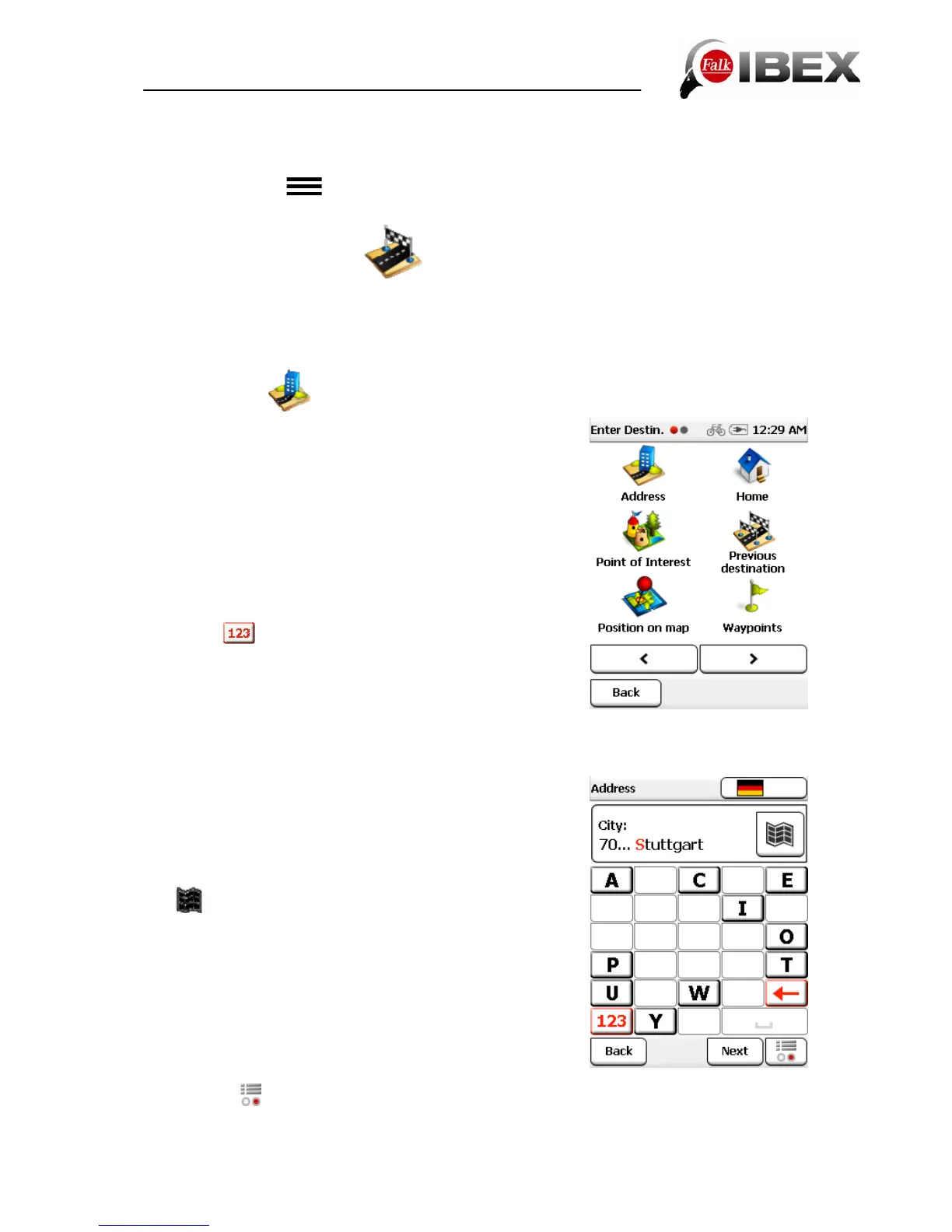
First tap in the main menu on "Destination entry" and then
on "Address".
You can now enter the city name first or enter a postcode by
tapping on
.
Note: With the basemap it is not possible to enter a
postcode.
Tap on Next to enter the street and street number.
You can also tap on the city name or street name in the text box to confirm the entry.
Note: If you do not wish to further restrict your search by
selecting a street and / or street number and simply want to
navigate to the centre of the destination city, simply tap on
Centre after selecting the city with Next. If you just want to
navigate to a street without a street number, tap after
entering the street on Street Centre.
The
button allows you to view the destination on the
map in advance.
If you tap on the country flag in the upper section of the
screen, you can select the destination country (if you have
also installed other country maps). You will find further
information about this in Chapter 6.1.3.
To enter umlauts or special characters, press on the
corresponding basic letter for a long time.
Once you have entered a letter, all of the letters which are
no longer possible will be blanked out.
If you tap on
, a list containing all possible city names for your entry will be displayed.
Falk IBEX User Manual 14


 To Next Page