6.3.13 Delete history
The Delete history option allows you to delete all user data. You will see which data will be
deleted in the confirmation prompt.
6.3.14 Default settings
If you tap on Default settings, you can reset the settings of the Falk Navigator to the factory
settings; the navigation device is automatically restarted when you do this. You then have the
option via the start wizard of making new settings.
6.3.15 Time
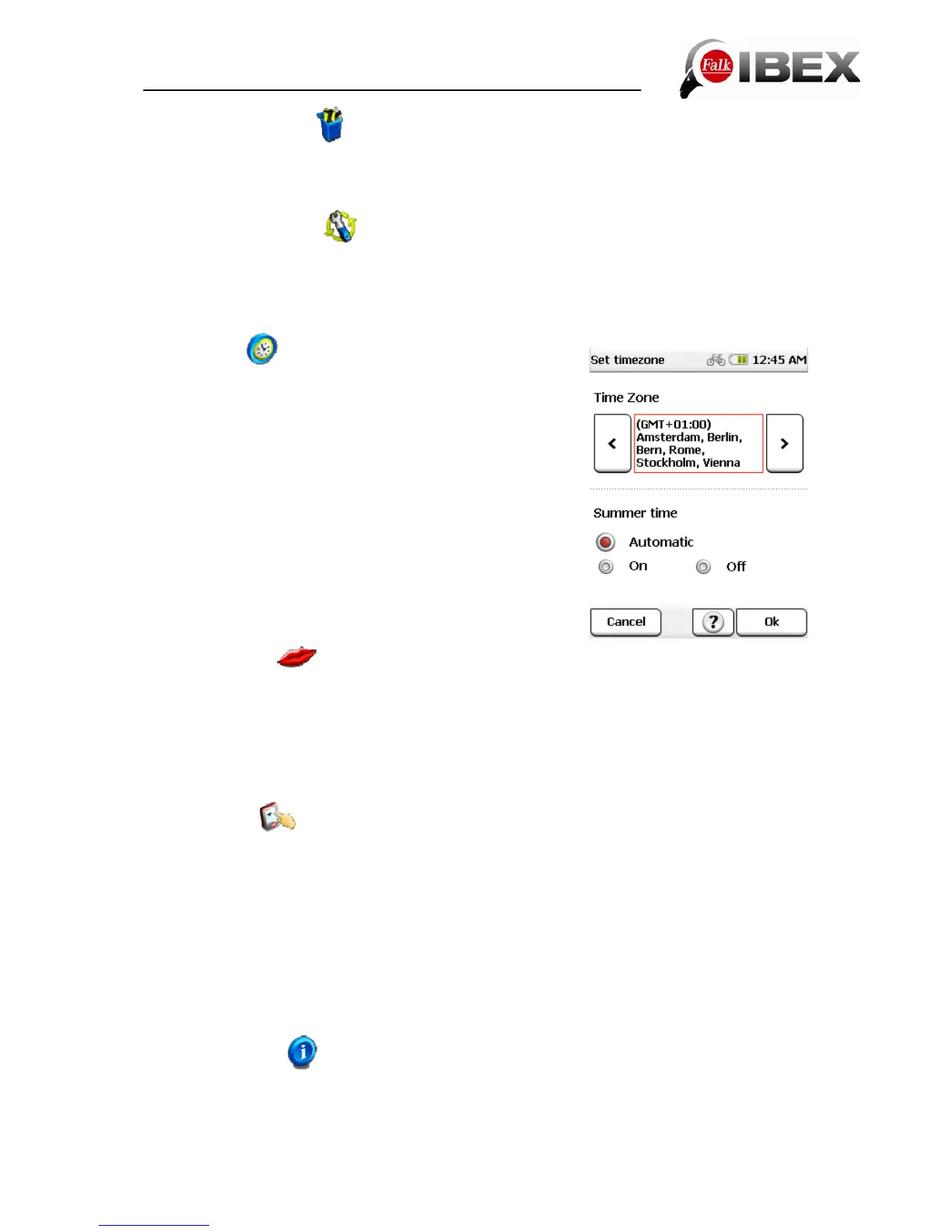
The Time option allows you to set the time zone and the
time format.
Note: The current date and the current time are received
with the GPS signal and are thus always set to the nearest
second.
To set the time zone in which you are situated, tap on the
left or right arrow in the top section of the screen.
An automatic switchover between winter and summer time
is preset. If you would prefer to set the summer time
manually, select On. If Off is activated, winter time is
displayed.
Confirm the settings with Ok or exit the display without
saving the settings via the Cancel button.
6.3.16 Language
Tap on Language to select the menu language and a speaker. First select the language in
which you want to be guided through the menus in the Falk Navigator. The language is
always specified in the respective national language.
If several speakers are preinstalled in a language on your device, select the speaker you
want. Confirm your selection with Ok.
6.3.17 Screen
If the screen no longer reacts to being tapped on without any errors, it needs to be
recalibrated. To do so, you need a stylus (optional) or another blunt object. To avoid
damaging the display, never tap it with any pointed object.
Choose the Screen option and start calibration by confirming the following display screen
with Ok. If you do not want to carry out the calibration, exit the display by tapping on Cancel.
Tap and hold the stylus for a short while on the cross. Repeat the process for each position
at which the cross is located.
The calibration process is complete as soon as there is no longer any cross displayed. Tap
on the screen again to return to the menu.
6.3.18 Info about
You can use the Info about option to display system information, in particular about the
version of the navigation software used, about the map material and map data used. The
Ext. Functions button gives you an overview of the software functions available to you for a
Falk IBEX User Manual 35


 To Next Page