3.2 Home
The Home function takes you back home without any bother at any time.
When you first start the device, you will be asked to enter your home address.
After you have entered your address once, it is saved and you can navigate there at any time
by tapping on "Home" once. The route from your current position to your home is calculated
immediately.
You can change the saved address in the settings menu at any time.
3.3 Points of interest
Your Falk LUX contains countless points of interest such as restaurants, viewing points,
natural monuments, places to stay, places to visit and lots more.
If you select "Points of interest" on the destination entry screen, a list containing all
categories appears. You can select individual categories by tapping on them or select all
categories at once by tapping on "All" (top right).
Tap on Next (or on
if you want to search for a name of a category).
Next you must specify a search centre for your search. The POIs will then be displayed
sorted according to their distance from this point.
The search centre can be a waypoint, your current location, the current destination, along the
route, a city, an address, a position on the map or coordinates.
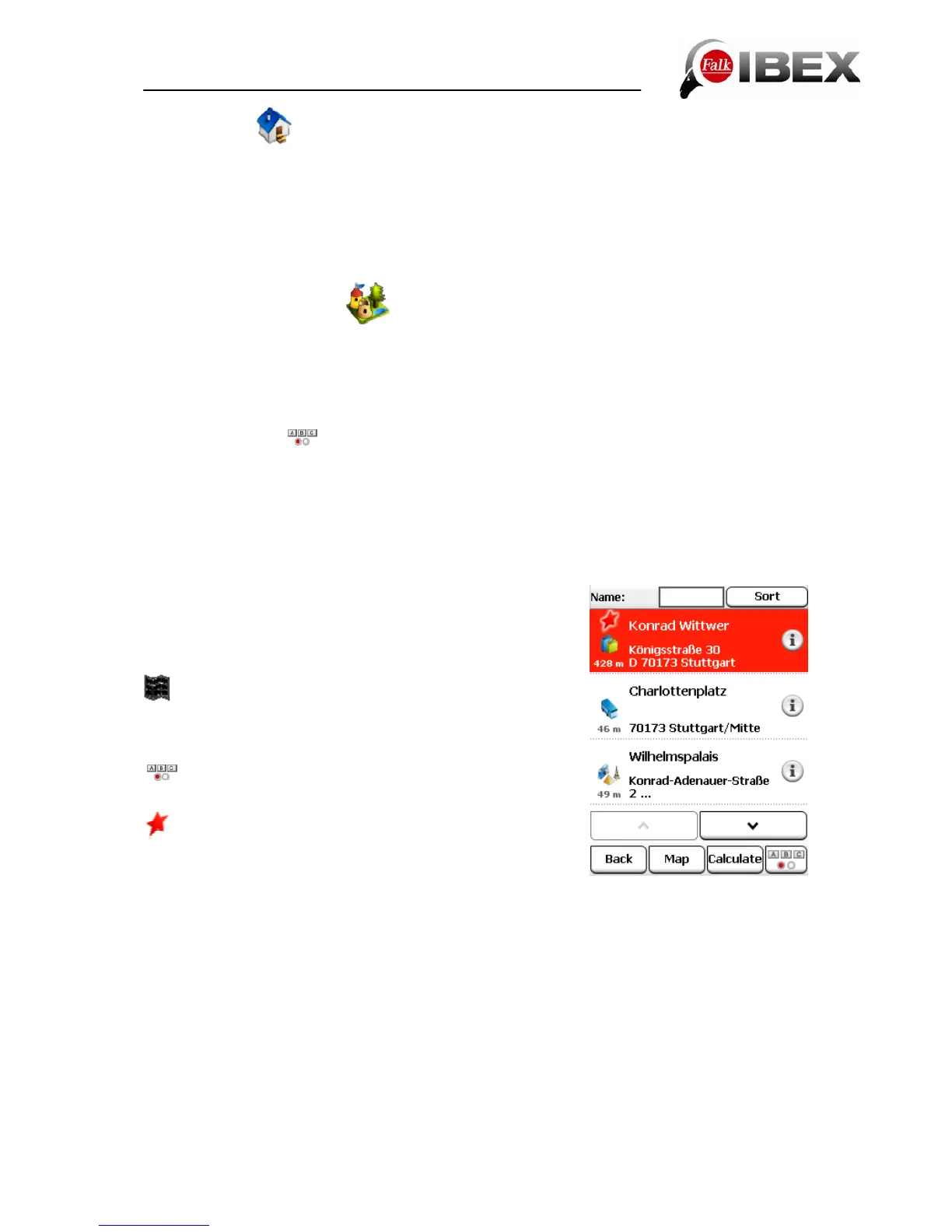
The results are then displayed in a list.
You then have the following options:
Sort – here you can sort the POIs according to various
criteria
– displays the selected POI on the map
Calculate – starts the route calculation to the selected POI
Double click – opens the detailed view for a POI
– allows you to search for a POI by entering text
- shows you special Premium POIs around the search
centre. If these exist, they always appear at the beginning of
the list.
Falk IBEX User Manual 15


 To Next Page