3.13.2 Bus & train (optional)
The bus & train function allows you to incorporate public transport into the route calculation.
The stops or stations which are located closest to the starting point and destination point of
the route are selected here. The routing runs to the starting station and from the destination
station to the final destination. The route calculation includes the approximate travel times for
the means of public transport which are used.
After calculating the route, tap on Bus&Train.
A list appears containing the start, the entry and exit points for the public transport and the
destination.
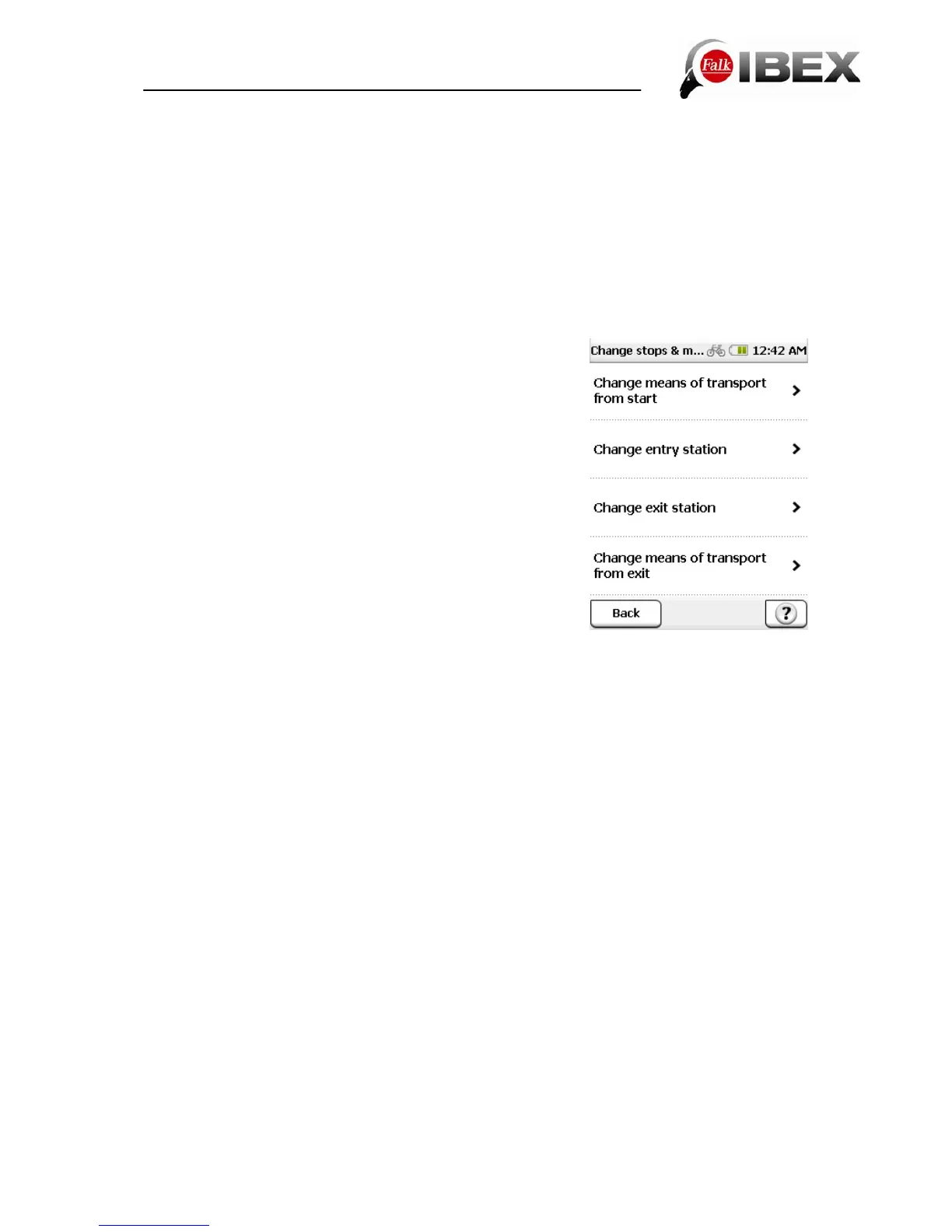
If you tap on Edit, you have the following possibilities for adjusting the connection:
Change means of transport from start – here you can
select how you want to navigate to the station you start from
(bicycle, pedestrian)
Change means of transport from exit – here you can
select how you want to navigate from the destination station
to your final destination (bicycle, pedestrian)
Change entry station – here you can select an alternative
station from a list
Change exit station – here you can select an alternative
destination station from a list
Tap on Calculate to confirm your selection and to start the
route calculation. Tap on Navigation to start routing to the
starting station.
Once you arrive at the starting station, the bus & train
connection is automatically displayed on the navigation
screen.
Note: The automatic switchover depends on the GPS signal. As it is often not possible for
the GPS signal to be received in buildings and in underground stations, the device may not
switch over automatically. In this case, you can switch over manually. To do this, select
Active Route > Bus & Train Connection and tap on Get on.
On the navigation screen, you can while travelling on the public means of transport move the
list which is displayed up or down with your finger. If you tap on an entry in the list, the station
is displayed on the map. The Position button restores the map to your current position. By
tapping on Bus & Train Connection you can view the entire connection. Once you arrive at
the destination station, the navigation automatically switches back to routing to your final
destination point.
Note: The automatic switchover depends on the GPS signal. As it is often not possible for
the GPS signal to be received in buildings and in underground stations, the device may not
switch over automatically. In this case, you can switch over manually. To do this, select
Active Route > Bus & Train Connection > Get off.
Falk IBEX User Manual 22


 To Next Page