12
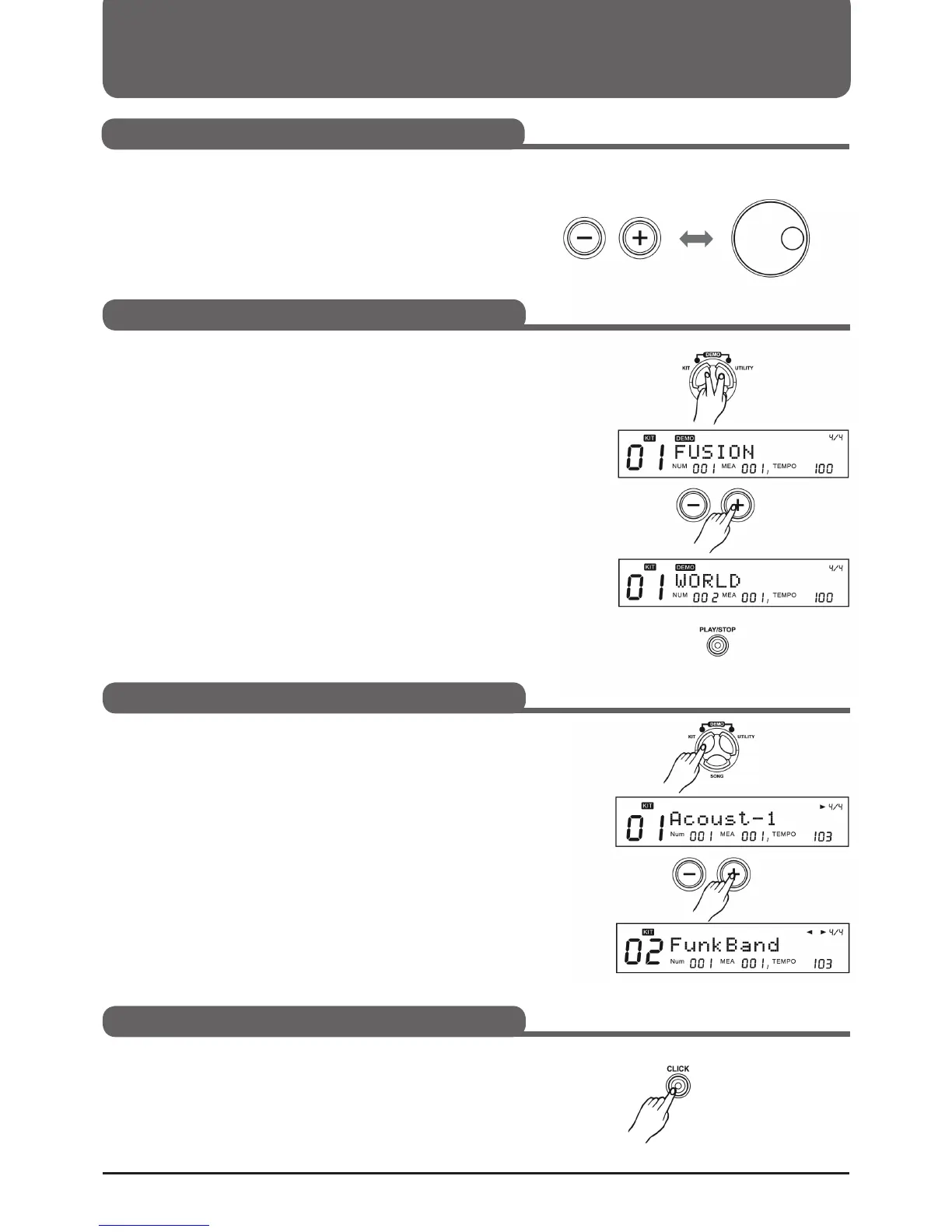
1. Press the KIT and UTILITY buttons simultaneously to enter demo
mode.
2. Use +/- buttons to select a demo.
3. Press (PLAY/STOP) to play or stop the demo.
1. Press the KIT button and the KIT indicator on the display will light.
2. Use the +/- buttons or the selection dial to select a kit.
Basic operation
You can change values in the parameters with the +/- buttons and
the selection wheel.
If you hold down the + or - button, the values switch through more
quickly.
The selection wheel allows you to make larger changes more quickly.
Press the CLICK button to insert or remove the metronome.
must be switched off.
CLICK lights up when the metronome is activated.
Set values
Listen to demo song
Selecting a Drumkit
On/O metronome (click)



 To Next Page