15
Select Sounds
Über die Sounds
The module has 193 different sounds divided into 8 separate
groups (like kick, snare, tom, etc.) and 1 hi-hat combination
group.
Use the Page buttons to quickly switch to the respective kit
groups.
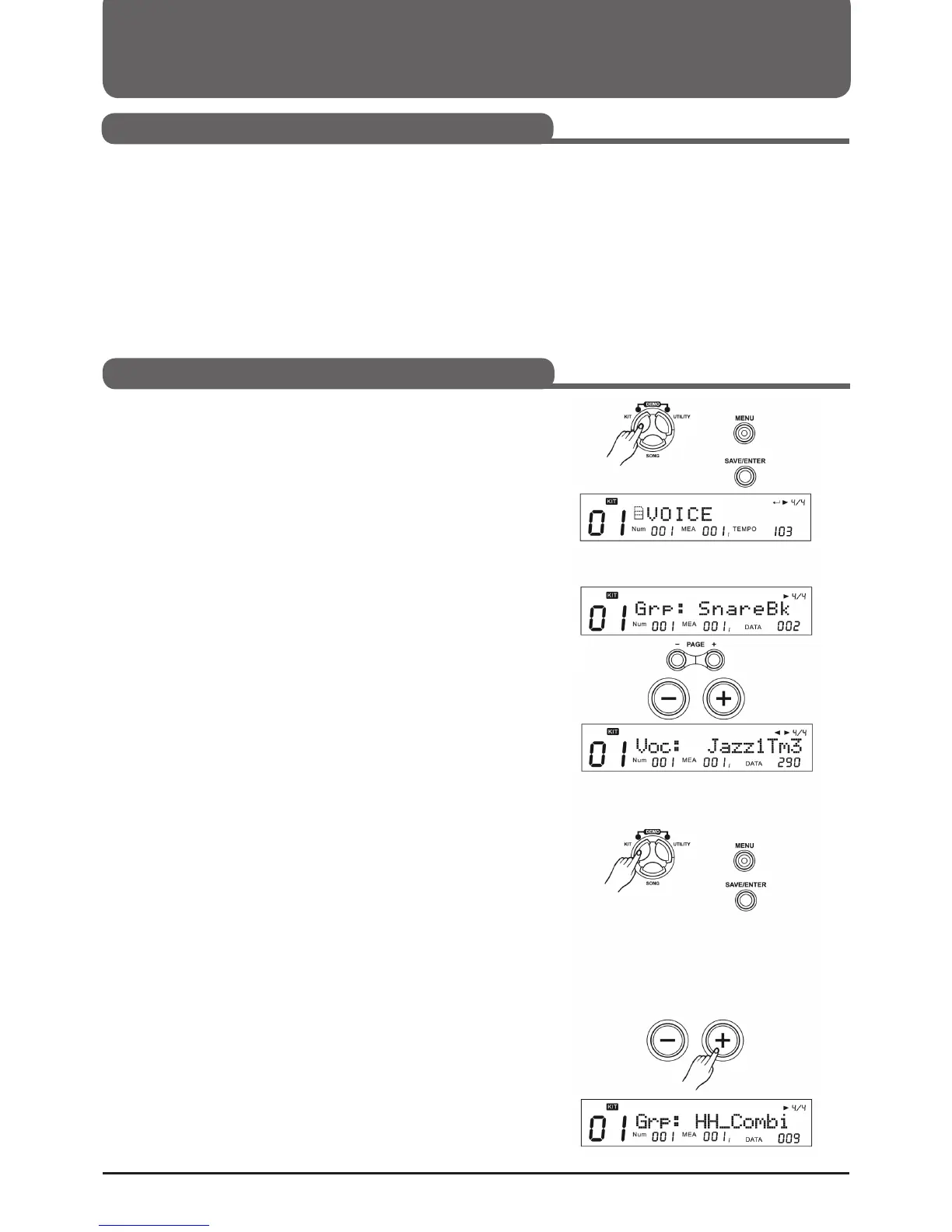
1. Press KIT, then press MENU.
2. Press (SAVE/ENTER) and the name of the group appears on
the display.
3. Press a Pad select key or hit the Pad you want to edit.
4. Drücken Sie PAGE +/- Tasten um "Grp" oder "Voc"
auszuwählen
"Grp": Type of sound
"Voc": Name of the sound
5. Press the +/- buttons or use the selection dial to select a
group or a single sound.
Grp: There are 8 sound groups and 1 hi-hat combination group
- 8 sound groups: KickBk, SnareBk, TomBk, RideBk, Crash-
Bk, HihatBk, PercuBk, SFX - 1 Hi-Hat combination group
(HH_Combi)
Select a Hi-Hat combination group
1. Press KIT, then MENU
2. Press (SAVE/ENTER)
3. Drücken Sie die Pad Auswahltaste oder schlagen das Pad an
um den Hi-Hat Kombination Trigger anzuwählen. Es gibt 8
Pad Trigger die zu den Hi-Hat Kombination Triggern gehö-
ren; offene Hi-Hat, offene Hi-Hat Rim, halb offene Hi-Hat,
halb offene Hi-Hat Rim, geschlossene Hi-Hat, geschlossene
Hi-Hat Rim, Pedal Hi-Hat, Splash.
4. Drücken Sie die + Taste oder verwenden das Auswahlrad um
die letzte Gruppe auszusuchen. Das Display zeigt "HH-
Combi" an, wenn Sie die Einstellung richtig vorgenommen
haben.
Selecting a Drumkit (KIT)
Drumkit Settings
Selecting Sound for a Pad



 To Next Page