16
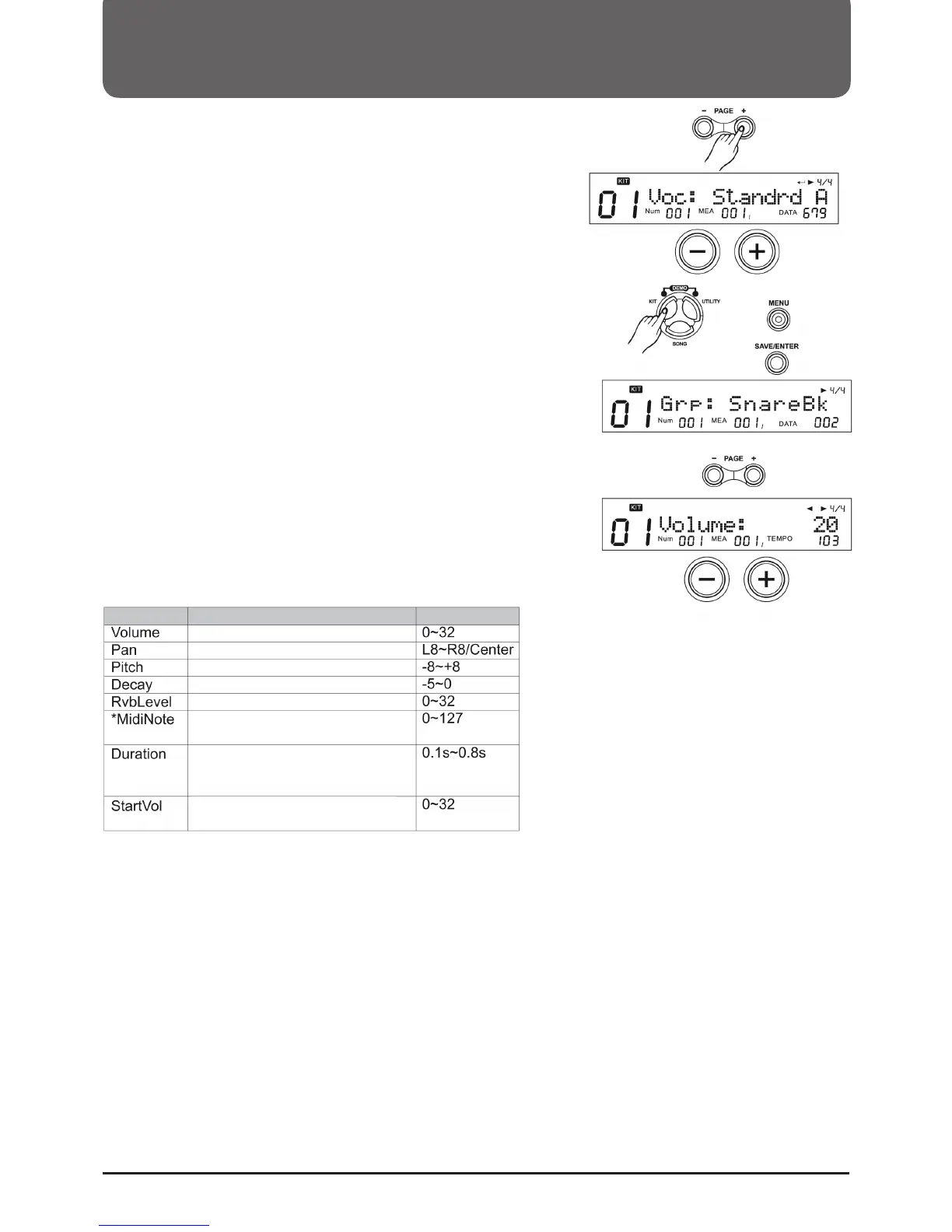
5. Press PAGE+ and the name of the Hi-Hat combination group
appears in the display.
6. Use the +/- buttons or the wheel to select one of the groups.
The module has a total of 18 different combinations. Please
refer to the appendix for details.
Edit sound parameters
1. Press KIT, then press MENU.
2. Press (SAVE/ENTER). The name of the group appears in the
display.
3. Press a Pad select key or strike the Pad you want to edit.
4. Use the PAGE +/- buttons to select the parameters you want
to edit.
5. Use the +/- buttons or the wheel to make adjustments.
MIDI Note:
Set the MIDI note that the Pad sends to the MIDI Out. There is
a default MIDI note for each Pad (see MIDI notes table). If two
triggers have the same note, the display will show "!" to suggest
that you Set different notes.
Note:
- After you have set a Hi-Hat combination group, you can set the
parameters of all Hi-Hat sounds together.
- Hi-Hat Pedal Volume (including Hi-Hat Pedal and Splash) can
be adjusted separately.
Volume of the Pad Sounds
Panorama of the Pad Sounds
Pitch of the Pad Sounds
Length of the pad sound
Reverb of the Pad Sounds
Setting the MIDI Note of a Pad
Interval Note on/off for MIDI Out
Start volume of the Pad Sounds
Parameter
Function
Range
Selecting a Drumkit (KIT)



 To Next Page