33
SD Cards Operation (CARD)
File Handling
With the SD card menu you can easily delete a file, recall the
old settings, format the card or load your favorite song as a
user song into the digital drum.
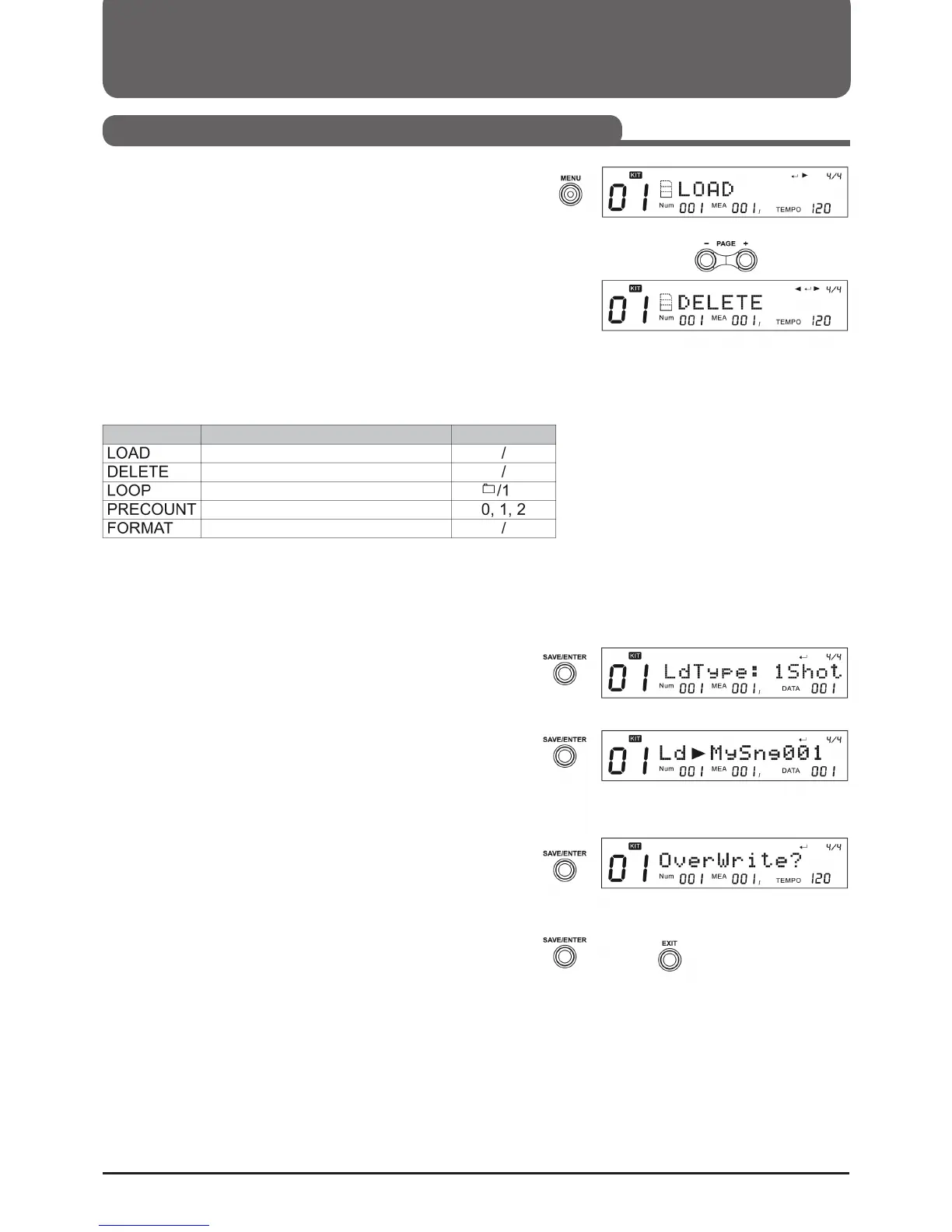
1. Press the (MENU) button while browsing the map to enter
the Map menu.
2. Use (Page+) or (Page-) to select the desired action.
Please note:
"Load" and "Delete" are only displayed if a file and no folder
have been selected.
LOAD
You can load a MIDI file as a user song or reset it to the settings
of the kits (*.KIT), all user songs or general settings (*.SET). If
you want to load a MIDI file as a User Song after selecting
"Load" from the Cards menu, you can do the following:
1. Press ((SAVE/ENTER)) and select the type of user song after
the MIDI file is loaded. Use (+) or (-) or the control dial to
select 1 Shot, Loop, Tap or Hit.
2. Press ((SAVE/ENTER)) to confirm your selection, then select
the User Memory slot where you want to save the new
song. If there is a "*" in front of the name, this means that
the space is empty and can be used to save without over-
writing the old files.
3. Press ((SAVE/ENTER)) to confirm your selection. If you have
selected a memory location that is not free, you will be
prompted to confirm the data overwrite. You can then press
((SAVE/ENTER)) to confirm your selection or (EXIT) to re-
turn to the last step and change your selection.
4. If you confirm your selection, the MIDI file will be loaded
into the selected memory and "Song loaded" will appear.
Action ParameterFunction
Loads selected file
Deletes selected file
Selects loop mode for playback
Adjusts the precount of the playback
Formats the card



 To Next Page