17
Grp Sng:
All songs (including preset and user songs) can be selected for Pad
Pattern mode. If you select Hit/Tap, make sure that no more than 7
pads are selected for the Pattern mode. This is the maximum number
the module supports simultaneously. Use the +/- buttons or the dial to
select a song.
VelCtrl:
This setting determines whether the volume of the pattern depends on the
amount of impact on the pad.
ON: The volume depends on the impact hardness when playing.
OFF: The pattern will play at the preset volume. (The volume can be
adjusted in the "volume" menu).
Retrig und RstTime:
When you select the settings
Loop oder 1shot: "RstTime" menu shows invalid "--"
Tap: "Retrig" menu shows invalid "--"
Hit: "RstTime" and "Retrig" menu shows invalid "--"
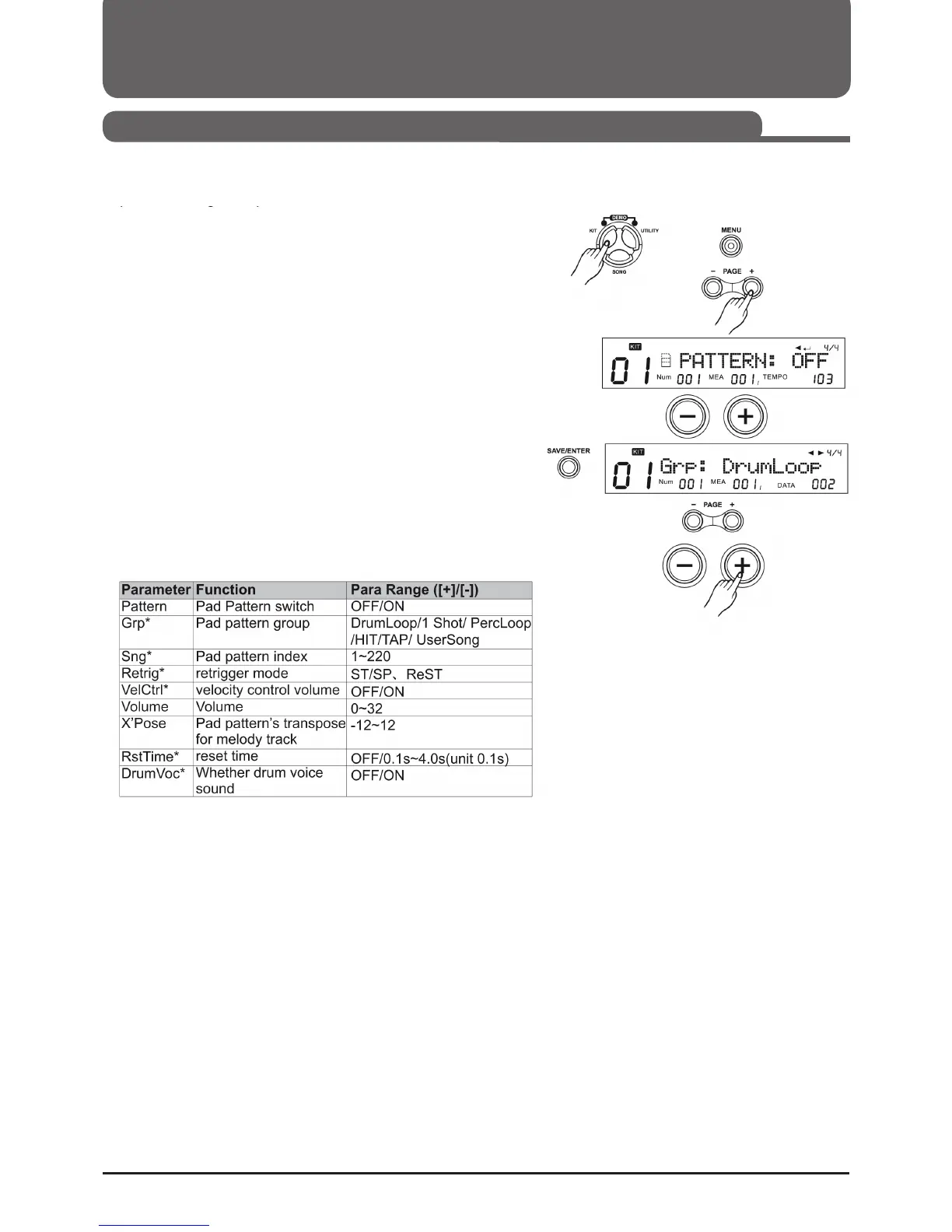
The Pad Pattern function is triggered by striking a pad. With this
function you can easily incorporate patterns into your live perfor-
mance.
Pad Pattern Setting
1. Press KIT, then MENU
2. Press PAGE+. PATTERN appears on the display.
3. Press a pad selection key or strike the desired pad.
4. Use the +/- buttons or the dial to toggle the Pad Pattern function
between ON and OFF.
5. Press (SAVE/ENTER) to save the parameter. Pad Pattern Para-
meter is displayed.
6. Press the PAGE +/- buttons to select the parameters.
7. Use the +/- buttons or the function dial to make adjustments.
Selecting a Drumkit (KIT)
Playing a Song by Playing Pad (Pad Pattern)



 To Next Page