27
Data storage (SAVE)
All user kits, user songs and general settings (e.g. click, pad and mixer
settings) can be stored on an SD card. Here are the preset storage paths:
Look under "Save Kit".
See "Save Song" for more information.
Save User Kit
Save User Song
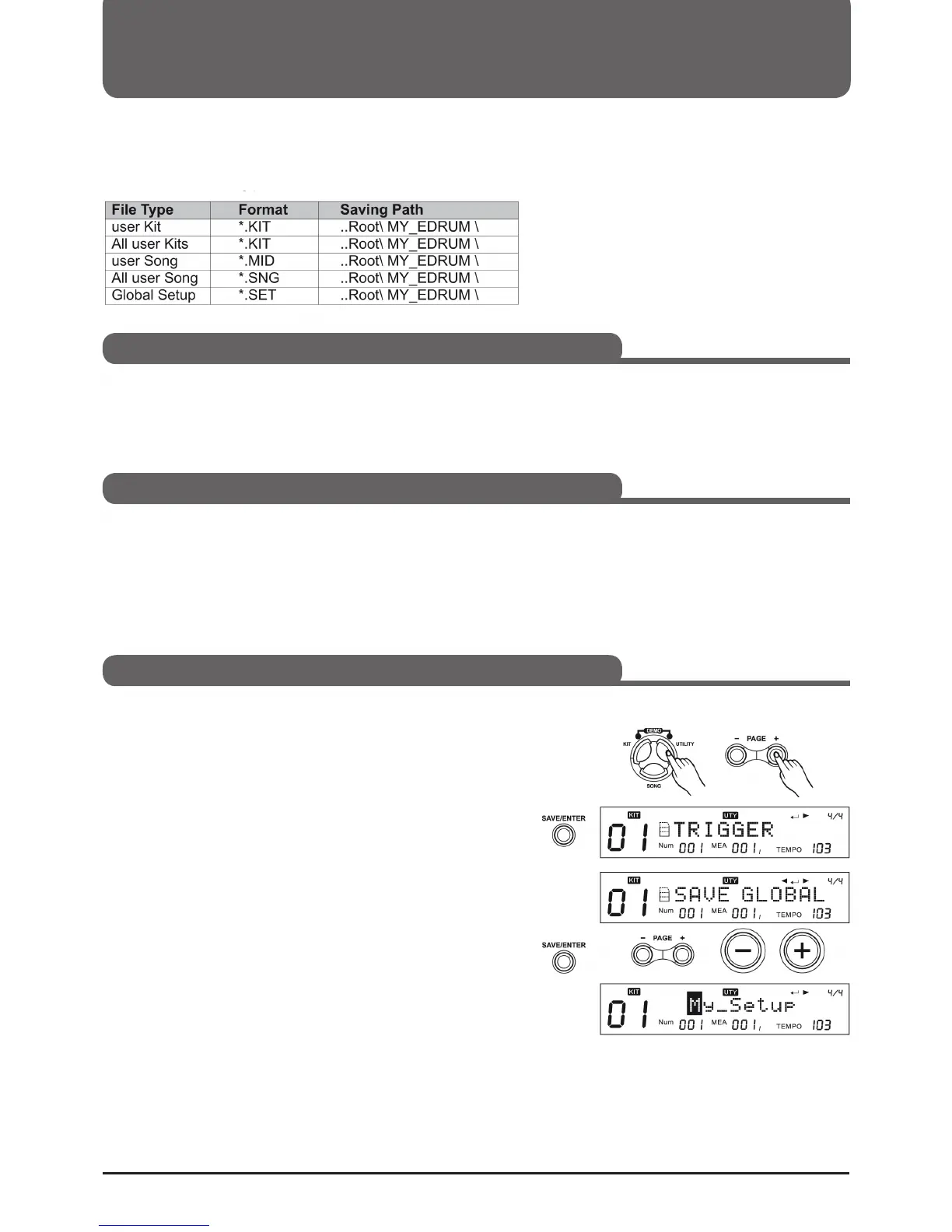
Save general settings
1. Make sure your SD card is inserted and working.
2. Press UTILITY and then (Page+) to enter "SAVE GLOBAL"
mode.
3. Press (SAVE/ENTER) to enter the renaming mode. Then
press (Page+)/(Page-) or the (+)/(-) button and the function
dial to change the file name.
4. Press and hold (SAVE/ENTER) until the save operation is
completed.



 To Next Page