28
Pad and Trigger Settings (UTILITY)
You can adjust the parameters of each drum pad and cymbal in the
Trigger menu. You can select each trigger by pressing the corresponding
trigger or the drum buttons on the control panel.
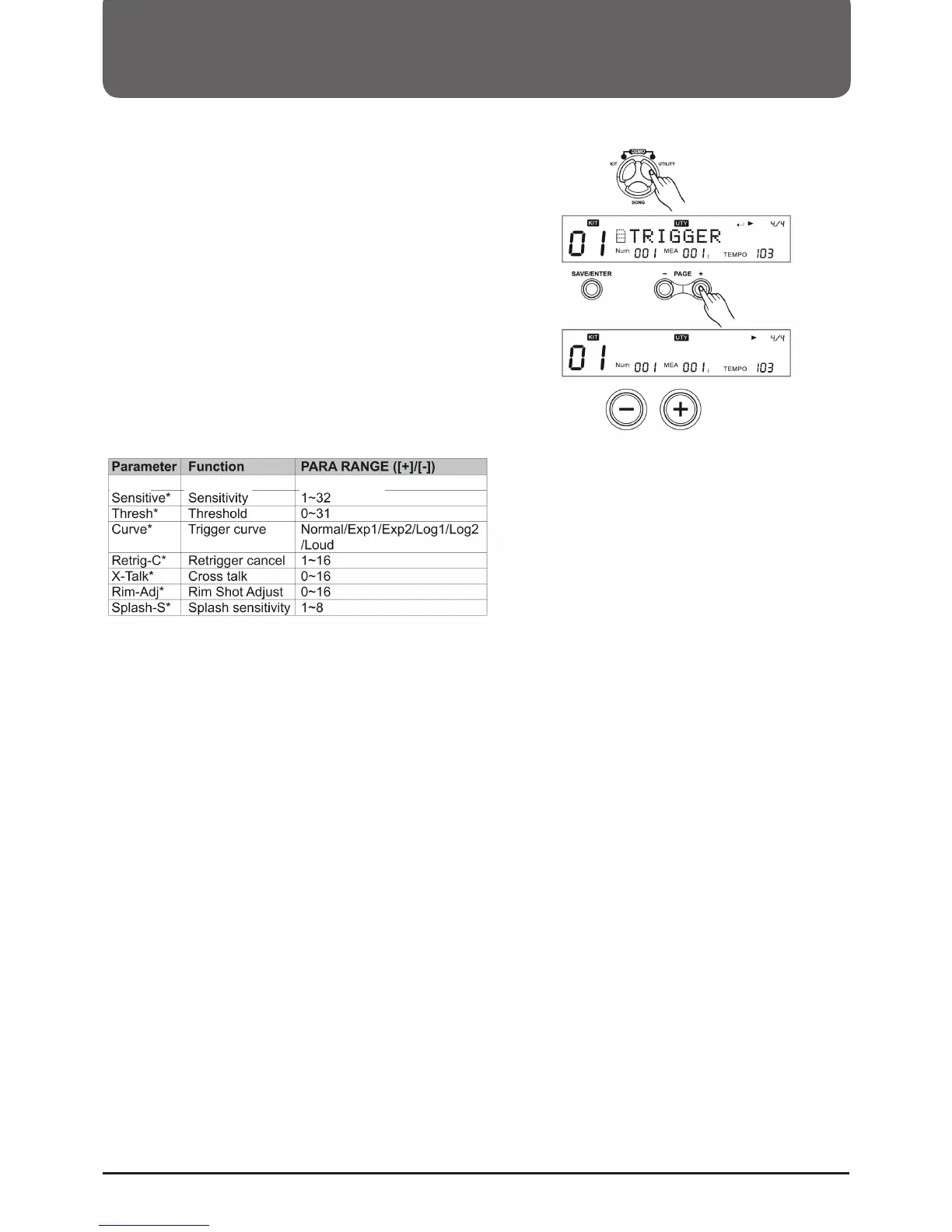
1. Press the (UTILITY) button to enter the UTILITY menu. The display will
show TRIGGER.
2. Press ((SAVE/ENTER)) to enter the Trigger Parameter menu. Then
press the PAD SELECT button or strike a pad at will.
3. Then press (Page+)/(Page-) to select the appropriate parameter.
4. Then press the (+)/(-) button or the control dial to select the setting.
Sensitivity
You can adjust the sensitivity of the pad to adjust the response of the
pad. A higher setting also increases the sensitivity, so that the pad
produces a loud sound even when touched lightly. The sensitivity of
the splash can also be adjusted by SPLASH SENSITIVITY.
Sensitive: 20



 To Next Page