3. Adjustments
USE AND MAINTENANCE MANUAL CHAPTER 3
ADJUSTMENTSXEF 250 - Rev01 / 2020
51
3
A
1 2
A
1
4
3
b
c
3
5
A B
MIN
MAX
3.2 CLUTCH
Adjusting the clutch lever position
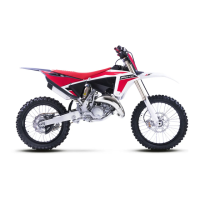
– Loosen the locknuts “1”;
– Turn the adjusting bolt “2” until the clutch lever position
“A” is in the desired position;
– Tighten the locknuts.
Locknut: 5 Nm (0.5 m•kg, 3.6 ft•lb)
Adjusting the clutch lever clearance
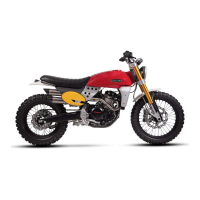
Check the clutch lever clearance “A”. If it is different from the
standard value, adjust it.
Clutch lever clearance “A”:
7.0– 12.0 mm (0.28–0.47 in)
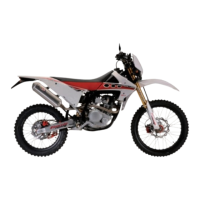
Adjust the clutch lever clearance as described below:
Handlebar side
– Turn the adjuster “1” until the specified clutch lever free
play is obtained.
Turning clockwise increases the clearance, turning
counter-clockwise decreases it.
If the clutch lever free play cannot be obtained on the
handlebar side, use the adjuster on the clutch cable
side.
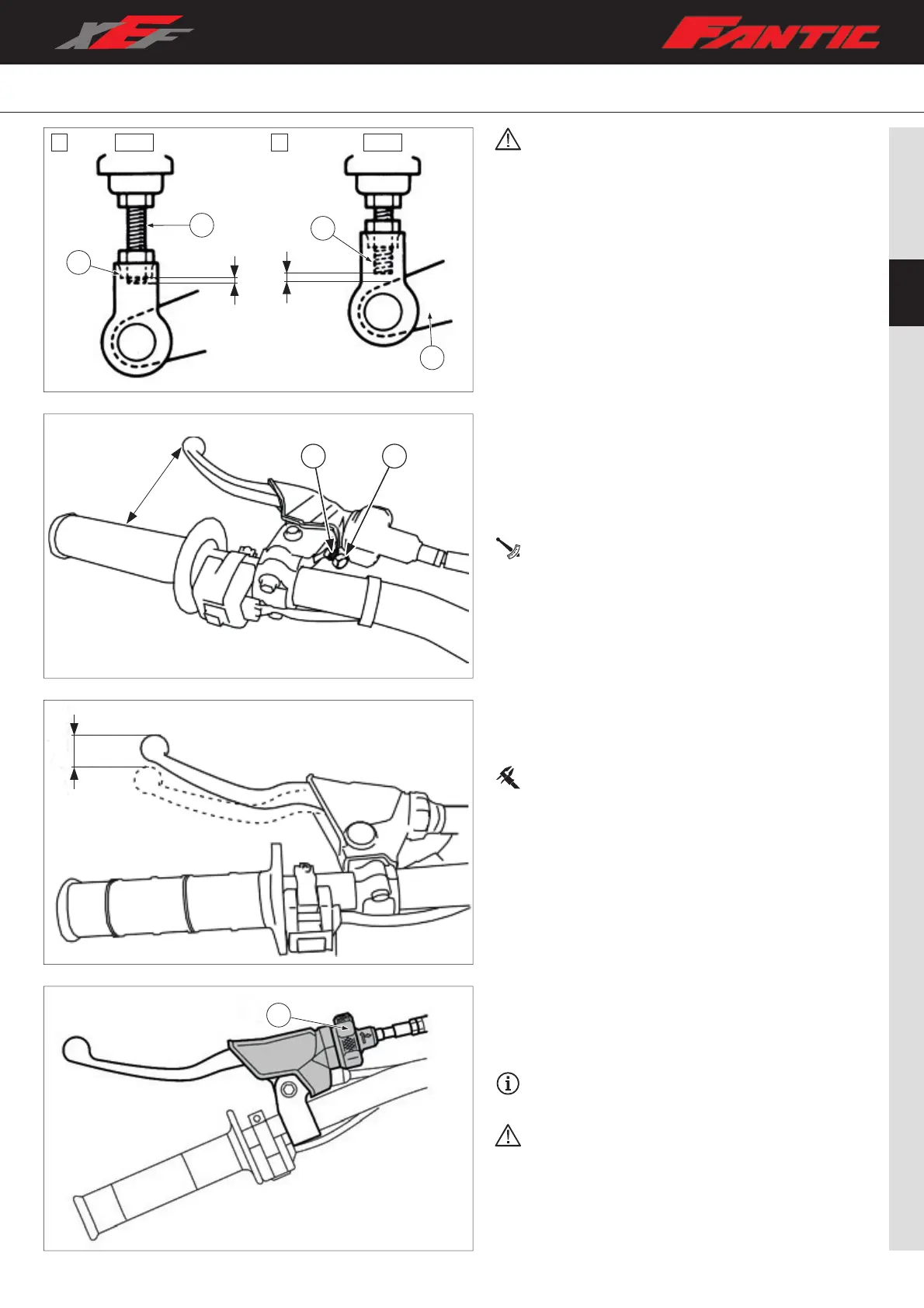
• Adjust the pedal height between the maximum
“A” and the minimum “B” as shown. (In this
adjustment, the bolt “3” end “b” should protrude
out of the threaded portion “4” but not be less than
2 mm (0.08 in) “c” away from the brake pedal “5”).
• After the pedal height adjustment, make sure that
the rear brake does not drag.



 To Next Page