Maintenance measures - 500 h
4812158701_G.pdf 2019-10-01
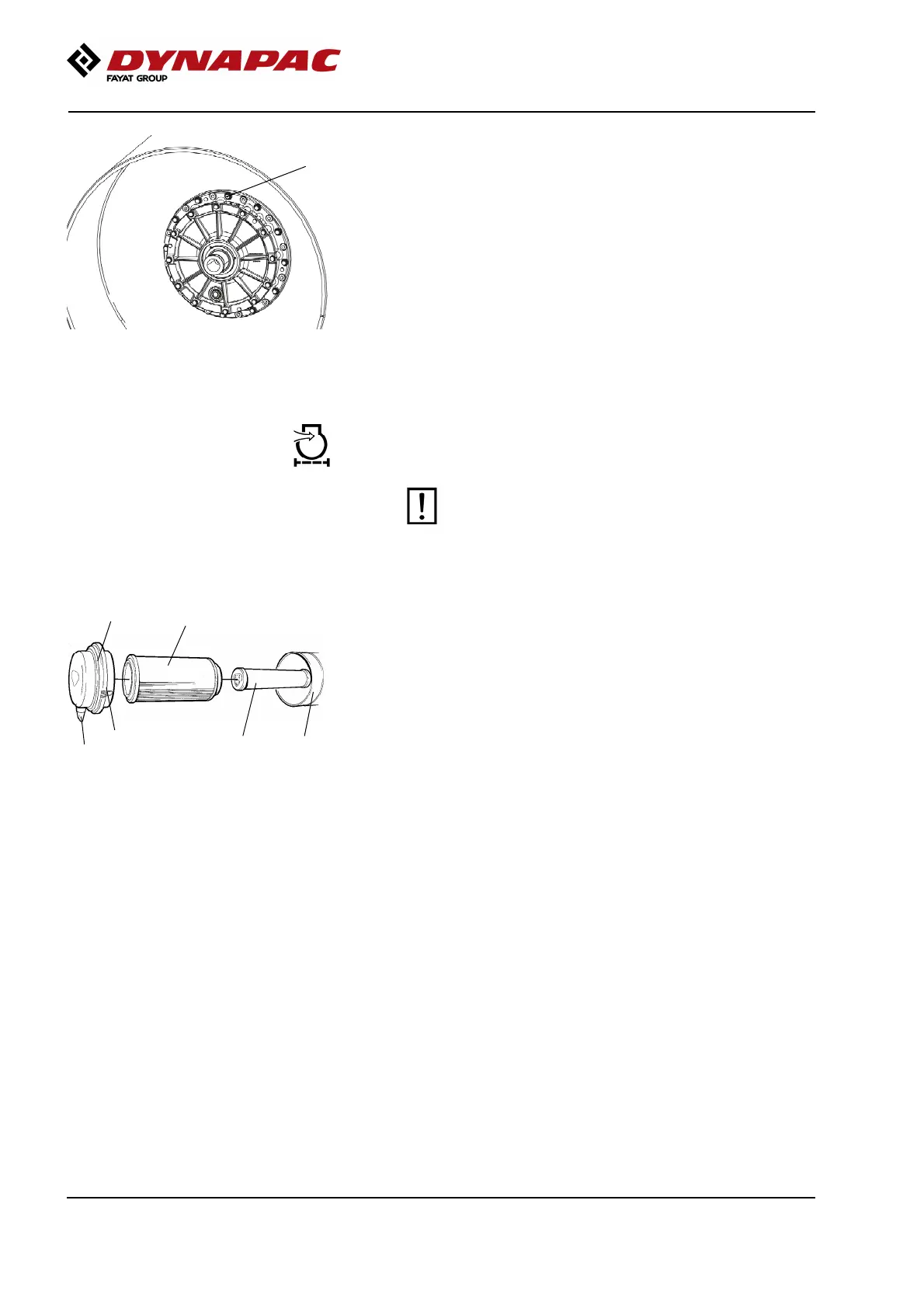
Fig. Drum
1. Ventilation screw
1
Drum cartridge - Cleaning the ventilation screw
Clean the drum's ventilation hole and ventilation screw
(1). The hole is required to eliminate excess pressure
inside the drum.
Air cleaner
Checking - Change the main air filter
Change the air cleaner's main filter when the
warning lamp on the display lights when the
diesel engine is operating at full speed.
Change the air cleaner's main filter when the
warning lamp on the display lights when the
diesel engine is operating at full speed.
3
6
4 5
2
Fig. Air cleaner
1. Clips
2. Cover
3. Main filter
4. Backup filter
5. Filter housing
6. Dust valve
1
Release the clips (1), pull off the cover (2), and pull out
the main filter (3).
Do not remove the backup filter (4).
Clean the air cleaner if necessary, see section Air
cleaner - Cleaning.
When replacing the main filter (3), insert a new filter
and refit the air cleaner in the reverse order.
Check the condition of the dust valve (6); replace if
necessary.
When refitting the cover, make sure that the dust valve
is positioned downwards.
124




 To Next Page