Operation
4812158701_G.pdf 2019-10-01
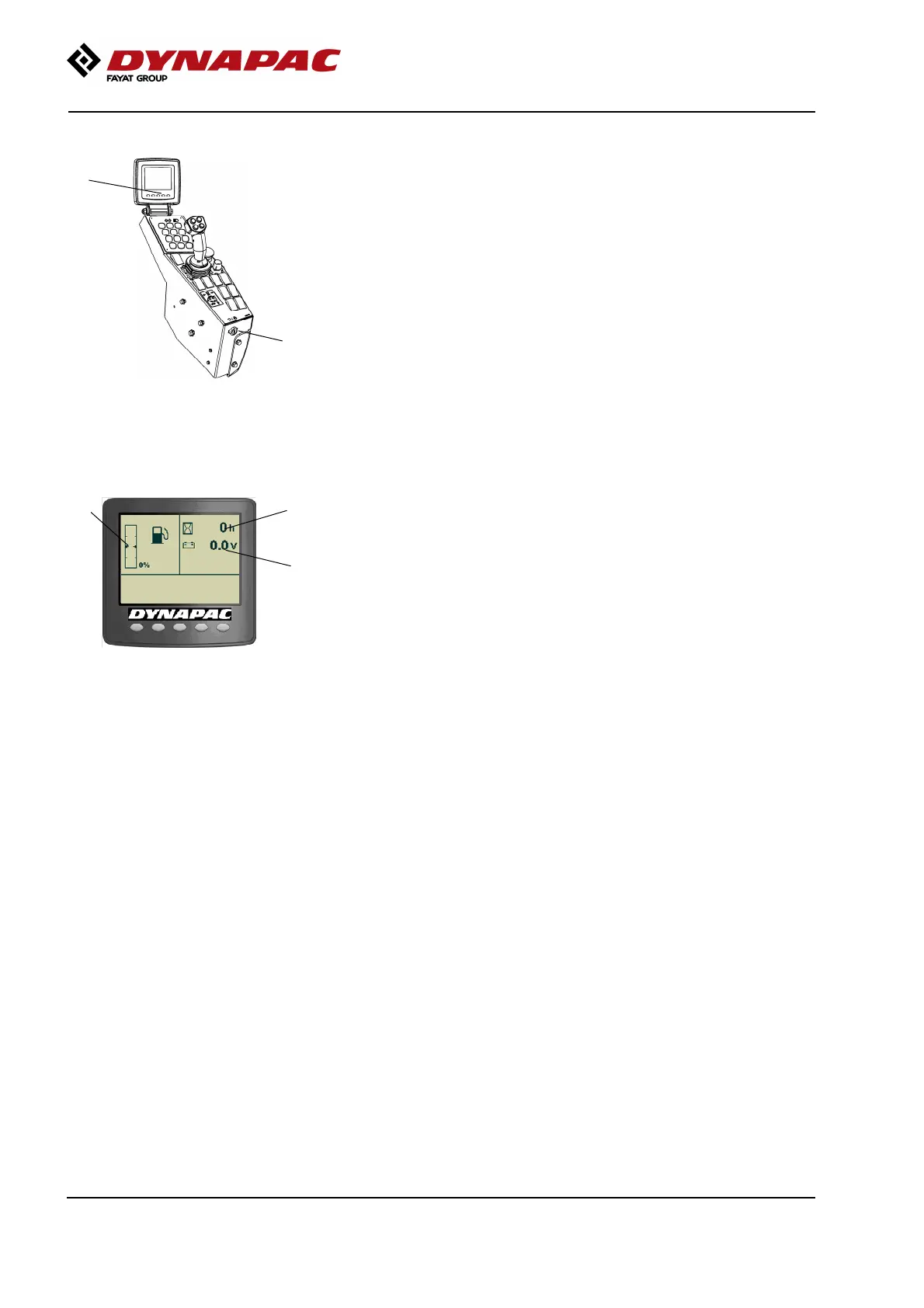
Display - Control
1
2
Fig. Control panel
1. Ignition key
2. Status screen
Sit down for all operations.
Turn the ignition key (1) to position I, the start screen
will be shown in display.
4
5
3
Fig. Status image
3. Fuel level
4. Hourmeter
5. Voltmeter
Check that the voltmeter (5) reads at least 24 volts,
and that the fuel gauge (3) show a reading.
The hourmeter (4) registers and shows the total
number of hours the engine has run.
62








 To Next Page