Chapter "Usage"
26
4.6 Using "Pushing support" mode
If your eBike is equipped with a model "b" control, it has the
"Pushing support" mode, which you can use when pushing
the eBike.
More detailed information can be found → in chapter 23.4 ""Pushing
support" mode".
WARNING
Danger from accidental starting!
Starting the drive system in unsuitable situations can result in
accidents and serious injury.
► Use the "Pushing support" function only when pushing the
eBike.
► When the pushing support is activated, hold the eBike
securely with both hands and make sure that the wheels
are in contact with the ground.
CAUTION
Risk of injury!
If you push the eBike with the pushing support activated, the
pedals rotate slowly and you may be injured.
► Be careful not to injure yourself on the rotating pedals when
using the "Pushing support" function.
1. If necessary, change to the support level "none".
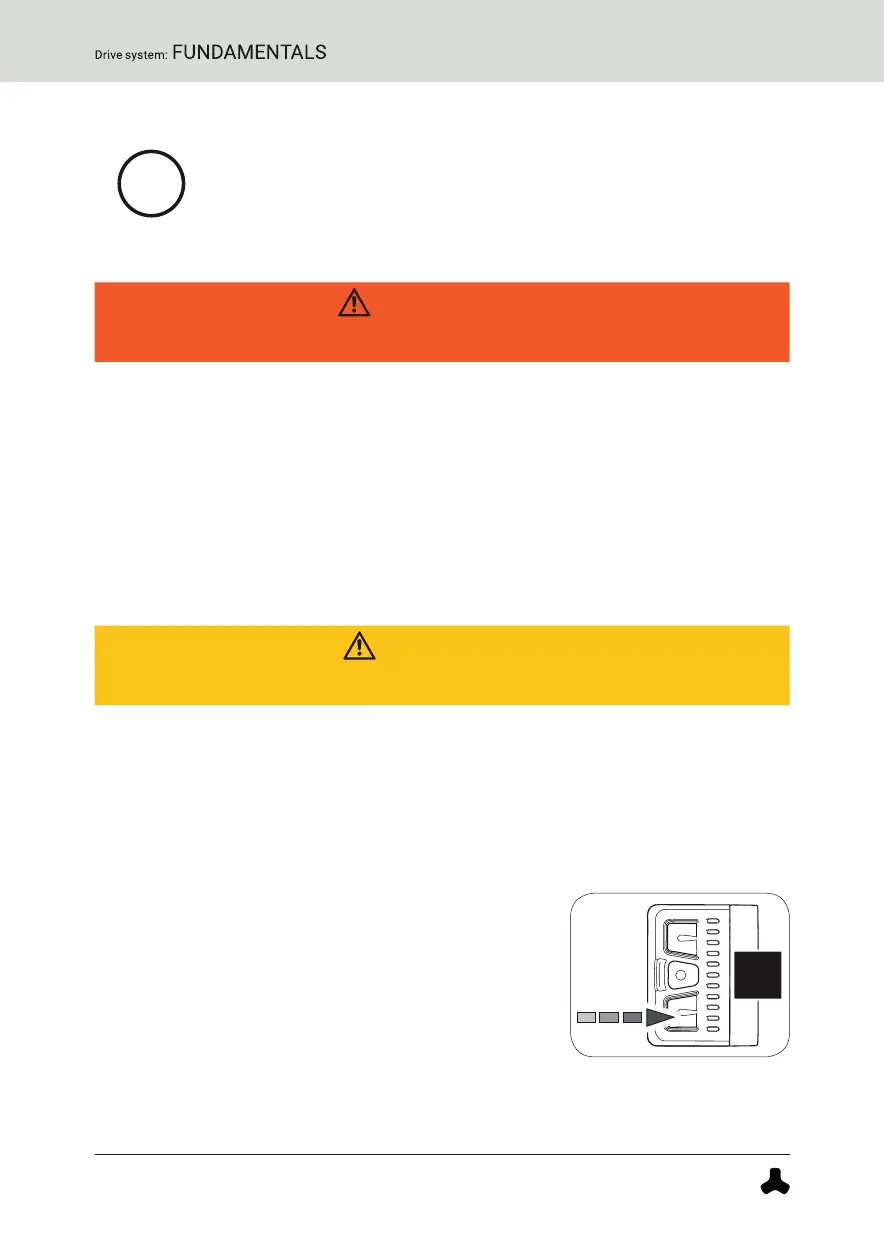
2. Press and hold the lower button on the remote
to activate the pushing support mode.
After 2 seconds the pushing support is
activated and sets the eBike in motion as long
as you keep the button pressed.
3. Guide the eBike with both hands and, if
necessary, brake the speed of the eBike to your own walking speed by
holding or restraining the eBike while pushing.


 To Next Page