53
Chapter "Using remote model "b""
23.2 Setting the pedal support
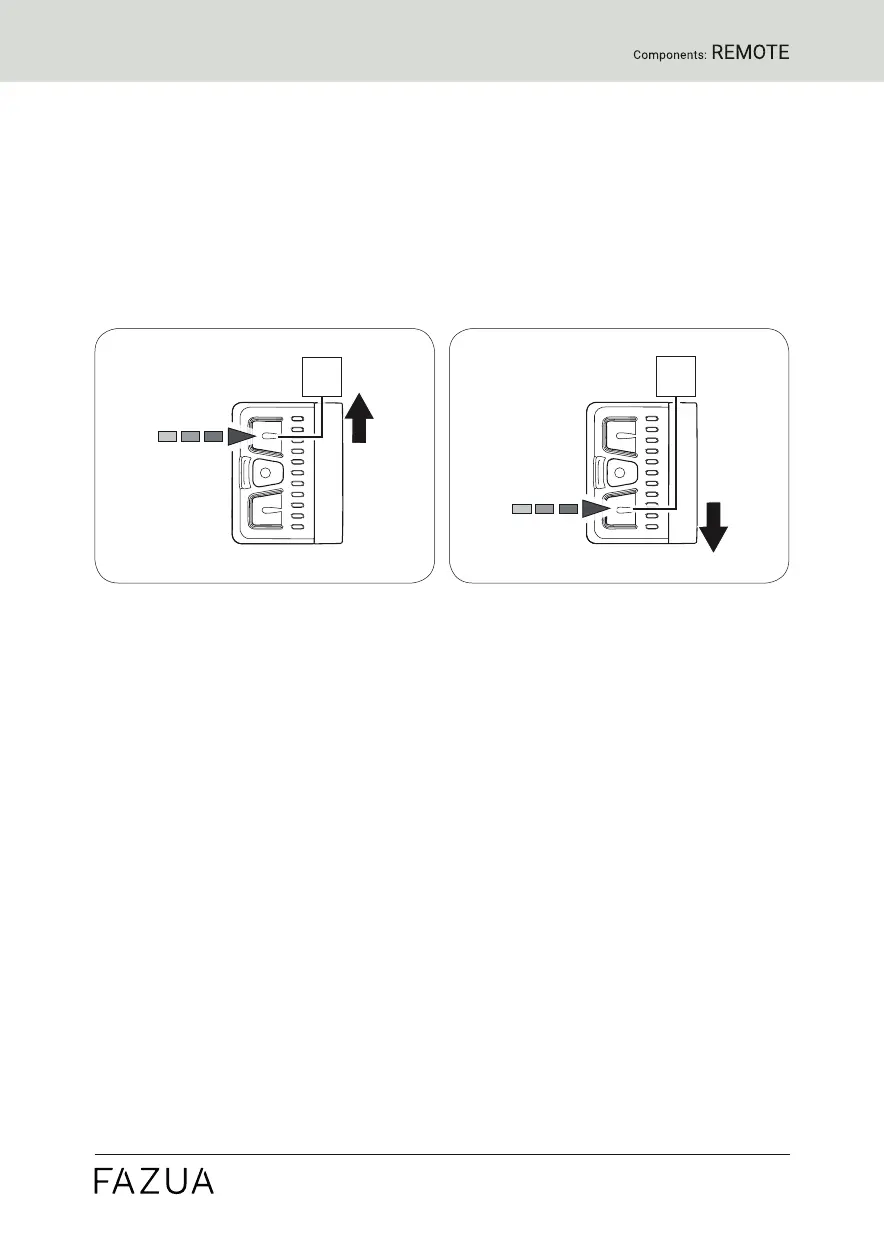
With the help of the remote you can set the desired support level at any
time - even while riding.
► Press the upper button on the remote to switch to the next higher
support level.
► Press the lower button on the remote to switch to the next lower
support level.
23.3 Levels of support
no support
• The LEDs of the display on the remote light up white.
• You ride without electric pedal assistance (as with a conventional
bicycle).
Support level "Breeze"
• The LED of the display on the remote lights up green.
• You ride with low but effective support for maximum range.
Support level "River"
• The LEDs of the display on the remote light up blue.
• You ride with reliable support for most applications.
Support level "Rocket
• The LEDs of the display on the remote light up pink.
• You ride with maximum support for very demanding trips.


 To Next Page