Chapter "Usage"
22
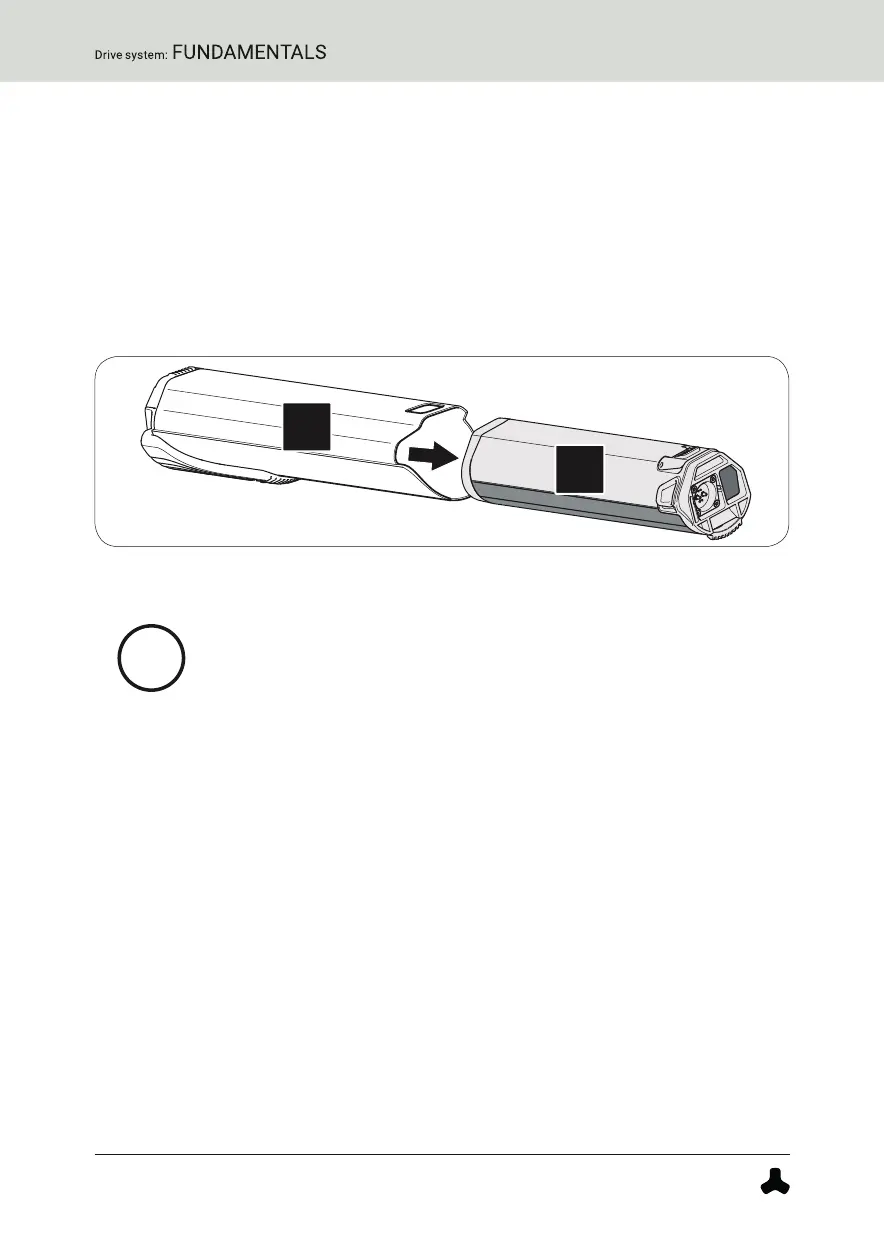
4.1.5 Removing the battery from the drivepack
More detailed information can be found → in chapter 31.3 "Removing the battery from
the drivepack".
1. Secure the battery with one hand.
2. Press the push button as far as it will go to release the battery from
the lock.
3. Press and hold the push button and gently pull the battery out of the
battery holder.
4.2 Switching the drive system on and off
Appearance and handling of the model-dependent remotes
differ to some extent.
More detailed information can be found → in chapter 19 "Model
variants of the remote".
► Pay attention to that information which applies precisely
to your remote from the whole list here. If none of the
model variants is explicitly mentioned, the descriptions
refer to all remotes.
4.2.1 Switch on drive system
More detailed information can be found → in chapter 23.1 "Switching the drive system
on and off" or in chapter 27.1 "Switching the drive system on and off".
► Turn on the drive system using the Model "b" remote by pressing one
of the three buttons.
or
► Turn on the drive system using the Model "fX" remote by pressing the
center button.


 To Next Page