69
Chapter "Using the battery"
31.3 Removing the battery from the drivepack
CAUTION
Pinch risk!
You can pinch your fingers when removing the battery from the
drivepack.
► When pressing the push button or removing the battery,
be careful not to pinch your fingers.
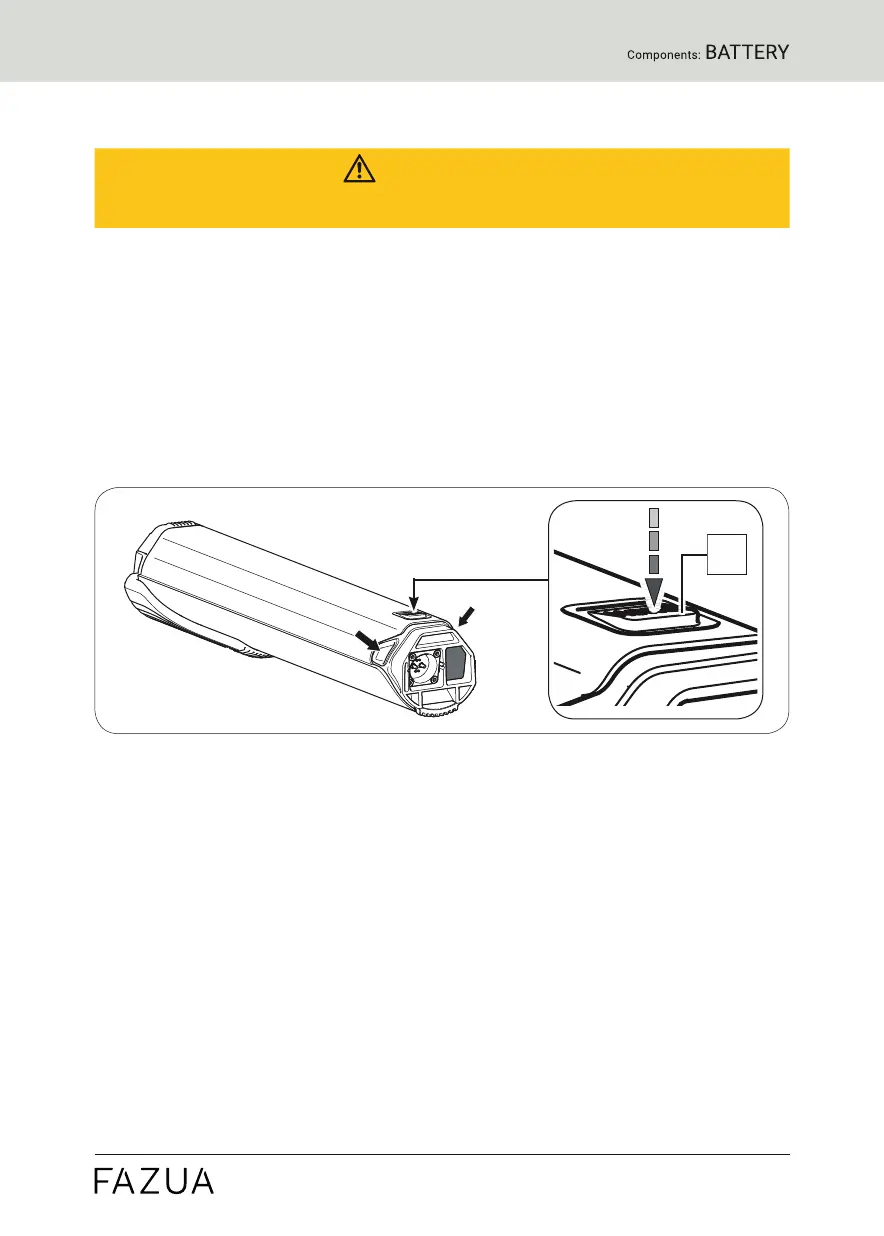
1. Hold the drivepack with one hand and secure the battery with the other.
2. Press the push button as far as it will go to release the battery from
the lock.
3. Press and hold the push button, grasp the battery on the two handles
and gently pull the battery out of the battery holder.
The two handles are located at the side of the upper battery end (see
arrows).
31.4 Switching off the battery
► Turn off the battery by pressing and holding the On/Off button.


 To Next Page