Chapter "Using remote model "fX""
60
2 7. 2 Setting the pedal support
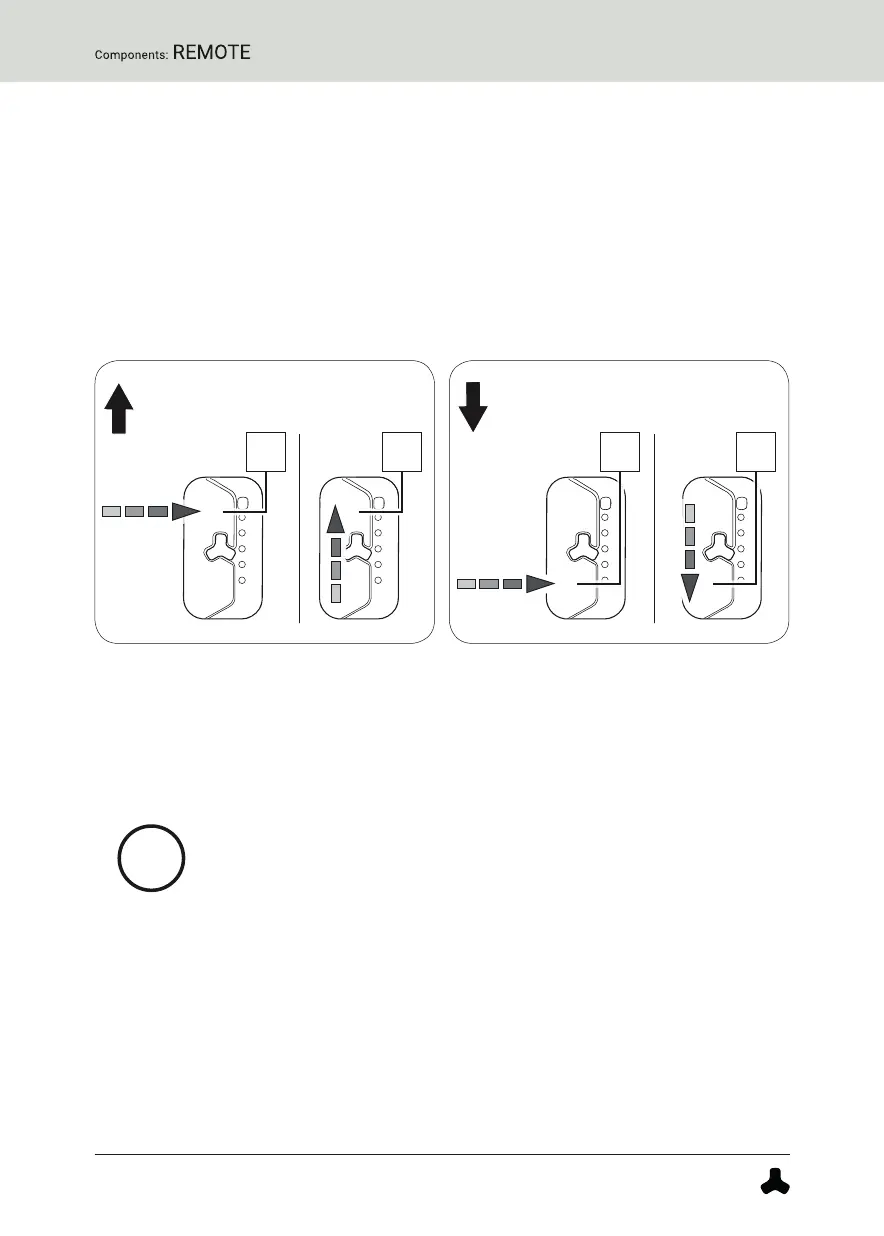
With the help of the remote you can set the desired support level at any
time - even while riding.
► Tap the upper touch sensor on the remote to switch to the next higher
support level.
or
► Swipe the remote from bottom to top to switch to the next higher
support level.
► Tap the lower touch sensor on the remote to move to the next lower
support level.
or
► Swipe the remote from top to bottom to move to the next lower support
level.
When driving in rain mode, use the center button to set the
desired support level.
More detailed information can be found → in chapter 27.5 "Rain mode".


 To Next Page