| 8
ECOTRONIC Plus
© Ferroli 08164 ECOTRONIC Plus.monen.indd
2. Operation and function
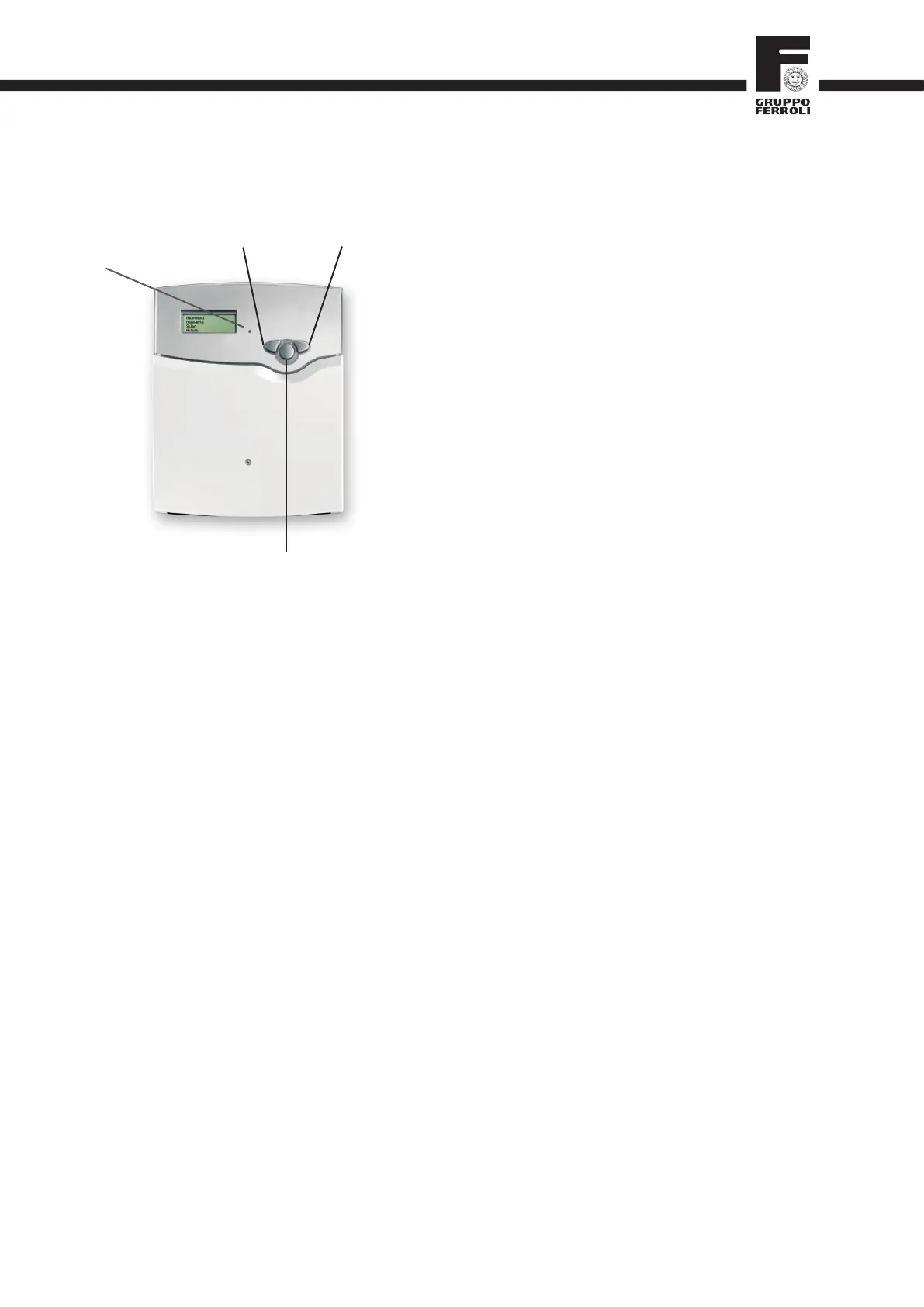
2.1 Buttons for adjustment
1
3
2
(-) backwards
forwards (+)
SET/OK
(selection / adjustment mode)
control lamp
The controller is operated via the 3 push buttons next to the
display. The forward-button (1) is used for scrolling forward
through the menu or to increase the adjustment values. The
backward-button (2) is similarly used for scrolling backwards
and reducing values. Button 3 is used for selection of the
menu lines and for confi rmation.
Briefl y press button 3 in order to get to the main menu
Select the requested menu using buttons 1 and 2.
Briefl y press button 3, the selected submenu is then
shown on the display. By selecting the menu line "back",
the display returns to the former menu level.
Press buttons 1, 2 and 3 to scroll until the choosen menu
line is reached.
Briefl y press button 3 in the respective menu line to
modify adjustment values - "change value" appears on
the display - adjust the requested value by pressing the
buttons 1 and 2 (for large intervals, keep the button
pressed).
Briefl y press button 3 in order to fi nish the adjustment.
To save the change, answer the security inquiry "Save?"
by choosing "yes" or "no" (buttons 1 and 2) and confi rm
with button 3.
Note:
If in the display mode no button is pressed within 4
minutes, the display changes back to measured values
menu (in the case of a message, the message menu is
indicated).
If nothing is entered and no security inquiry answered
within 7 seconds, the controller automatically changes to
the repective menu.
When button 3 is pressed for 2 seconds, the display
changes back to the main menu.
2.2 Control lamp
The controller is equipped with a red-/green control lamp.
The following control and system status are signalled:
• green automaticoperation
• redflashing: malfunctionofthesystem
• greenflashing manualmode




 To Next Page