1. Installation
1-17
Festo P.BE-CTEU-EC-OP+MAINT-EN en 1208NH
Proceed as follo w s:
1. Assign an unused EtherCAT address (device identification
value) to the bus node.
Setting an EtherCAT address is optio nal (e.g. for the Hot
Connect functi o n).
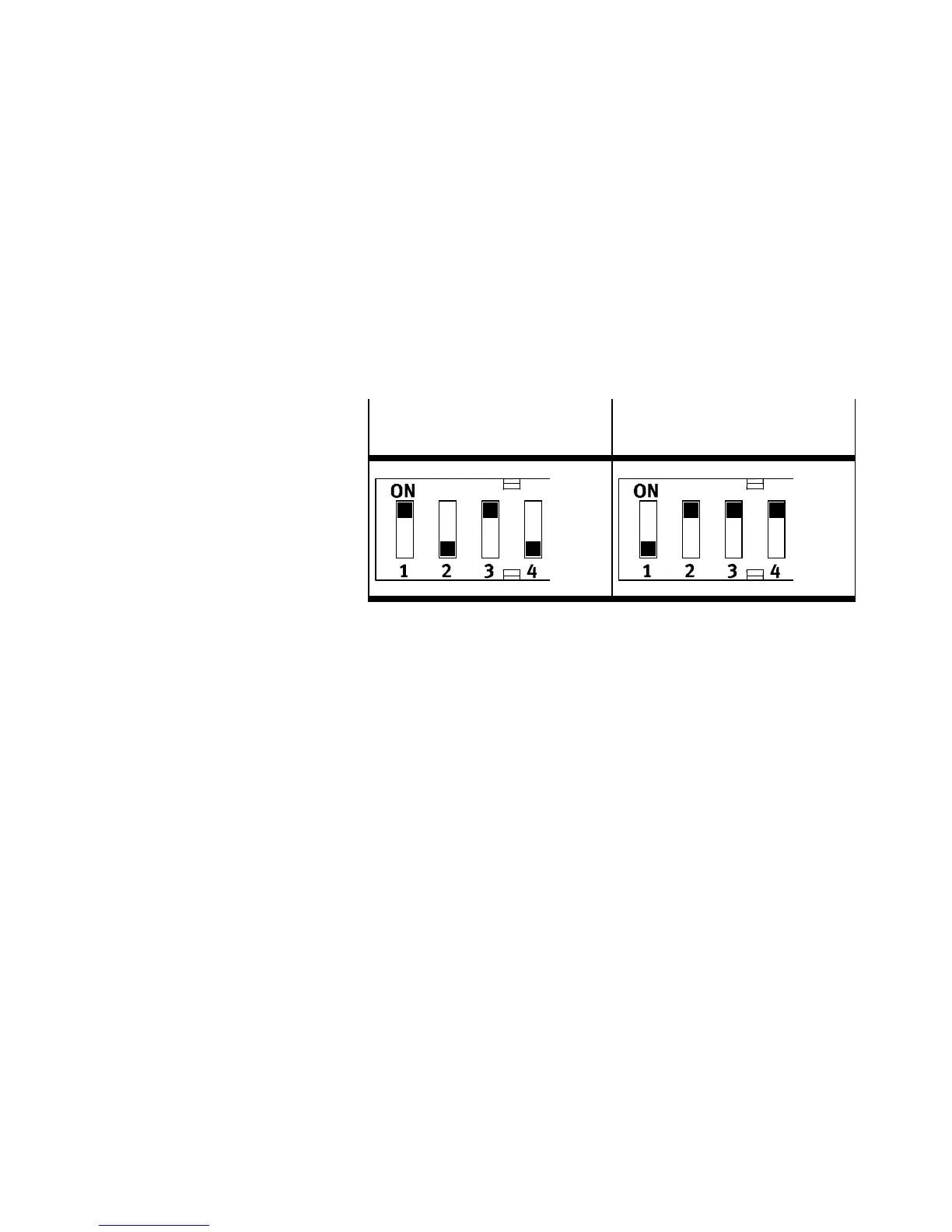
see the foll owing example settings.
Example: EtherCAT address
set: 05
Example: EtherCAT address
set: 14
Tab. 1/3: Setting the binary coded EtherCAT address
2. Select diagnosti cs mo de.
3. Select fail state mode.
Mounting the DIL switch co v er
1. Place the cover carefully on the bus node. Make sure that
the seal is seated correctly.
2. Tighten the two mounting screws with a max. torque of
0.4 Nm.


 To Next Page