MPS
®
System 203 Basic
© Festo Didactic 8064034
61
11.8 Power supply
The stations are supplied with electrical power from a power pack with an output voltage of 24 V DC
(max. 5 A).
The entire station is supplied with electrical power from the rack PLC.
11.9 Loading PLC programs
Proceed as described in the user’s manuals for the utilized programming software in order to load the PLC
programs.
Current PLC programs for various controllers can be found on the Internet at the following website:
www.festo-didactic.com > Services > MPS® The Modular Production System > Stations
11.10 Starting the sequence
1. Check power supply and compressed air supply.
2. Before aligning, manually remove the workpieces from the module and station transfer points.
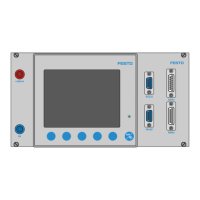
3. Carry out the resetting procedure. The resetting procedure is prompted by the blinking RESET button
and is executed after the button has been pressed.
4. Start the station’s sequence. Start-up is prompted by the illuminated START button and is executed
after the button has been pressed.
Notes
• The sequence can be stopped at any time by pressing the emergency stop button or
the STOP button.
• You can select either continuous cycle (AUTO) or a single cycle (MAN) with
the help of the AUTO/MAN key switch.
• The following applies when several stations are combined:
The individual stations are reset in the order opposite to the direction of material flow.
• When 6 workpieces are on a chute, the CHUTE FULL indicator lamp lights up.
Remove the workpieces. Acknowledge by pressing the START button.


 To Next Page