Chapter 2: Operating Your FT-70/75
Starting-Up Your FT-70/75
The start-up procedure for the FT-70/75 is simple and quick. Your
FT-70/75 can be ready for operation in as little as 5-seconds from
the moment you turn on the main power to the unit.
1. Verify the Safety Interlock Switch is turned on. For more infor-
mation see “The Safety Interlock Switch” on page 2-4.
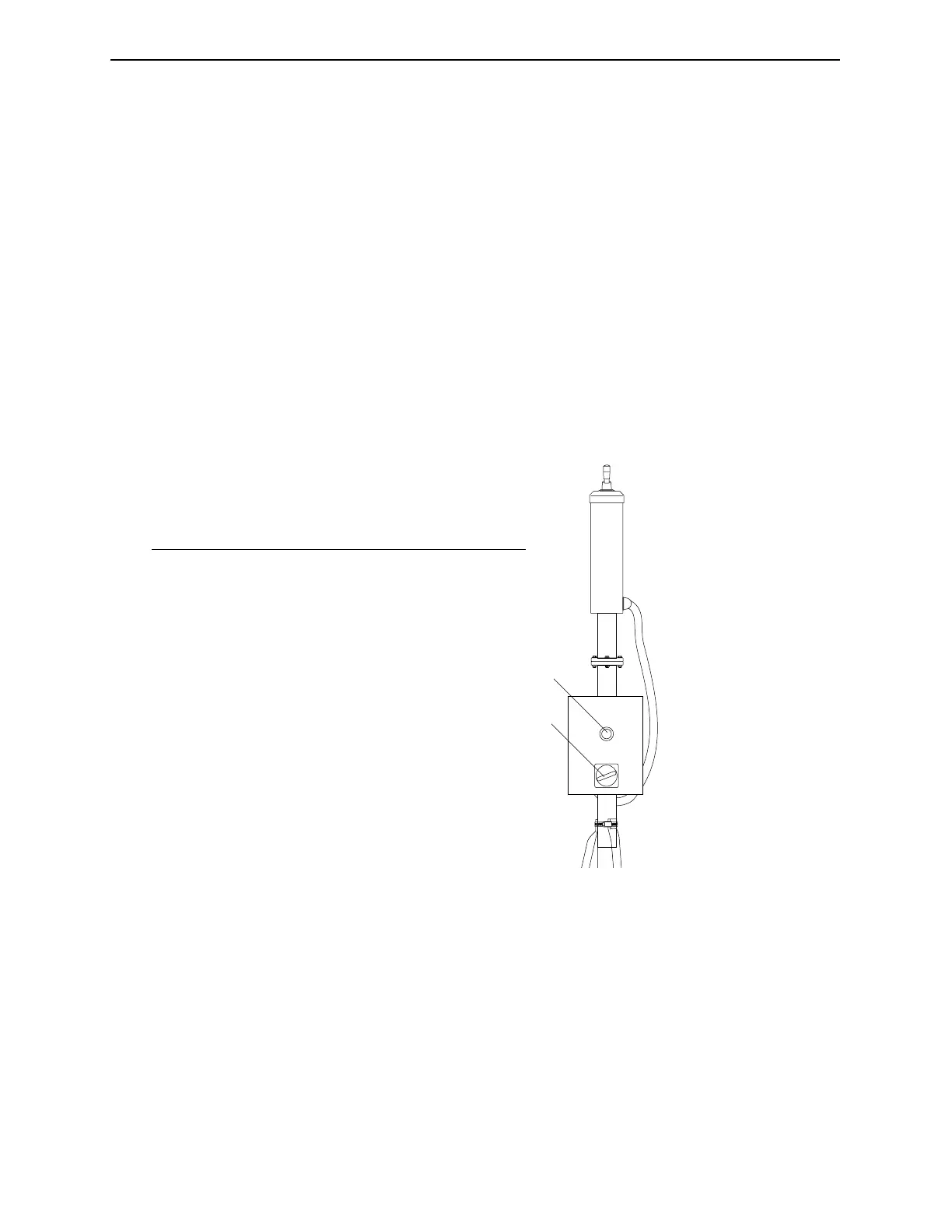
2. Locate the Main Power Switch for the unit. If your FT-70/75
has the External Junction Box option installed, the switch is
located on this box. If the External Junction Box is not installed,
and the main power switch is not readily discernible, contact
your plant service personnel for assistance.
Figure 2-1. Location of Main Power Switch on External Junction
Box.
3. When the power is turned on, the Amber Beacon on top of the
unit will light briefly and then extinguish. If the External
Junction Box is installed, the green Power Indicator Light on
the junction box will light while the power remains on.
1
2
No. Description
1 Power On Indicator (Green Light)
2 Main Power Switch (External Junction Box only)
Industrial Dynamics Company,Ltd. Document 40274-0600 2-3



 To Next Page