Chapter 2: Operating Your FT-70/75
2-21
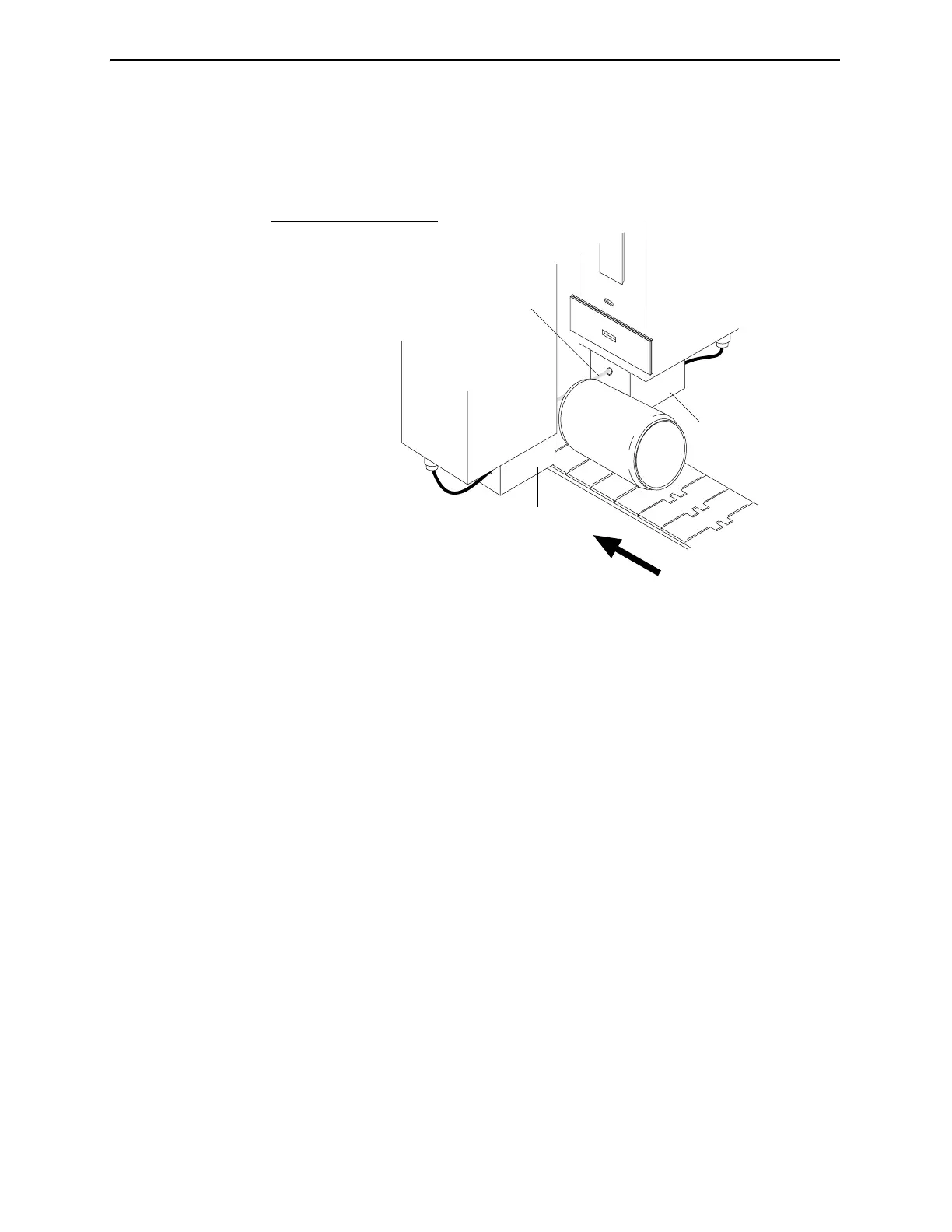
Aligning the Down Container Sensor
Figure 2-10. Aligning the Down Container Sensor.
The Down Container Sensor is mounted on separate brackets
attached directly to the bottom of the inspection head, therefore
before you adjust the Down Container Sensor be certain you have
adjusted the Inspection Head height first. For more information
see “Adjusting the Inspection Head Height” on page 2-5.
1. Turn off the Safety Interlock Switch. For more information see
“The Safety Interlock Switch” on page 2-4.
2. The mounting brackets themselves are not adjustable, however
the sensor height can be adjusted by positioning it in the
proper mounting hole within the block.
The proper mounting hole positions the beam to intersect the
container nearest to the tallest portion of the container while it
is laying on its side. Not all Down Container brackets are
adjustable. If your bracket does not have adjustment holes, it is
not adjustable.
3. If you will not be performing further alignment procedures,
turn on the Safety Interlock Switch to reactivate the X-ray
Generator.
4
1
3
2
No. Description
1 Sensor beam
2 Sensor Emitter
3 Sensor Receiver
4 Container Travel
Industrial Dynamics Company, Ltd. Document 40274-0600



 To Next Page