EN
104
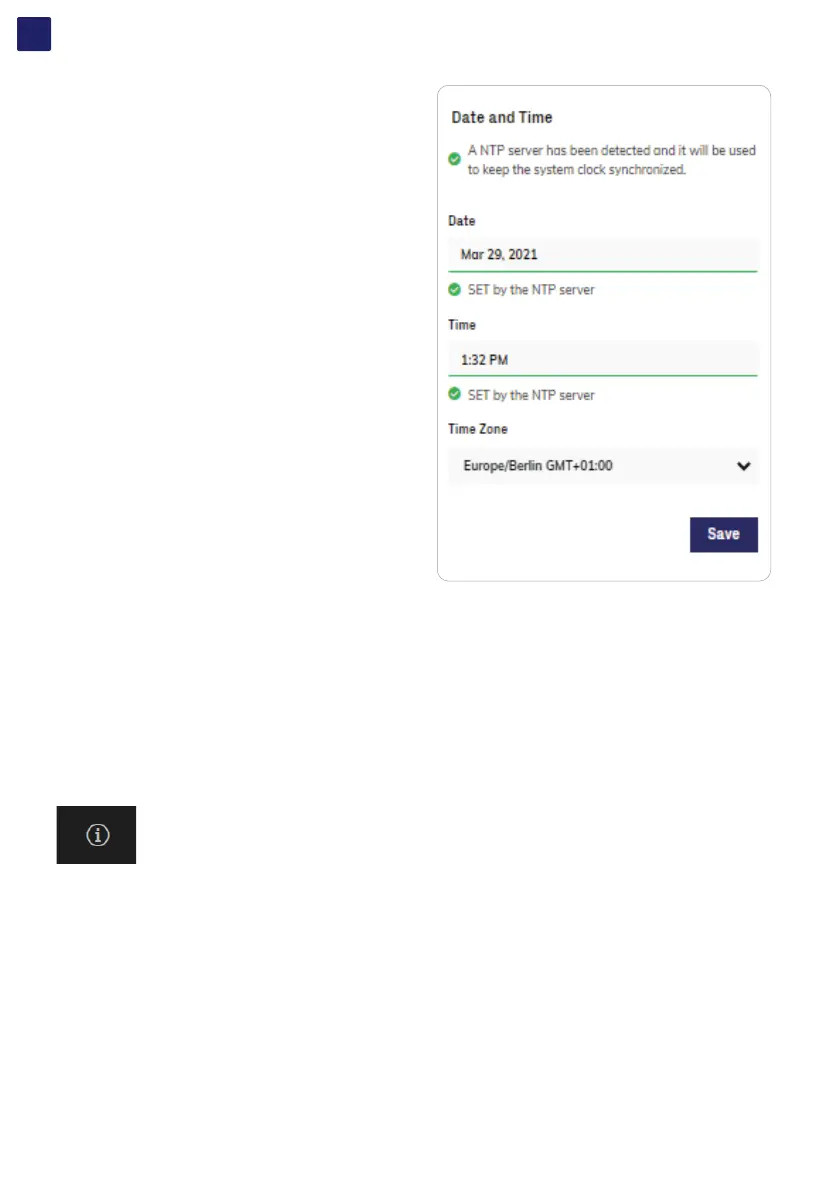
DATE AND TIME
In the Date and Time sub-menu it’s possible to sets the date, time and
time zone.
The inverter will propose these fields when the time protocol is
available.
When it’s not possible for the inverter to detect the time protocol, these
fields have to be manually entered.
RESET MANUFACTURING (Only visible and editable with Admin Plus privileges)
In the Reset Manufacturing sub-menu it’s possible to factory reset the settings related to country standard and related to communication
parameters:
• Reset Country Std and Restore Default: Reset country standard and restore communication parameters to default. The inverter
connectivity will be reboot after the operation.
• Reset Country Standard: Reset ONLY country standard. The inverter connectivity will be reboot after the operation.
• Reset to Default: Reset ONLY communication parameters (not country standard). The inverter connectivity will be reboot after the
operation.
• Connectivity Reboot: Reboot of the inverter connectivity.
7.5.7 INFORMATION menu
In the INFORMATION Section it’s possible to view the general information about the Web User Interface.
it’s possible to access the following sub-menus:
PRODUCT INFO
PRIVACY POLICY
PROVIDER INFORMATION/IMPRESSUM
ACKNOWLEDGMENTS
RELEASE NOTES



 To Next Page