EN
123
8.7 Replacement of the COMM RS485 board
WARNING – B Some inverter parts may be subject to hazardous voltages for the operator. Before performing any work on the
inverter, refer to “Inverter total de-energization and safe access” paragraph on this manual to know all the necessary step to
safely operate on the inverter.
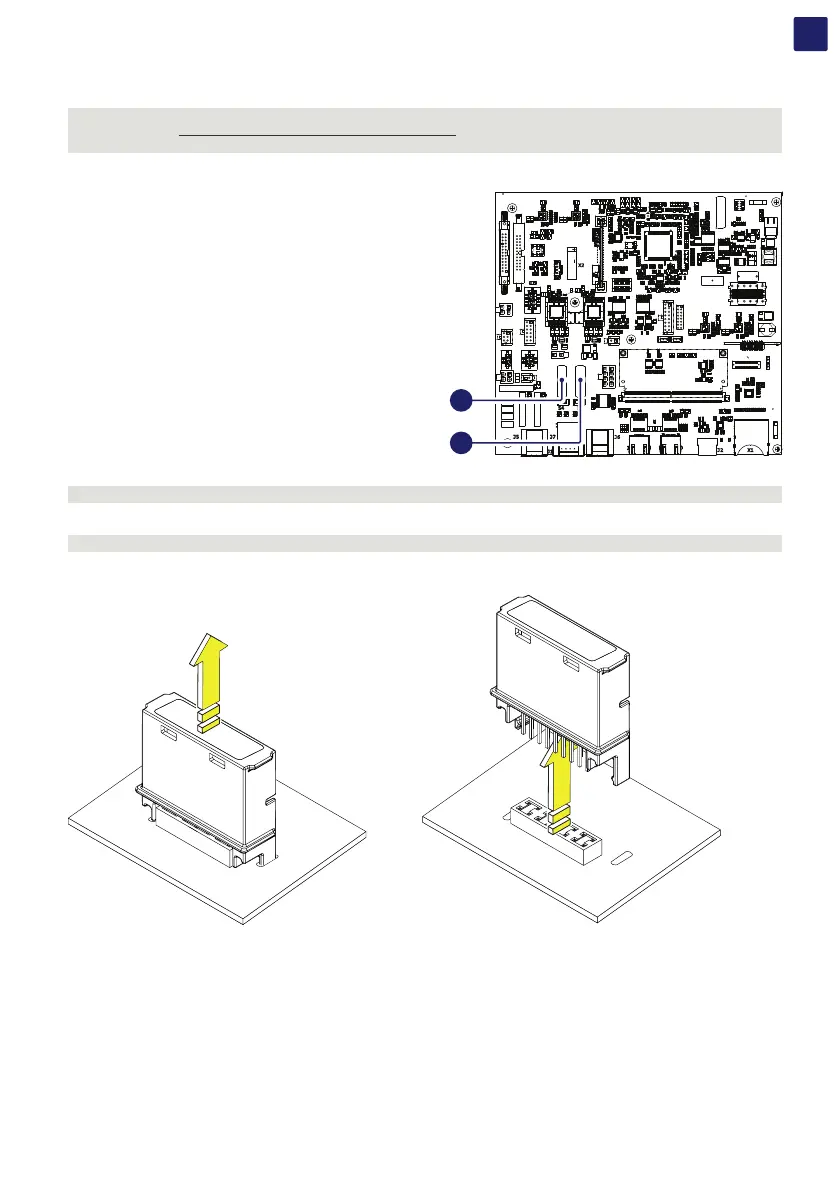
Replacing the RS485 line communication board (44) (45) is carried out on the wiring box (02) and may be necessary in case of
communication issues on RS485 line.
The RS485 line communication board (44) (45) is installed on the
communication and control board (28).
Procedure to replace the RS485 line communication board:
WARNING – B Perform the “Inverter total de-energization and safe access” procedure before operate on the inverter.
• Open the front wiring box cover (07).
WARNING – B Do not open the power module cover (54) during the replacement operation.
• Remove the RS485 line communication board to be replaced.
COMM RS485
COMM RS485
• Install the new RS485 line communication board.
• Reconnect all the input strings and restart the inverter.
J2 X1
X2
S5S4
J7
J5 J6
1
2
1
8
7
432
44
45



 To Next Page