49
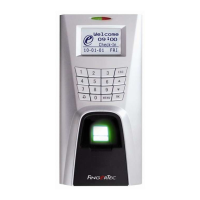
The LED is Blinking All The Time
You have nothing to worry about unless the blinking light is red. The green blinking
light is indicating that the terminal is under its standby mode. Red blinking light
may signal problem in the terminal. Contact your reseller for consultation.
“Duplicate Finger” Appears
FingerTec terminals are intelligent. It will not accept the same fingerprint twice
into its system. If you have registered a finger into the terminal, the system would
prompt “duplicate finger” when you try to enroll that finger for another time.
Choose a different finger to proceed.
RFID Card Doesn’t Respond
Two possibilities for this problem
Have you registered the card to the terminal?
The card must be registered to the terminal before it can read the information in
the card. Refer to chapter 3 User for card enrolment.
Have you assigned the user ID to the verication group that supports
RFID card?
Without setting the terminal to show that you are under a group that supports RFID
card, the terminal wouldn’t read your card.
No Sound
A few things could cause this problem:
The terminal voice mode is silent
Perhaps someone has turned off the voice in your terminal or reduced its volume to
0%. Refer to Chapter 5 System under Voice to rectify.
Speaker is damaged
Once you have rectified the voice mode, if the problem persists, proceed to test the
voice. Go to Chapter 8 to do the test. If no voice is being emitted, contact your local
reseller for support.
For more troubleshooting, go to
http://user.fingertec.com/


 To Next Page
 Loading...