116 Audio Command Center Series Manual — P/N 51889:E1 6/8/2010
Programmed Activation by FACP MS-9600, MS-9200UDLS and MS-9200UD
To Program a monitor module in an FPJ-F or RPJ-F, press the ENTER key at the FACP. The fol-
lowing screen will be displayed:
Access Programming Mode by pressing the 2 key. The following screen will be displayed:
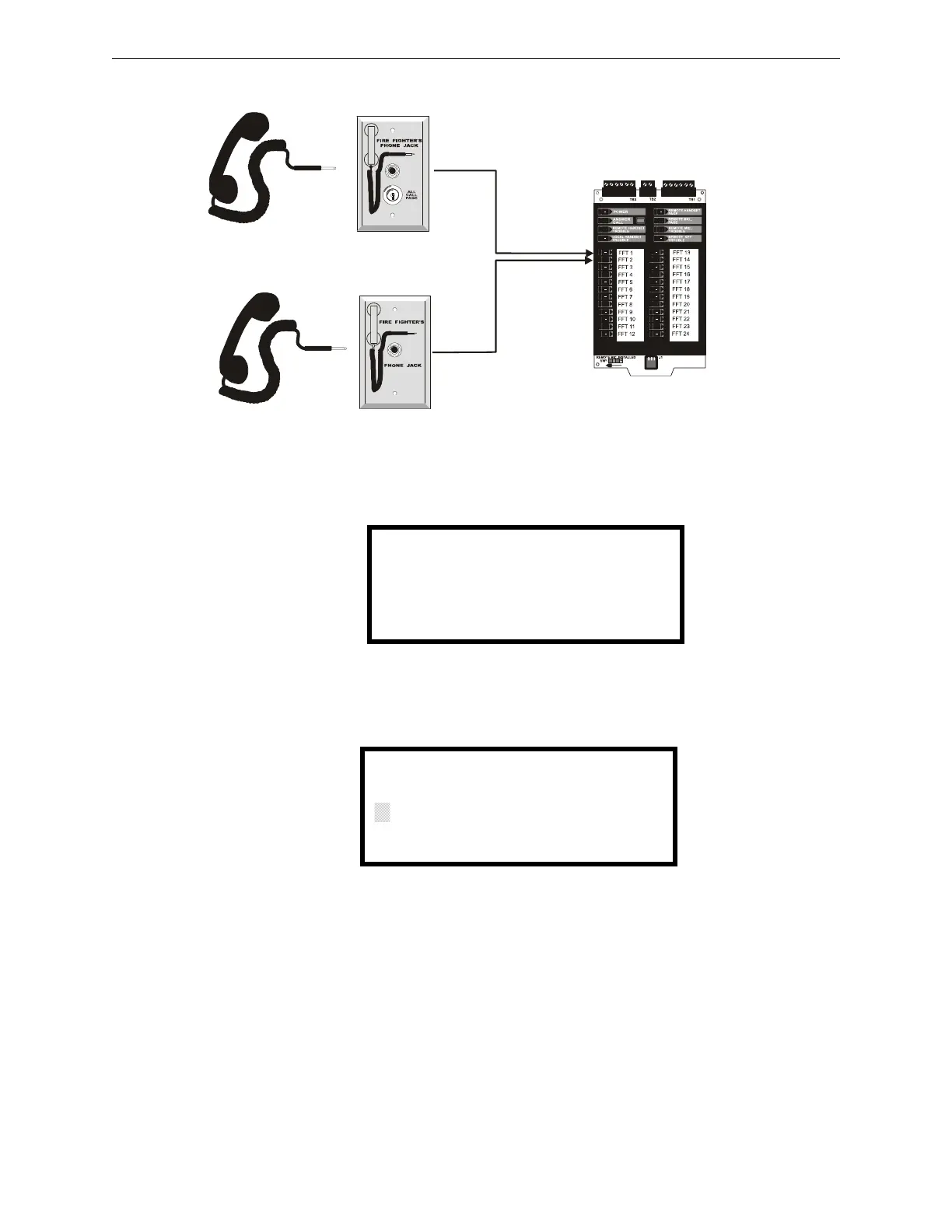
ACC-FFT
FPJ-F
RPJ-F
monitor module
at address 75
monitor module
at address 76
FHS-F
FHS-F
1=READ STATUS MODE
2=PROGRAMMING MODE
3=MANUAL DIAL MODE
PROGRAMMING
ENTER PASSWORD
*****











 To Next Page