134 Audio Command Center Series Manual — P/N 51889:E1 6/8/2010
Programmed Activation by FACP MS-5UD-3/7 and MS-10UD-3/7
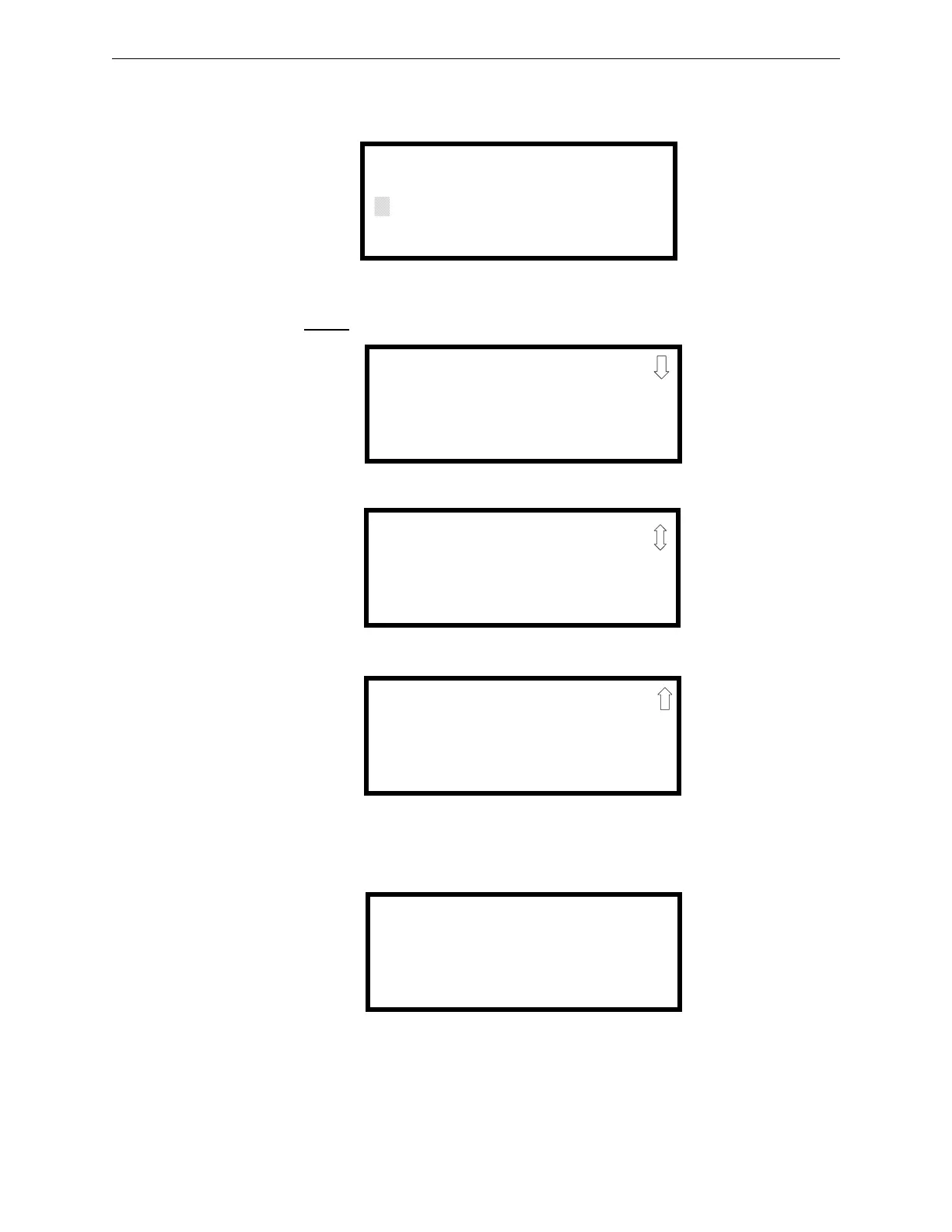
The following screen will be displayed:
Entering the Master
level password (default 00000) will cause the following screens to appear:
Access Option Modules by pressing the 2 key while viewing Programming Screen #2. The follow-
ing screen will be displayed:
PROGRAMMING
ENTER PASSWORD
*****
PROGRAMMING
1=INPUT ZONES
2=NACS
3=RELAYS
PROGRAMMING
1=SYSTEM SETUP
2=OPTION MODULES
3=HISTORY
PROGRAMMING
1=WALKTEST
2=CLEAR PROGRAM
3=PASSWORD CHANGE
Programming Screen #1
Programming Screen #2
Programming Screen #3
OPTION MODULES
1=ANN-BUS
2=ON BOARD DACT











 To Next Page