Inventor User Guide | www.flashforge.com 0086‐ 0579‐82273989
30
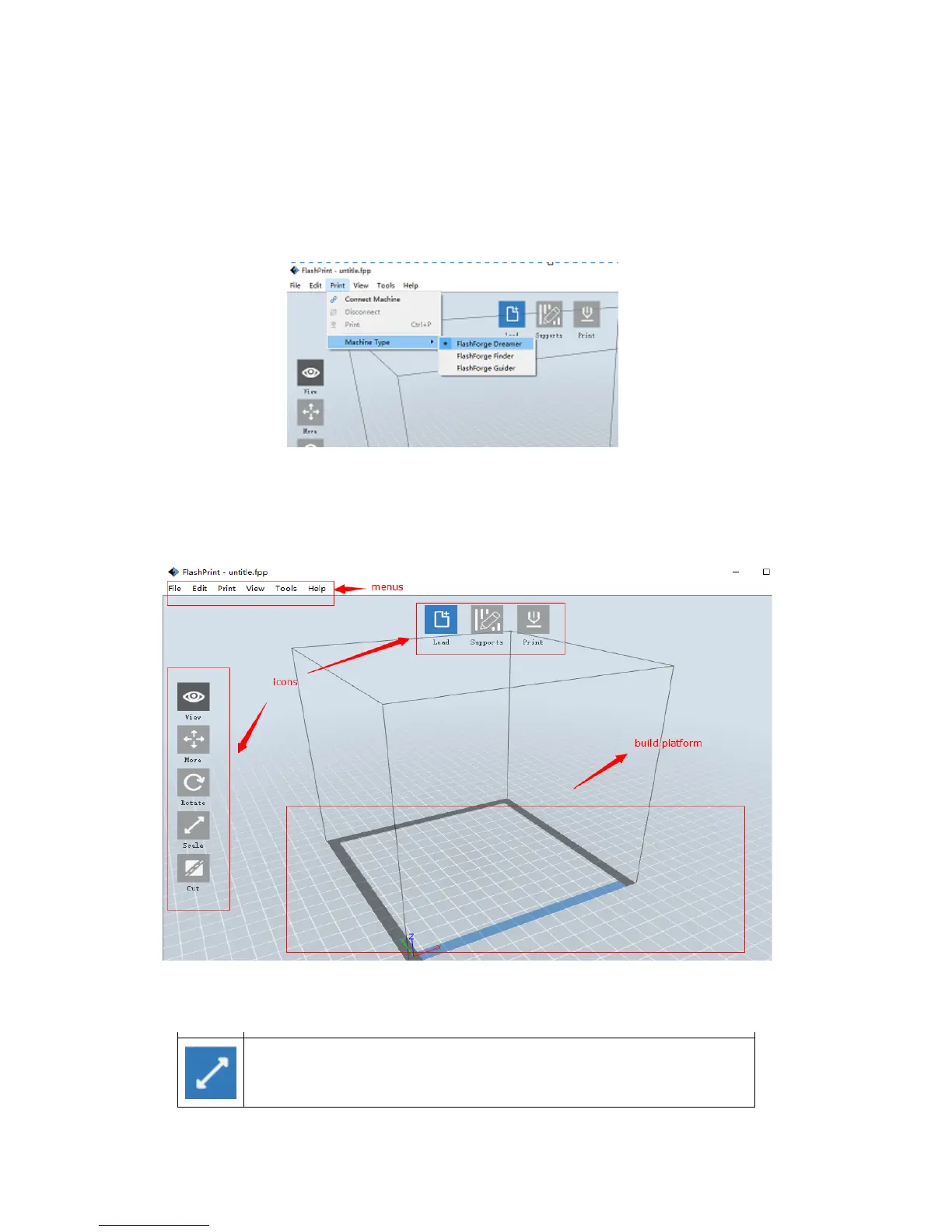
When you start FlashPrint, a dialog box will pop up. Just need to select Flashforge
Inventor in the machine type list and click [OK]. You can also change the machine
type via clicking [Print]--[Machine type]. Please see graphic 6-2:
6-2
6.2.2 Flashprint Menus
Load one or multiple files.
Enter t he support edit mode
View FlashPrint home screen from one of six viewing angle s.
Move model around on xy-plane; shift+click to move along z axis
Turn and rotate your model
Scale the size of your object
6‐3















 To Next Page