Inventor User Guide | www.flashforge.com 0086‐ 0579‐82273989
56
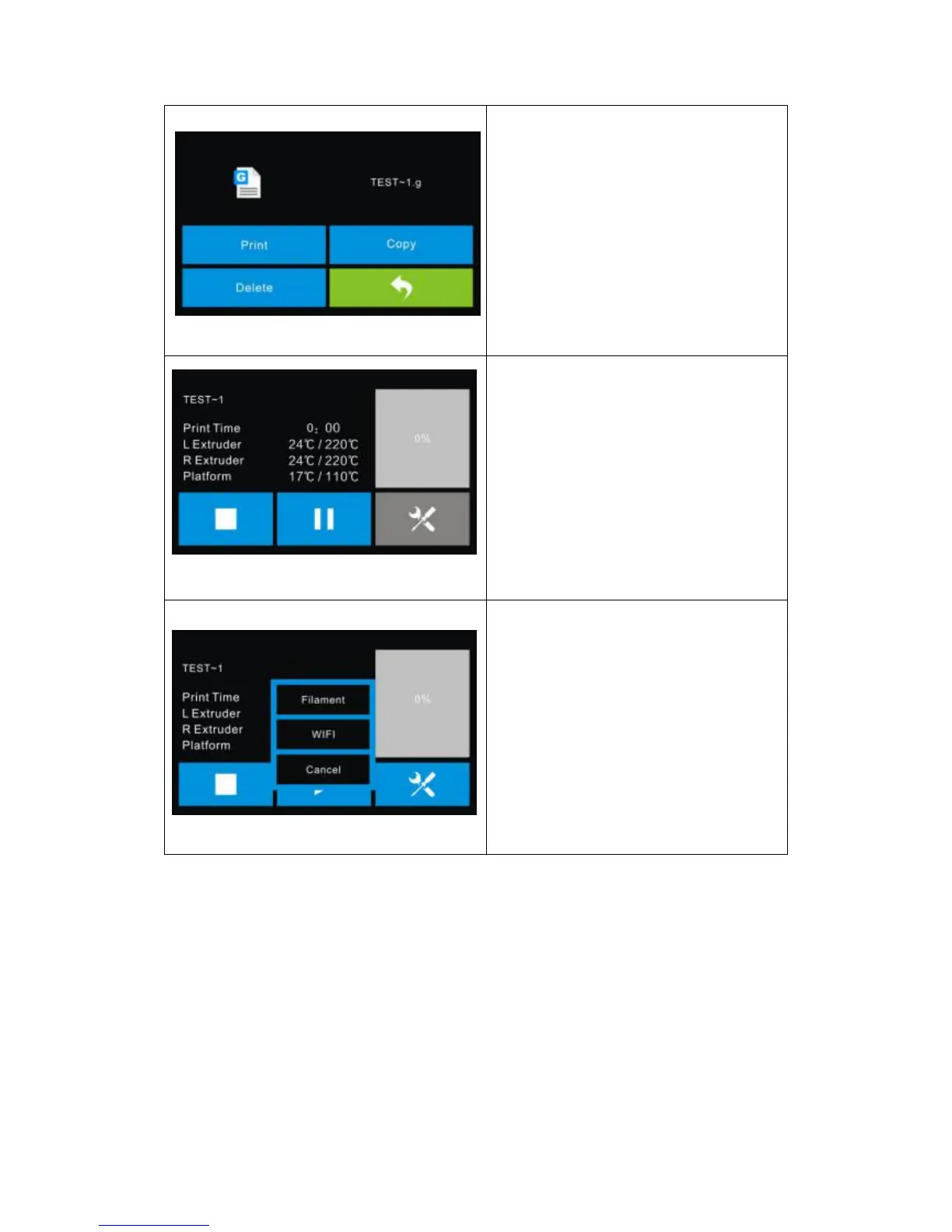
Select the target print file among the l ist
Print: To begin printing
Copy: To copy the files to the local
memory card from the SD card.(No
available [Copy] button for printing
from local memory card )
Delete: To delete the print file
Print interface
Abort: To abort the print job.
Pause/Resume: To suspend or resume
the print job.
Tools: To change filament and set up
auto shutdown during printing.
Tools in print interface
Filament: To change filament during
printing.
(Note: You need to suspend the
operation first)
Wifi: To turn on the Wifi
Cancel: To end the tool orders and
return to the print interface.















 To Next Page